PC 용 Word Out - Word Search Games
- 카테고리: Games
- 최근 업데이트: 2018-03-15
- 현재 버전: 1.01
- 파일 크기: 98.33 MB
- 개발자: 建刚 范
- 호환성: 필요 Windows XP, Windows Vista, Windows 7, Windows 8, Windows 8.1 and Windows 10, Windows 11


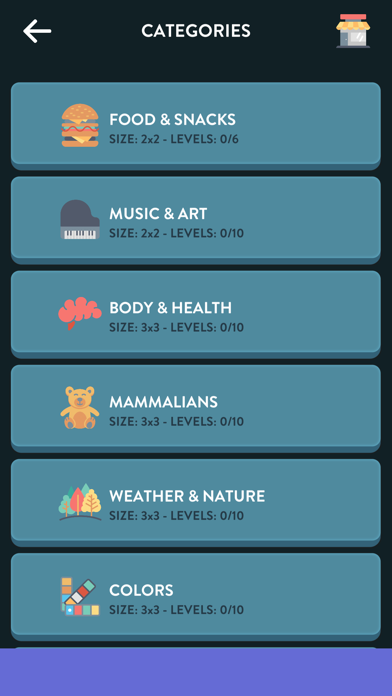

PC에서 Word Out - Word Search Games 용 호환 APK 다운로드
| 다운로드 | 개발자 | 평점 | 점수 | 현재 버전 | 성인 랭킹 |
|---|---|---|---|---|---|
| ↓ PC용 APK 다운로드 | 建刚 范 | 0 | 1.01 | 4+ |
에뮬레이터의 중요성은 컴퓨터에서 안드로이드 환경을 흉내 내고 안드로이드 폰을 구입하지 않고도 안드로이드 앱을 설치하고 실행하는 것을 매우 쉽게 만들어주는 것입니다. 누가 당신이 두 세계를 즐길 수 없다고 말합니까? 우선 아래에있는 에뮬레이터 앱을 다운로드 할 수 있습니다.
A. Nox App . OR
B. Bluestacks App .
Bluestacks는 매우 대중적이므로 개인적으로 "B"옵션을 사용하는 것이 좋습니다. 문제가 발생하면 Google 또는 Naver.com에서 좋은 해결책을 찾을 수 있습니다.
Bluestacks.exe 또는 Nox.exe를 성공적으로 다운로드 한 경우 컴퓨터의 다운로드 폴더 또는 다운로드 한 파일을 일반적으로 저장하는 곳으로 이동하십시오.
찾으면 클릭하여 응용 프로그램을 설치하십시오. PC에서 설치 프로세스를 시작해야합니다.
다음을 클릭하여 EULA 라이센스 계약에 동의하십시오.
응용 프로그램을 설치하려면 화면 지시문을 따르십시오.
위 사항을 올바르게 수행하면 소프트웨어가 성공적으로 설치됩니다.
이제 설치 한 에뮬레이터 애플리케이션을 열고 검색 창을 찾으십시오. 지금 입력하십시오. - Word Out - Word Search Games 앱을 쉽게 볼 수 있습니다. 그것을 클릭하십시오. 응용 프로그램 창이 열리고 에뮬레이터 소프트웨어에 응용 프로그램이 표시됩니다. 설치 버튼을 누르면 응용 프로그램이 다운로드되기 시작합니다. 이제 우리는 모두 끝났습니다.
그런 다음 "모든 앱"아이콘이 표시됩니다.
클릭하면 설치된 모든 응용 프로그램이 포함 된 페이지로 이동합니다.
당신은 Word Out - Word Search Games 상. 그것을 클릭하고 응용 프로그램 사용을 시작하십시오.
Fun word connect and word spell game! Swipe your finger to connect the letters to build up a word - from letters to word. Download Word Out: Word Search Puzzles to solve free word puzzles while having fun. Confident in your vocabulary skills? Challenge yourself to be a word master! One of top free word search games that can expand your vocab arsenal while solving the levels one by one. Endless word spelling puzzle fun at your fingertip! How many words can you find from the scrambled letters? Test and train your brain in a relaxing way. Download our new word game - best word games for kids and adults! How is Our Game Special? Over 1000 levels powered by Oxford Dictionaries. It starts easy but gets harder and harder as you play on - let's see how many levels you can conquer! Easy and fun brain training and logic exercise. Test and sharpen your vocab skills and word search ability. Pleasurable gameplay to fill your own time with value and fun or enjoy it with your friends. WiFi is not needed to play this free word search puzzle game, nor cell connection - enjoy your word snack anytime you want. How to Play: Swipe your finger at the screen to connect the scrambled letters - if you connect them in the correct order, a word will be built and filled into the blanks above. Find all the words to fill up all the blanks to pass the level. Connect the letters in any direction and order you want: words can be found vertically/horizontally/diagonally/backwards. Remember to shuffle the letters when you are stuck, which may bring a new angle of view. Sometimes you may find "extra" words, which means you find more words than required. Extra words can earn you rubies. Rubies can be used to buy hints when you ever get stuck.