
PC 용 Pixel Color Paint by Number
- 카테고리: Entertainment
- 최근 업데이트: 2018-07-24
- 현재 버전: 1.00
- 파일 크기: 110.68 MB
- 개발자: Fan Jiangang
- 호환성: 필요 Windows XP, Windows Vista, Windows 7, Windows 8, Windows 8.1 and Windows 10, Windows 11

PC에서 Pixel Color Paint by Number 용 호환 APK 다운로드
| 다운로드 | 개발자 | 평점 | 점수 | 현재 버전 | 성인 랭킹 |
|---|---|---|---|---|---|
| ↓ PC용 APK 다운로드 | Fan Jiangang | 0 | 0 | 1.00 | 4+ |
에뮬레이터의 중요성은 컴퓨터에서 안드로이드 환경을 흉내 내고 안드로이드 폰을 구입하지 않고도 안드로이드 앱을 설치하고 실행하는 것을 매우 쉽게 만들어주는 것입니다. 누가 당신이 두 세계를 즐길 수 없다고 말합니까? 우선 아래에있는 에뮬레이터 앱을 다운로드 할 수 있습니다.
A. Nox App . OR
B. Bluestacks App .
Bluestacks는 매우 대중적이므로 개인적으로 "B"옵션을 사용하는 것이 좋습니다. 문제가 발생하면 Google 또는 Naver.com에서 좋은 해결책을 찾을 수 있습니다.
Bluestacks.exe 또는 Nox.exe를 성공적으로 다운로드 한 경우 컴퓨터의 다운로드 폴더 또는 다운로드 한 파일을 일반적으로 저장하는 곳으로 이동하십시오.
찾으면 클릭하여 응용 프로그램을 설치하십시오. PC에서 설치 프로세스를 시작해야합니다.
다음을 클릭하여 EULA 라이센스 계약에 동의하십시오.
응용 프로그램을 설치하려면 화면 지시문을 따르십시오.
위 사항을 올바르게 수행하면 소프트웨어가 성공적으로 설치됩니다.
이제 설치 한 에뮬레이터 애플리케이션을 열고 검색 창을 찾으십시오. 지금 입력하십시오. - Pixel Color Paint by Number 앱을 쉽게 볼 수 있습니다. 그것을 클릭하십시오. 응용 프로그램 창이 열리고 에뮬레이터 소프트웨어에 응용 프로그램이 표시됩니다. 설치 버튼을 누르면 응용 프로그램이 다운로드되기 시작합니다. 이제 우리는 모두 끝났습니다.
그런 다음 "모든 앱"아이콘이 표시됩니다.
클릭하면 설치된 모든 응용 프로그램이 포함 된 페이지로 이동합니다.
당신은 Pixel Color Paint by Number 상. 그것을 클릭하고 응용 프로그램 사용을 시작하십시오.
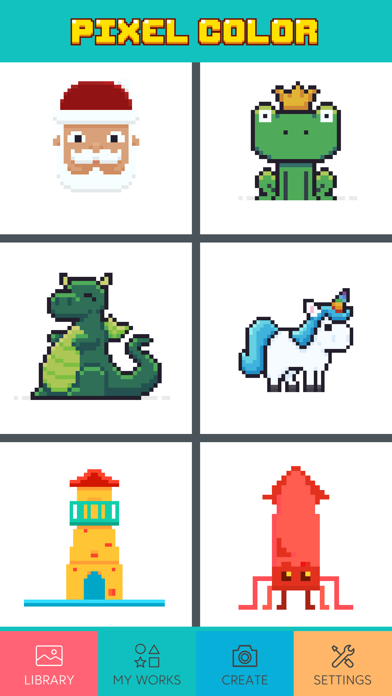
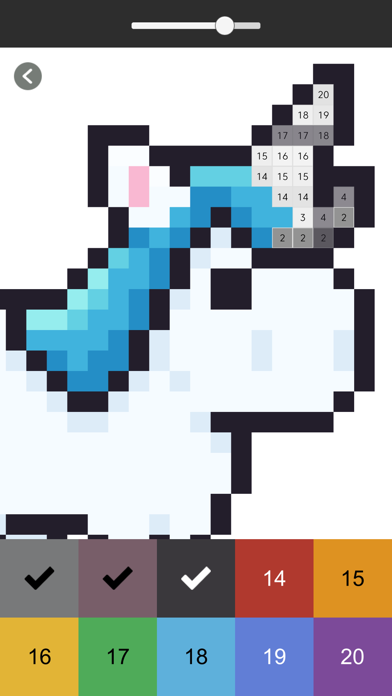
Anti-Stress Color by Number Game Pixel Color Paint by Number is a pixel art free game that can let out your stress and ease your eyes & mind! Easiest Coloring Games Ever You don't need to pick up the colors - just tap and swipe your finger to paint by number like an artist! Best Drawing for Kids Pixel Color Paint by Number is a perfect drawing game for your kids/students to recognize basic numbers and colors while practicing fine motor skills. And guess what? If your kids are fans of LEGO, our pixel color game can be a mobile alternative! Countless Pixel Images to be Drawn Whatever categories you are into, you can always find the right images that match your taste. More than enough artworks to paint and enjoy! Pixel Color Camera Can't get enough with the given number coloring images? You can take selfies or any types of photos via your camera, which will be turned into number coloring images waiting to be painted. You can also transfer any images or photos from your iPhone/iPad to pixel images. Challenging Sandbox Game Easy images include only a few colors, but there are more challenging ones with a large number of colors to choose from! For the images you create from your camera or your image library, you can set the density of pixels. Relax and enjoy the level you set in our little sandbox game! Nostalgia The pixel coloring is also about your nostalgic feeling. Remember the simple good old days when Nintendo / Genesis is a part of our life? Let this color by number game bring back your memories. No WiFi Game This No. draw game requires no WiFi. You can play it any time without worry about the network or cellular data. __________________________________________ How to Play Pixel Color Paint by Number Choose Image - Choose one of the given fun images (or take a photo/import image from your library). Select Colors - Follow a given color number on the image to choose the right colors below. Paint - Find the pixel that matches and tap to paint it or swipe vertically/horizontally to draw a line across the pixels of the same number. Zoom In/Out - pinch your fingers to zoom in to view the color number pixels & draw accurately. When you're done with your masterpiece, spread your fingers apart to zoom out & wait for the surprise!