
PC 용 DSLR Clapperboard
- 카테고리: Photo & Video
- 최근 업데이트: 2024-02-22
- 현재 버전: 5.7
- 파일 크기: 71.59 MB
- 개발자: Daniele Morelli
- 호환성: 필요 Windows XP, Windows Vista, Windows 7, Windows 8, Windows 8.1 and Windows 10, Windows 11

PC에서 DSLR Clapperboard 용 호환 APK 다운로드
| 다운로드 | 개발자 | 평점 | 점수 | 현재 버전 | 성인 랭킹 |
|---|---|---|---|---|---|
| ↓ PC용 APK 다운로드 | Daniele Morelli | 1 | 1 | 5.7 | 4+ |
에뮬레이터의 중요성은 컴퓨터에서 안드로이드 환경을 흉내 내고 안드로이드 폰을 구입하지 않고도 안드로이드 앱을 설치하고 실행하는 것을 매우 쉽게 만들어주는 것입니다. 누가 당신이 두 세계를 즐길 수 없다고 말합니까? 우선 아래에있는 에뮬레이터 앱을 다운로드 할 수 있습니다.
A. Nox App . OR
B. Bluestacks App .
Bluestacks는 매우 대중적이므로 개인적으로 "B"옵션을 사용하는 것이 좋습니다. 문제가 발생하면 Google 또는 Naver.com에서 좋은 해결책을 찾을 수 있습니다.
Bluestacks.exe 또는 Nox.exe를 성공적으로 다운로드 한 경우 컴퓨터의 다운로드 폴더 또는 다운로드 한 파일을 일반적으로 저장하는 곳으로 이동하십시오.
찾으면 클릭하여 응용 프로그램을 설치하십시오. PC에서 설치 프로세스를 시작해야합니다.
다음을 클릭하여 EULA 라이센스 계약에 동의하십시오.
응용 프로그램을 설치하려면 화면 지시문을 따르십시오.
위 사항을 올바르게 수행하면 소프트웨어가 성공적으로 설치됩니다.
이제 설치 한 에뮬레이터 애플리케이션을 열고 검색 창을 찾으십시오. 지금 입력하십시오. - DSLR Clapperboard 앱을 쉽게 볼 수 있습니다. 그것을 클릭하십시오. 응용 프로그램 창이 열리고 에뮬레이터 소프트웨어에 응용 프로그램이 표시됩니다. 설치 버튼을 누르면 응용 프로그램이 다운로드되기 시작합니다. 이제 우리는 모두 끝났습니다.
그런 다음 "모든 앱"아이콘이 표시됩니다.
클릭하면 설치된 모든 응용 프로그램이 포함 된 페이지로 이동합니다.
당신은 DSLR Clapperboard 상. 그것을 클릭하고 응용 프로그램 사용을 시작하십시오.
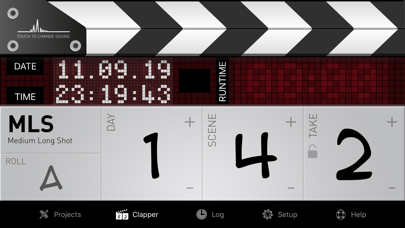
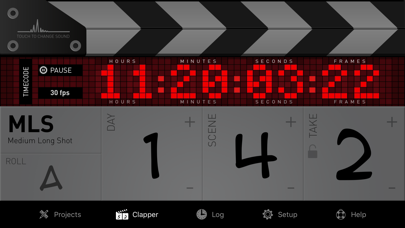
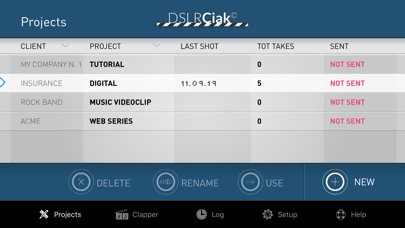
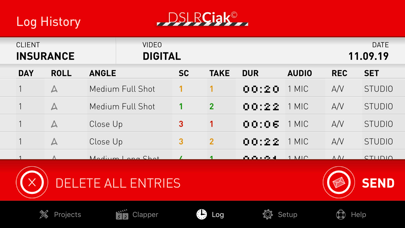
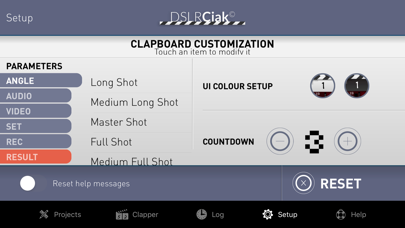
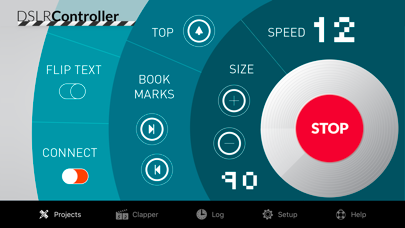
A few taps and you are on-air: select the angle, scene and take of your shot and tap on the clapper. You can edit the items and the descriptions in the setup page of the app to fully customize it. Features' list: CLAPPERBOARD • Full customization of the clapboard: design your own slate with a few touches. (IPad version) • Project based clapboard: start, stop and recall your work at your needs. • Switch from timer to timecode (24, 25, 30, 50 and 60 fps). • Choose among 3 different clap sounds. • Auto takes advance, to update the take after each shot. • Stopwatch, to have time under your control. • Full customization, to have a clapperboard exactly the way you like. • Remarks, allows you to add notes during the shooting. • Log history, to keep everything under your eyes. • Summary e-mail report, to send the result of your shooting in your inbox (in-app purchase). • NEW Multi-camera clapboard: you can synchronize up to 8 devices to execute the clapboard simultaneously on all of them. In-App Purchase (for a short period of time at a very competitive price): PROMPTER (IPad version) • Unlimited number of scripts. • Bookmarks, to jump directly to the point. • Remote control, with full preview at your fingertips. • Easy connection, over bluetooth or wi-fi. • Speed wheel, for an innovative user interaction. • Change font size from the remote control. • Flip text on the fly. • Drag text on the remote control, the prompter will follow accordingly. • Auto prompter: set up your speed and then start playing it. STORYBOARD (IPad version) • Import any image or picture you have as a frame of your storyboard. • Give it a number (also 12B-2C#2) and a description. • You can automatically import you storyboard with the new DSLR Template available for download at your fingertip. • Synchronize your storyboard with the clapperboard (scene number and final summary email). --- To ask for new features and to report bugs, please refer to dslrslate.com and visit the page "customer care".


