PC 용 eZy Watermark - Photo
- 카테고리: Photo & Video
- 최근 업데이트: 2019-10-25
- 현재 버전: 1.2
- 파일 크기: 8.40 MB
- 개발자: Whizpool
- 호환성: 필요 Windows XP, Windows Vista, Windows 7, Windows 8, Windows 8.1 and Windows 10, Windows 11


PC에서 eZy Watermark - Photo 용 호환 APK 다운로드
| 다운로드 | 개발자 | 평점 | 점수 | 현재 버전 | 성인 랭킹 |
|---|---|---|---|---|---|
| ↓ PC용 APK 다운로드 | Whizpool | 0 | 0 | 1.2 | 4+ |
에뮬레이터의 중요성은 컴퓨터에서 안드로이드 환경을 흉내 내고 안드로이드 폰을 구입하지 않고도 안드로이드 앱을 설치하고 실행하는 것을 매우 쉽게 만들어주는 것입니다. 누가 당신이 두 세계를 즐길 수 없다고 말합니까? 우선 아래에있는 에뮬레이터 앱을 다운로드 할 수 있습니다.
A. Nox App . OR
B. Bluestacks App .
Bluestacks는 매우 대중적이므로 개인적으로 "B"옵션을 사용하는 것이 좋습니다. 문제가 발생하면 Google 또는 Naver.com에서 좋은 해결책을 찾을 수 있습니다.
Bluestacks.exe 또는 Nox.exe를 성공적으로 다운로드 한 경우 컴퓨터의 다운로드 폴더 또는 다운로드 한 파일을 일반적으로 저장하는 곳으로 이동하십시오.
찾으면 클릭하여 응용 프로그램을 설치하십시오. PC에서 설치 프로세스를 시작해야합니다.
다음을 클릭하여 EULA 라이센스 계약에 동의하십시오.
응용 프로그램을 설치하려면 화면 지시문을 따르십시오.
위 사항을 올바르게 수행하면 소프트웨어가 성공적으로 설치됩니다.
이제 설치 한 에뮬레이터 애플리케이션을 열고 검색 창을 찾으십시오. 지금 입력하십시오. - eZy Watermark - Photo 앱을 쉽게 볼 수 있습니다. 그것을 클릭하십시오. 응용 프로그램 창이 열리고 에뮬레이터 소프트웨어에 응용 프로그램이 표시됩니다. 설치 버튼을 누르면 응용 프로그램이 다운로드되기 시작합니다. 이제 우리는 모두 끝났습니다.
그런 다음 "모든 앱"아이콘이 표시됩니다.
클릭하면 설치된 모든 응용 프로그램이 포함 된 페이지로 이동합니다.
당신은 eZy Watermark - Photo 상. 그것을 클릭하고 응용 프로그램 사용을 시작하십시오.
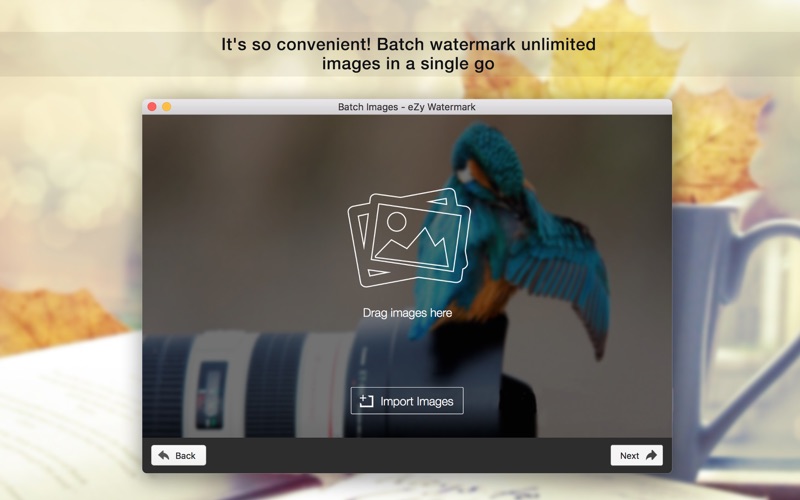
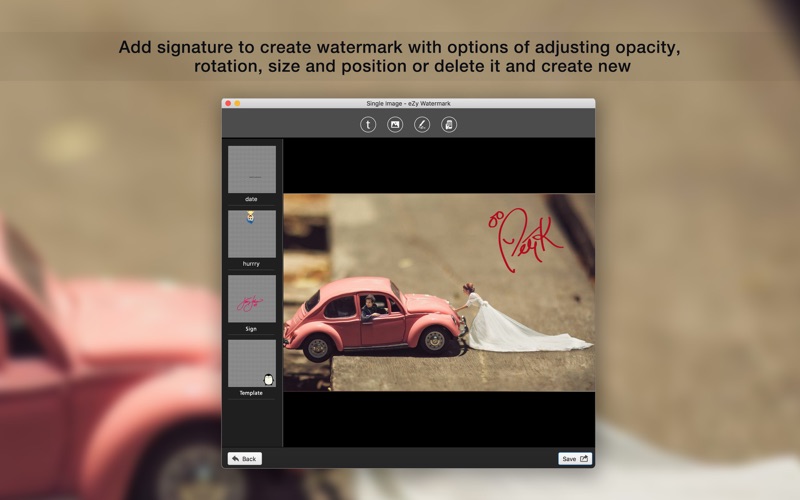
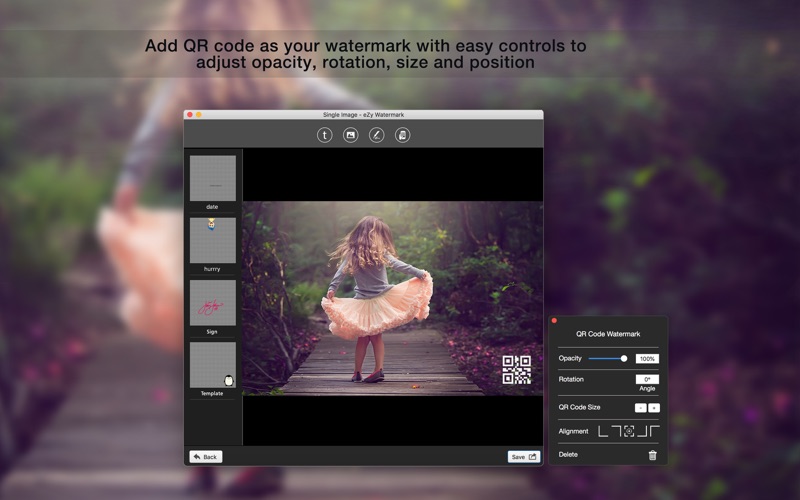
Finally, the wait is over! Our journey to deliver our valued users the most demanding eZy Watermark for Mac OS has accomplished, it has finally arrived!! Are you worried about getting your photographs stolen on social media? Let’s make sure that your photographs are protected. You can do this by using your name, signature, logo, copyright, trademark etc. It all gyrates around knowing how to watermark your photographs using the super-simple app eZy Watermark. It is an ideal App for Mac users who want to capture, watermark and share their photographs quickly and easily. Friendly user interface and loads of watermarking options make this app a joy to use. You can watermark single or unlimited photographs in batch in a single go. Create your custom templates and save them. Templates remember your watermarks and its position so you don’t need to add them over and over. Use, whenever you need them, either on a single photo or batch photos Some key features of eZy Watermark are: • Add Watermark to photographs using text, image, signature, QR code, logo, copyright, trademark etc. • Add signature to create watermark with options of adjusting opacity, auto alignment, rotation and position or just delete it and create new. • Select from diverse fonts and colors, regulate opacity and even drop shadows – the choices are endless! • Original photographs are never altered. It let you create a new photograph with watermark on it. • Import photographs quickly by choosing from your Mac or simply drag and drop. • Save your watermarked photographs in JPEG, GIF and PNG. • Change pen thickness while adding autograph. • Add shadow to the watermark text. • Makes your watermarking experience even more convenient with a fresh and intuitive design. You want us to broadcast you on Facebook? Just follow the link: https://www.facebook.com/ezywatermark/ and we will broadcast your best photographs there. We are always excited to hear from you. Have an idea for a cool feature? You can help us shape it! Submit it to: [email protected]