PC 용 Route creator
- 카테고리: Navigation
- 최근 업데이트: 2026-09-27
- 현재 버전: 13
- 파일 크기: 4.27 MB
- 개발자: ASTERIOS RIZOS
- 호환성: 필요 Windows XP, Windows Vista, Windows 7, Windows 8, Windows 8.1 and Windows 10, Windows 11

에뮬레이터의 중요성은 컴퓨터에서 안드로이드 환경을 흉내 내고 안드로이드 폰을 구입하지 않고도 안드로이드 앱을 설치하고 실행하는 것을 매우 쉽게 만들어주는 것입니다. 누가 당신이 두 세계를 즐길 수 없다고 말합니까? 우선 아래에있는 에뮬레이터 앱을 다운로드 할 수 있습니다.
A. Nox App . OR
B. Bluestacks App .
Bluestacks는 매우 대중적이므로 개인적으로 "B"옵션을 사용하는 것이 좋습니다. 문제가 발생하면 Google 또는 Naver.com에서 좋은 해결책을 찾을 수 있습니다.
Bluestacks.exe 또는 Nox.exe를 성공적으로 다운로드 한 경우 컴퓨터의 다운로드 폴더 또는 다운로드 한 파일을 일반적으로 저장하는 곳으로 이동하십시오.
찾으면 클릭하여 응용 프로그램을 설치하십시오. PC에서 설치 프로세스를 시작해야합니다.
다음을 클릭하여 EULA 라이센스 계약에 동의하십시오.
응용 프로그램을 설치하려면 화면 지시문을 따르십시오.
위 사항을 올바르게 수행하면 소프트웨어가 성공적으로 설치됩니다.
이제 설치 한 에뮬레이터 애플리케이션을 열고 검색 창을 찾으십시오. 지금 입력하십시오. - Route creator 앱을 쉽게 볼 수 있습니다. 그것을 클릭하십시오. 응용 프로그램 창이 열리고 에뮬레이터 소프트웨어에 응용 프로그램이 표시됩니다. 설치 버튼을 누르면 응용 프로그램이 다운로드되기 시작합니다. 이제 우리는 모두 끝났습니다.
그런 다음 "모든 앱"아이콘이 표시됩니다.
클릭하면 설치된 모든 응용 프로그램이 포함 된 페이지로 이동합니다.
당신은 Route creator 상. 그것을 클릭하고 응용 프로그램 사용을 시작하십시오.
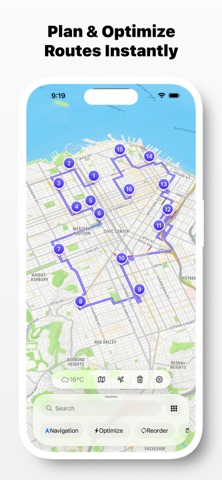
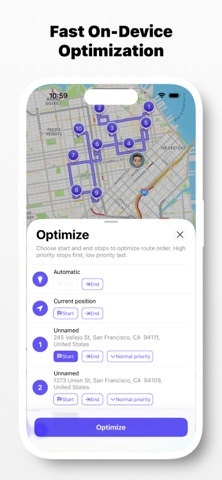
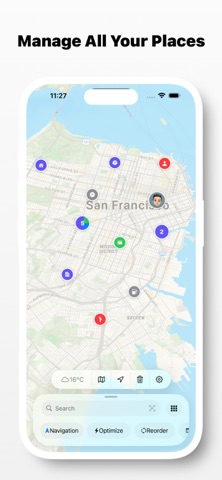
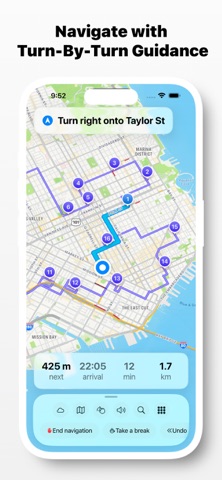
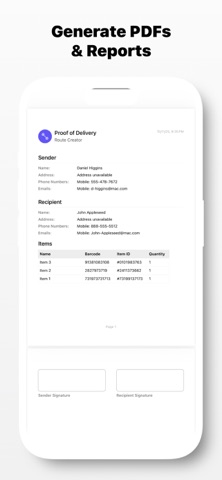
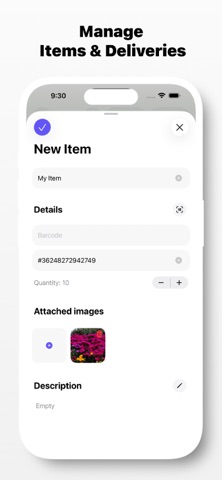
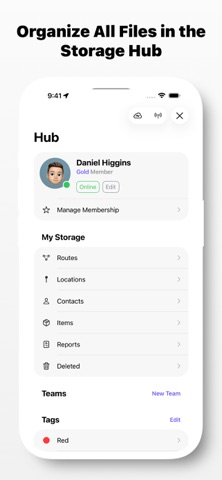
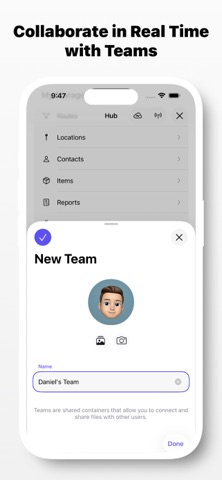
The all-in-one professional route planner for deliveries, logistics, and travel management. Route Creator helps you plan, organize, and navigate your routes smarter than ever. Designed for drivers, couriers, and teams managing daily logistics, it combines route creation, optimization, and reporting in one intuitive app. Create, manage, and export everything — from routes and locations to contacts and items — as professional PDF or CSV files. Plan complete delivery or travel routes with unlimited stops. Each route can include multiple contacts and items — all organized in a clear structure. Use the built-in optimization engine to automatically find the best route order to minimize travel time and distance. Customize optimization by setting start and end points or prioritizing stops. Save detailed Locations with attached Contacts and Items. Each Contact can include multiple phone numbers, emails, and custom information fields. Items represent goods or materials linked with Locations or Routes for easy tracking and delivery management. Attach images directly to any file for better visual reference. Reports are automatically created after completing a navigation and include trip times, route performance, and detailed summaries of completed stops. All exported PDFs now feature a unified grayscale layout with improved readability and a professional appearance. Browse and organize all your files — Routes, Locations, Contacts, Items, and Reports — in one place. Create folders, copy or move files, and export data as PDF or CSV. Collaborate easily through Teams by sharing routes, locations, and files — all synchronized through iCloud for seamless teamwork. Navigate your routes with precise, turn-by-turn voice guidance. Supports multiple languages and works with Apple Maps, Google Maps, or Waze. Your data is safely synchronized through iCloud and protected by Face ID or Touch ID. Route Creator is free to use with optional premium upgrades for advanced features. Subscriptions renew automatically unless canceled at least 24 hours before the renewal date. Manage your subscription anytime in your iTunes account settings. Privacy Policy: https://routecreator.weebly.com/privacy-policy.html Terms of Service: https://routecreator.weebly.com