
PC 용 Droplet -Water & Drink tracker
- 카테고리: Health & Fitness
- 최근 업데이트: 2020-05-06
- 현재 버전: 4
- 파일 크기: 15.55 MB
- 개발자: ASTERIOS RIZOS
- 호환성: 필요 Windows XP, Windows Vista, Windows 7, Windows 8, Windows 8.1 and Windows 10, Windows 11

PC에서 Droplet -Water & Drink tracker 용 호환 APK 다운로드
| 다운로드 | 개발자 | 평점 | 점수 | 현재 버전 | 성인 랭킹 |
|---|---|---|---|---|---|
| ↓ PC용 APK 다운로드 | ASTERIOS RIZOS | 0 | 0 | 4 | 4+ |
에뮬레이터의 중요성은 컴퓨터에서 안드로이드 환경을 흉내 내고 안드로이드 폰을 구입하지 않고도 안드로이드 앱을 설치하고 실행하는 것을 매우 쉽게 만들어주는 것입니다. 누가 당신이 두 세계를 즐길 수 없다고 말합니까? 우선 아래에있는 에뮬레이터 앱을 다운로드 할 수 있습니다.
A. Nox App . OR
B. Bluestacks App .
Bluestacks는 매우 대중적이므로 개인적으로 "B"옵션을 사용하는 것이 좋습니다. 문제가 발생하면 Google 또는 Naver.com에서 좋은 해결책을 찾을 수 있습니다.
Bluestacks.exe 또는 Nox.exe를 성공적으로 다운로드 한 경우 컴퓨터의 다운로드 폴더 또는 다운로드 한 파일을 일반적으로 저장하는 곳으로 이동하십시오.
찾으면 클릭하여 응용 프로그램을 설치하십시오. PC에서 설치 프로세스를 시작해야합니다.
다음을 클릭하여 EULA 라이센스 계약에 동의하십시오.
응용 프로그램을 설치하려면 화면 지시문을 따르십시오.
위 사항을 올바르게 수행하면 소프트웨어가 성공적으로 설치됩니다.
이제 설치 한 에뮬레이터 애플리케이션을 열고 검색 창을 찾으십시오. 지금 입력하십시오. - Droplet -Water & Drink tracker 앱을 쉽게 볼 수 있습니다. 그것을 클릭하십시오. 응용 프로그램 창이 열리고 에뮬레이터 소프트웨어에 응용 프로그램이 표시됩니다. 설치 버튼을 누르면 응용 프로그램이 다운로드되기 시작합니다. 이제 우리는 모두 끝났습니다.
그런 다음 "모든 앱"아이콘이 표시됩니다.
클릭하면 설치된 모든 응용 프로그램이 포함 된 페이지로 이동합니다.
당신은 Droplet -Water & Drink tracker 상. 그것을 클릭하고 응용 프로그램 사용을 시작하십시오.
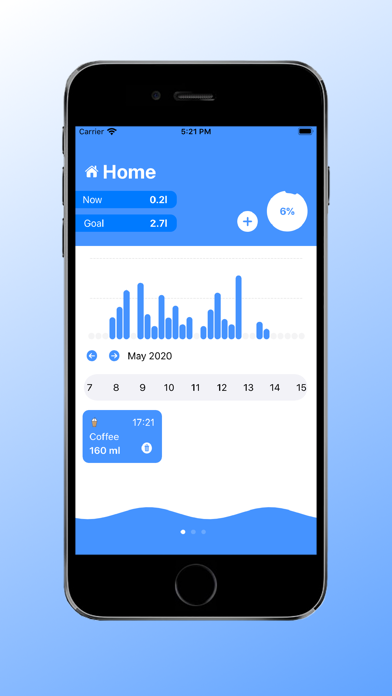
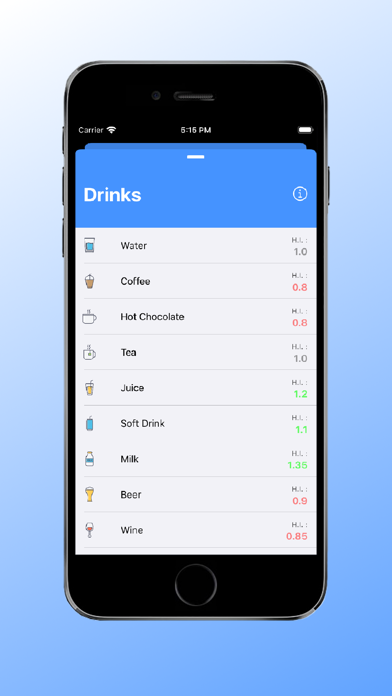
Drinking water is vital in our lives for many reason, but sometimes we underestimate the importance of being hydrated and don't drink enough water. Droplet wil assist and track your hydration trough the day, you will never forget to drink a glass of water again. The user interface is easy and clear , no complexity, with a view swipes you get all the information you need. Droplet features for FREE: • Your daily goal calculator • Units(ml & oz) • The drinks you need the most through your day • Graphic display of your monthly progress, your daily consumption per hour , but also a useful distribution graph. • Night mode • The app keeps track of your caffeine and alcohol intake • A useful widget to check your progress easy out • History of logged water • Manual Reminders to notify you when its time to drink • Apple Watch support • Daily facts about water • Data sharing with Apple Health (caffeine & water intake) Droplet is free to use but you may want to unlock some premium features to get the best experience, we offer a monthly, a 6-month and a yearly subscription, all of them will give you access to all the beverages, unlimited reminders, and custom shortcuts. You can subscribe and pay through your iTunes account.Payment will be charged to iTunes Account at confirmation of purchase. Subscription automatically renews unless auto-renew is turned off at least 24-hours before the end of the current period. Account will be charged for renewal within 24-hours prior to the end of the current period, and identify the cost of the renewal. Subscriptions may be managed by the user and auto-renewal may be turned off by going to the user's Account Settings after purchase. The subscription will renew at the same cost. Privacy policy : https://droplet-ios.weebly.com/privacypolicy.html Terms of Use : https://droplet-ios.weebly.com/privacypolicy.html


