PC 용 Moment Stamp for DateTime Pics
- 카테고리: Photo & Video
- 최근 업데이트: 2024-08-23
- 현재 버전: 1.2.3
- 파일 크기: 45.86 MB
- 개발자: SUSAMP INFOTECH
- 호환성: 필요 Windows XP, Windows Vista, Windows 7, Windows 8, Windows 8.1 and Windows 10, Windows 11





PC에서 Moment Stamp for DateTime Pics 용 호환 APK 다운로드
| 다운로드 | 개발자 | 평점 | 점수 | 현재 버전 | 성인 랭킹 |
|---|---|---|---|---|---|
| ↓ PC용 APK 다운로드 | SUSAMP INFOTECH | 0 | 0 | 1.2.3 | 4+ |
에뮬레이터의 중요성은 컴퓨터에서 안드로이드 환경을 흉내 내고 안드로이드 폰을 구입하지 않고도 안드로이드 앱을 설치하고 실행하는 것을 매우 쉽게 만들어주는 것입니다. 누가 당신이 두 세계를 즐길 수 없다고 말합니까? 우선 아래에있는 에뮬레이터 앱을 다운로드 할 수 있습니다.
A. Nox App . OR
B. Bluestacks App .
Bluestacks는 매우 대중적이므로 개인적으로 "B"옵션을 사용하는 것이 좋습니다. 문제가 발생하면 Google 또는 Naver.com에서 좋은 해결책을 찾을 수 있습니다.
Bluestacks.exe 또는 Nox.exe를 성공적으로 다운로드 한 경우 컴퓨터의 다운로드 폴더 또는 다운로드 한 파일을 일반적으로 저장하는 곳으로 이동하십시오.
찾으면 클릭하여 응용 프로그램을 설치하십시오. PC에서 설치 프로세스를 시작해야합니다.
다음을 클릭하여 EULA 라이센스 계약에 동의하십시오.
응용 프로그램을 설치하려면 화면 지시문을 따르십시오.
위 사항을 올바르게 수행하면 소프트웨어가 성공적으로 설치됩니다.
이제 설치 한 에뮬레이터 애플리케이션을 열고 검색 창을 찾으십시오. 지금 입력하십시오. - Moment Stamp for DateTime Pics 앱을 쉽게 볼 수 있습니다. 그것을 클릭하십시오. 응용 프로그램 창이 열리고 에뮬레이터 소프트웨어에 응용 프로그램이 표시됩니다. 설치 버튼을 누르면 응용 프로그램이 다운로드되기 시작합니다. 이제 우리는 모두 끝났습니다.
그런 다음 "모든 앱"아이콘이 표시됩니다.
클릭하면 설치된 모든 응용 프로그램이 포함 된 페이지로 이동합니다.
당신은 Moment Stamp for DateTime Pics 상. 그것을 클릭하고 응용 프로그램 사용을 시작하십시오.
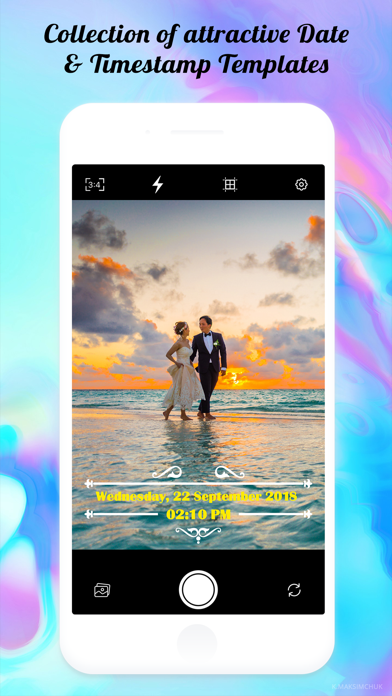
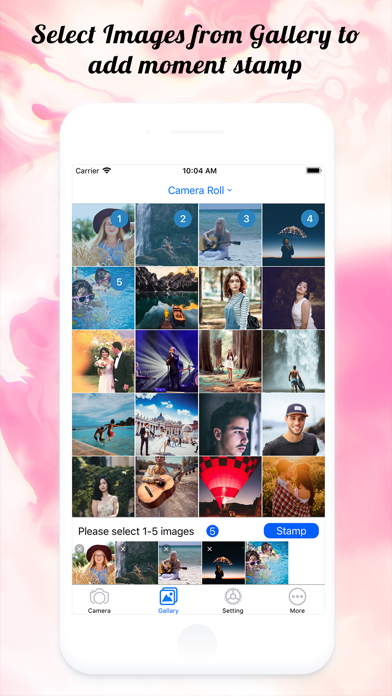
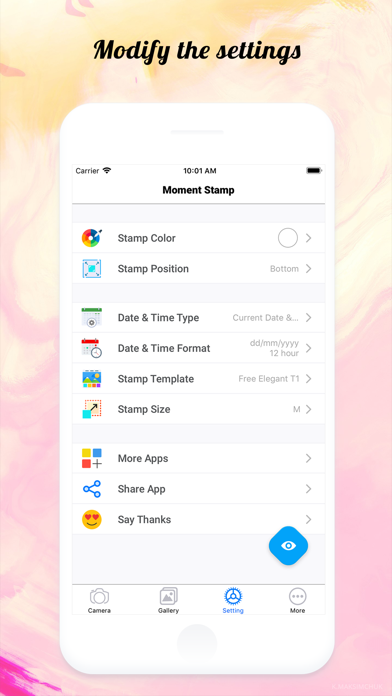
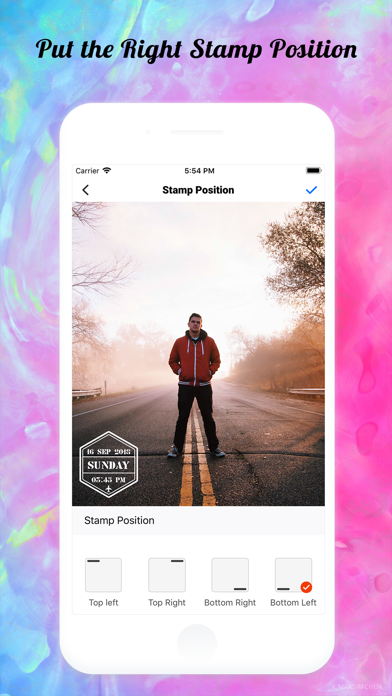
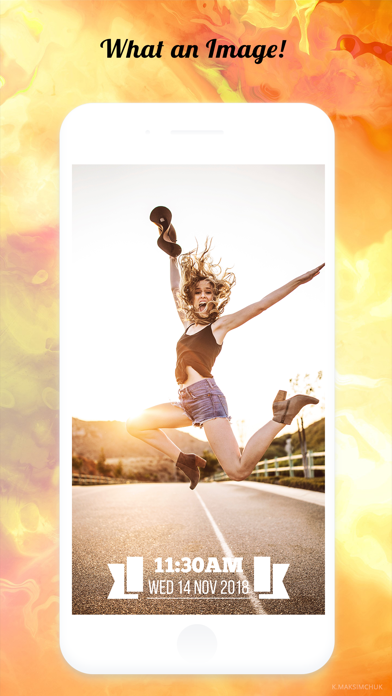
Capture all the precious moments you see and live them forever by adding ‘Date and Time Stamp on Photo’. So that, when you look back to those memories after a few years from now, they won’t fade away with time. With this ‘Moment Stamp App’, you can instantly capture moments of your surroundings and watermark on photos with Date Stamp Camera! Or if you want to add stunning date and time stamp on photos stored in phone gallery, you can customize that too by simply choosing the best template from our application. • What makes this app different? - You can add ‘Today’s Date (Current Date and Time)’ or the DateTime when that picture was captured! - Get a bunch of mind-boggling templates. - Set of ‘Stamp Colors’ to make your pictures more stunning! It furnishes a facility to watermark your pictures at the moment. With this date time stamper app, bring your photos to life and don’t just let that valuable moment go with time. • Check out some astonishing features of this photo Stamper app: Just click on the settings button and modify all the below mentioned features! i) Font Color Make sure your customized date stamps standout in the picture! In this Moment Stamp App, get the collection of font color and makes your picture look more attractive. You can also create your own DateTime pics colors by combining others! ii) Stamp Position Don't let the watermark settle at the same place! Keep it moving with variant photographs by making it more catchy with a Date Time stamp on photos. Get two distinct positions to set your customized date stamps for a neat & clean image!. - Top - Bottom iii) Templates With the above features, here is the special one which shall do a makeover when you add date stamp to photos. More than 25 dazzling templates are embedded in this date and time stamp app that will make you say “Woo-hoo! What an awesome Image!” • WHAT’S EXCITINGLY NEW? A) Custom Time Format Yeah, you’ve heard it right! Now, in this timestamp camera app, you can pick a time format as the way that you want and add time stamp on photos. - 12 hours format - 24 hours format B) Custom Date Format Select the format for the date stamp on photo: - dd/mm/yyyy - mm/dd/yyyy - yyyy/mm/dd • How to use this date and time stamp app? 1) Once you get this ‘Photo Stamper’ app into your mobile, you’ll see the home screen. 2) Select the appropriate ‘Font Color & Font Position for timestamp’. 3) You will find all the features mentioned above where you’ll be able to set toggle for ‘App Name Watermark’ or ‘Date and Time Format’! 4) Click on the ‘Stamp Template’ option and choose the one which you like the most! 5) Do you want to DateTime pics that you capture? Then click on the ‘Camera’ icon otherwise you can select the image from your ‘Phone Gallery’! That’s easy as pie! Isn’t it? So, install Moment Stamp application and start adding a Date Time stamp on photos NOW! And see the stunning difference between the images you capture simply and those images which you capture with our customized date stamp camera. Would you like to see how your pictures will look? Have a look at a set of pictures above!