
PC 용 Signature Creator & Maker
- 카테고리: Utilities
- 최근 업데이트: 2018-12-21
- 현재 버전: 1.0
- 파일 크기: 60.87 MB
- 개발자: Agnesh Pipaliya
- 호환성: 필요 Windows XP, Windows Vista, Windows 7, Windows 8, Windows 8.1 and Windows 10, Windows 11


PC에서 Signature Creator & Maker 용 호환 APK 다운로드
| 다운로드 | 개발자 | 평점 | 점수 | 현재 버전 | 성인 랭킹 |
|---|---|---|---|---|---|
| ↓ PC용 APK 다운로드 | Agnesh Pipaliya | 0 | 1.0 | 4+ |
에뮬레이터의 중요성은 컴퓨터에서 안드로이드 환경을 흉내 내고 안드로이드 폰을 구입하지 않고도 안드로이드 앱을 설치하고 실행하는 것을 매우 쉽게 만들어주는 것입니다. 누가 당신이 두 세계를 즐길 수 없다고 말합니까? 우선 아래에있는 에뮬레이터 앱을 다운로드 할 수 있습니다.
A. Nox App . OR
B. Bluestacks App .
Bluestacks는 매우 대중적이므로 개인적으로 "B"옵션을 사용하는 것이 좋습니다. 문제가 발생하면 Google 또는 Naver.com에서 좋은 해결책을 찾을 수 있습니다.
Bluestacks.exe 또는 Nox.exe를 성공적으로 다운로드 한 경우 컴퓨터의 다운로드 폴더 또는 다운로드 한 파일을 일반적으로 저장하는 곳으로 이동하십시오.
찾으면 클릭하여 응용 프로그램을 설치하십시오. PC에서 설치 프로세스를 시작해야합니다.
다음을 클릭하여 EULA 라이센스 계약에 동의하십시오.
응용 프로그램을 설치하려면 화면 지시문을 따르십시오.
위 사항을 올바르게 수행하면 소프트웨어가 성공적으로 설치됩니다.
이제 설치 한 에뮬레이터 애플리케이션을 열고 검색 창을 찾으십시오. 지금 입력하십시오. - Signature Creator & Maker 앱을 쉽게 볼 수 있습니다. 그것을 클릭하십시오. 응용 프로그램 창이 열리고 에뮬레이터 소프트웨어에 응용 프로그램이 표시됩니다. 설치 버튼을 누르면 응용 프로그램이 다운로드되기 시작합니다. 이제 우리는 모두 끝났습니다.
그런 다음 "모든 앱"아이콘이 표시됩니다.
클릭하면 설치된 모든 응용 프로그램이 포함 된 페이지로 이동합니다.
당신은 Signature Creator & Maker 상. 그것을 클릭하고 응용 프로그램 사용을 시작하십시오.
Mac OS 에서 Signature Creator & Maker 다운로드
| 다운로드 | 개발자 | 점수 | 현재 버전 | 성인 랭킹 |
|---|---|---|---|---|
| 무료 - Mac 에서 다운로드 | Agnesh Pipaliya | 1.0 | 4+ |
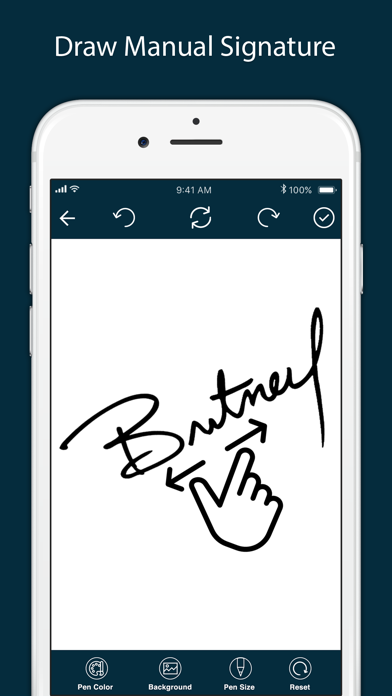
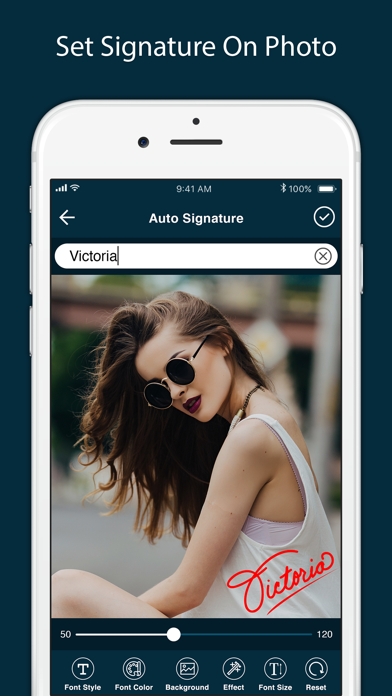
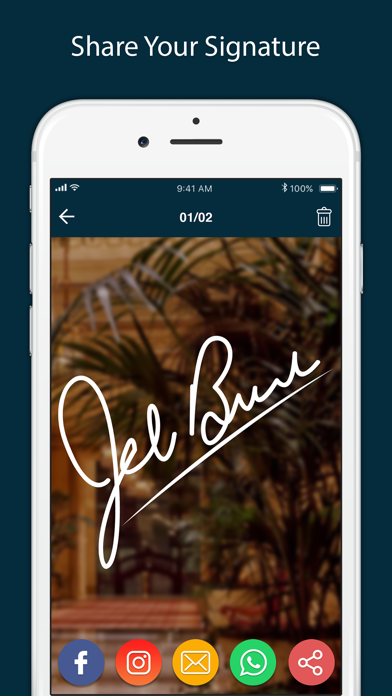
Signature creator represents an intuitive signature platform that allows you to create your own creative signature on iPhone. Signature maker is an intuitive signature stand that gives you to make your own signature some people are doing multiple signatures at multiple places. With signature maker and signature creator, it is now possible to create a signature and best signature ever. Fancy or latest signature maker allows you to make a signature from the text and additionally signature from handwriting or paint. Signature style signature maker of my name and autographs are the handwritten depiction of someone's name, nickname or even a simple or another mark that a person writes on documents as a proof of identity and intent. We have provided Signature name functionality so you do not need to remember which signature I did at a bank, election card, government office, college, police station, marriage ceremony etc. Features of Signature Creator & Maker: # Create signature generate multiple signatures. # Handwriting signature and cool signature options. # Enter your name select your colors random or selective. # Multiple color picker for text and background. # Save your signature with a name in your phone or sd card. # Drag signature to set on any location of the screen. # Export signature to image and documents. # Different signature styles and signature designer. Signature maker everybody has his own signature in his life and everybody desires for his best signature. If signature uses the manual method signature then he can draw on the screen as signature capture. To create the best stylish signature digital signature app free signature design app is the best signature app to different signature styles are available in this signature app. Having best signatures name defines your personality. Signature creator app should with you in your want to share currently created a signature by clicking, tapping the share button and share it with your friends via social media or message then use a title of the app. While signature drawing or for the signature designer you must have digital signature creator app. Stylish signature maker solves your question of how to make a signature. A manual signature mode is also simple to make my signature easily. The auto signature mode is very easy to use just type your name and will automatically create a signature for you. After creating a signature find and pick suitable design then press the save and share buttons to share a picture of signatures. Download and give us a review of Signature Creator & Maker.