PC 용 Photo to PDF Converter,Scanner
- 카테고리: Business
- 최근 업데이트: 2025-01-17
- 현재 버전: 1.6.1
- 파일 크기: 12.61 MB
- 개발자: CHEN LAN
- 호환성: 필요 Windows XP, Windows Vista, Windows 7, Windows 8, Windows 8.1 and Windows 10, Windows 11
PC에서 Photo to PDF Converter,Scanner 용 호환 APK 다운로드
| 다운로드 | 개발자 | 평점 | 점수 | 현재 버전 | 성인 랭킹 |
|---|---|---|---|---|---|
| ↓ PC용 APK 다운로드 | CHEN LAN | 0 | 0 | 1.6.1 | 4+ |
에뮬레이터의 중요성은 컴퓨터에서 안드로이드 환경을 흉내 내고 안드로이드 폰을 구입하지 않고도 안드로이드 앱을 설치하고 실행하는 것을 매우 쉽게 만들어주는 것입니다. 누가 당신이 두 세계를 즐길 수 없다고 말합니까? 우선 아래에있는 에뮬레이터 앱을 다운로드 할 수 있습니다.
A. Nox App . OR
B. Bluestacks App .
Bluestacks는 매우 대중적이므로 개인적으로 "B"옵션을 사용하는 것이 좋습니다. 문제가 발생하면 Google 또는 Naver.com에서 좋은 해결책을 찾을 수 있습니다.
Bluestacks.exe 또는 Nox.exe를 성공적으로 다운로드 한 경우 컴퓨터의 다운로드 폴더 또는 다운로드 한 파일을 일반적으로 저장하는 곳으로 이동하십시오.
찾으면 클릭하여 응용 프로그램을 설치하십시오. PC에서 설치 프로세스를 시작해야합니다.
다음을 클릭하여 EULA 라이센스 계약에 동의하십시오.
응용 프로그램을 설치하려면 화면 지시문을 따르십시오.
위 사항을 올바르게 수행하면 소프트웨어가 성공적으로 설치됩니다.
이제 설치 한 에뮬레이터 애플리케이션을 열고 검색 창을 찾으십시오. 지금 입력하십시오. - Photo to PDF Converter,Scanner 앱을 쉽게 볼 수 있습니다. 그것을 클릭하십시오. 응용 프로그램 창이 열리고 에뮬레이터 소프트웨어에 응용 프로그램이 표시됩니다. 설치 버튼을 누르면 응용 프로그램이 다운로드되기 시작합니다. 이제 우리는 모두 끝났습니다.
그런 다음 "모든 앱"아이콘이 표시됩니다.
클릭하면 설치된 모든 응용 프로그램이 포함 된 페이지로 이동합니다.
당신은 Photo to PDF Converter,Scanner 상. 그것을 클릭하고 응용 프로그램 사용을 시작하십시오.
Mac OS 에서 Photo to PDF Converter,Scanner 다운로드
| 다운로드 | 개발자 | 점수 | 현재 버전 | 성인 랭킹 |
|---|---|---|---|---|
| 무료 - Mac 에서 다운로드 | CHEN LAN | 0 |
1.6.1 | 4+ |
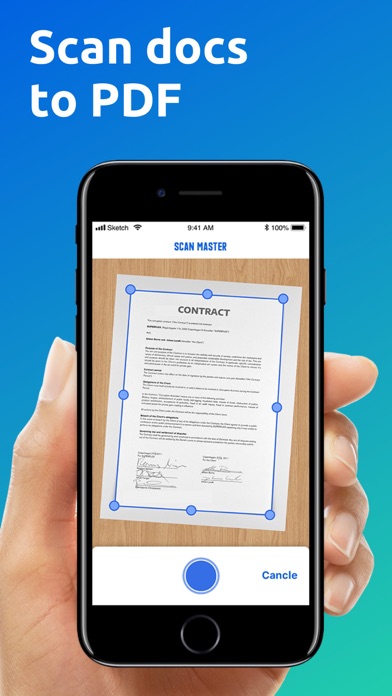
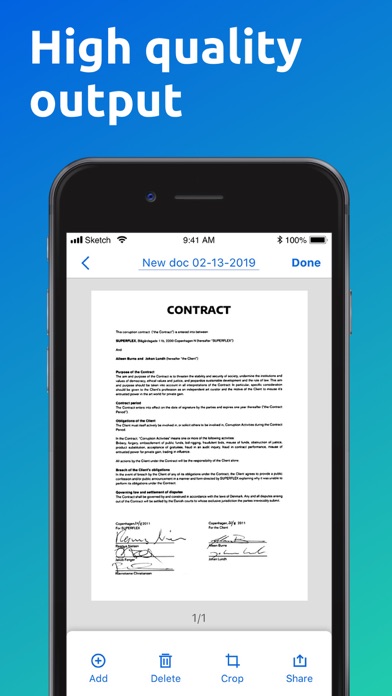
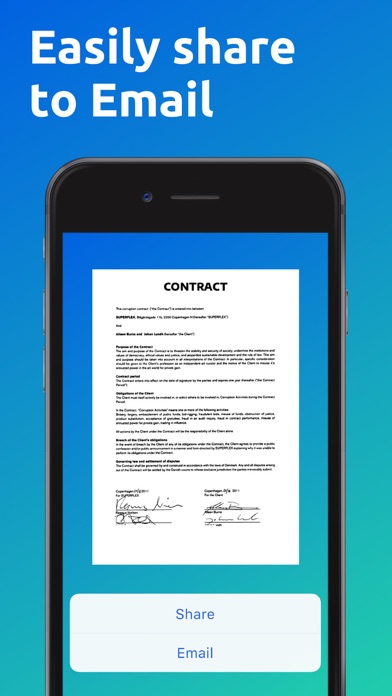
Cannot find a table scanner when you need to scan some documents? Scanner Master app is designed to make scanning more convenient for you. It will turn your device into a mini mobile scanner which allows you to easily scan any documents, save them in PDF format and share them right from your phone whenever you need. How to use it? Position you phone over the page you want and Scanner Master app will automatically scan it. You can save the final PDF document with just one tap once it processes successfully. Each PDF document will have a specific title so that you can quickly search for the one you want. Main Features: *Scan Anything You Need Get Scanner Master app on your phone then this genius tool will help you scan any scannable objects you need – receipts, paper notes, book pages, texts, reports, invoices, coupons, posters and any other pages no matter where you are. *Easily Organize Your Documents. You will be able to digitize all your paperwork and save the transformed PDF documents on your device. Each document has a specific title according to the date and time you create it so that you can quickly search the document you want without getting confused. Whether you are using Scanner Master for your work or for school. It’s definitely a time-saving app and a genius tool to increase your productivity. *Advanced Image Technology You can scan in color, grayscale or black & white. Once you position your phone over a scannable object, Scanner Master will automatically scan it with high quality document edge detection and perspective correction. *Document Sharing High quality output enables you to restore all your materials properly. You can share the PDF documents right from your device via email. You can also save them to your Gallery and print them out whenever you need. *Premium - Payment will be charged to iTunes Account at confirmation of purchase. - Subscription automatically renews unless auto-renew is turned off at least 24-hours before the end of the current period. - Account will be charged for renewal within 24-hours prior to the end of the current period: 1 month subscription with 7-day trial - $4.99 after trial ends; 1 year subscription with 7-day trial - $35.99 after trial ends. - Subscriptions may be managed by the user and auto-renewal may be turned off by going to the user’s Account Settings after purchase. - Any unused portion of a free trial period, if offered, will be forfeited when the user purchases a subscription to that publication, when applicable. Privacy Policy: https://scanner-master-ios.web.app/ScanMaster_PrivacyPoilcy.html Terms of Use: https://scanner-master-ios.web.app/ScanMaster_TermsConditions.html Don’t hesitate to email us at: [email protected] if you have any suggestions or questions.


