PC 용 PhotosRevive Unlimited
- 카테고리: Photo & Video
- 최근 업데이트: 2024-11-28
- 현재 버전: 2.1.7
- 파일 크기: 132.23 MB
- 개발자: Jeremy Vizzini
- 호환성: 필요 Windows XP, Windows Vista, Windows 7, Windows 8, Windows 8.1 and Windows 10, Windows 11


PC에서 PhotosRevive Unlimited 용 호환 APK 다운로드
| 다운로드 | 개발자 | 평점 | 점수 | 현재 버전 | 성인 랭킹 |
|---|---|---|---|---|---|
| ↓ PC용 APK 다운로드 | Jeremy Vizzini | 0 | 0 | 2.1.7 | 4+ |
에뮬레이터의 중요성은 컴퓨터에서 안드로이드 환경을 흉내 내고 안드로이드 폰을 구입하지 않고도 안드로이드 앱을 설치하고 실행하는 것을 매우 쉽게 만들어주는 것입니다. 누가 당신이 두 세계를 즐길 수 없다고 말합니까? 우선 아래에있는 에뮬레이터 앱을 다운로드 할 수 있습니다.
A. Nox App . OR
B. Bluestacks App .
Bluestacks는 매우 대중적이므로 개인적으로 "B"옵션을 사용하는 것이 좋습니다. 문제가 발생하면 Google 또는 Naver.com에서 좋은 해결책을 찾을 수 있습니다.
Bluestacks.exe 또는 Nox.exe를 성공적으로 다운로드 한 경우 컴퓨터의 다운로드 폴더 또는 다운로드 한 파일을 일반적으로 저장하는 곳으로 이동하십시오.
찾으면 클릭하여 응용 프로그램을 설치하십시오. PC에서 설치 프로세스를 시작해야합니다.
다음을 클릭하여 EULA 라이센스 계약에 동의하십시오.
응용 프로그램을 설치하려면 화면 지시문을 따르십시오.
위 사항을 올바르게 수행하면 소프트웨어가 성공적으로 설치됩니다.
이제 설치 한 에뮬레이터 애플리케이션을 열고 검색 창을 찾으십시오. 지금 입력하십시오. - PhotosRevive Unlimited 앱을 쉽게 볼 수 있습니다. 그것을 클릭하십시오. 응용 프로그램 창이 열리고 에뮬레이터 소프트웨어에 응용 프로그램이 표시됩니다. 설치 버튼을 누르면 응용 프로그램이 다운로드되기 시작합니다. 이제 우리는 모두 끝났습니다.
그런 다음 "모든 앱"아이콘이 표시됩니다.
클릭하면 설치된 모든 응용 프로그램이 포함 된 페이지로 이동합니다.
당신은 PhotosRevive Unlimited 상. 그것을 클릭하고 응용 프로그램 사용을 시작하십시오.
Mac OS 에서 PhotosRevive Unlimited 다운로드
| 다운로드 | 개발자 | 점수 | 현재 버전 | 성인 랭킹 |
|---|---|---|---|---|
| ₩22,000 - Mac 에서 다운로드 | Jeremy Vizzini | 0 |
2.1.7 | 4+ |
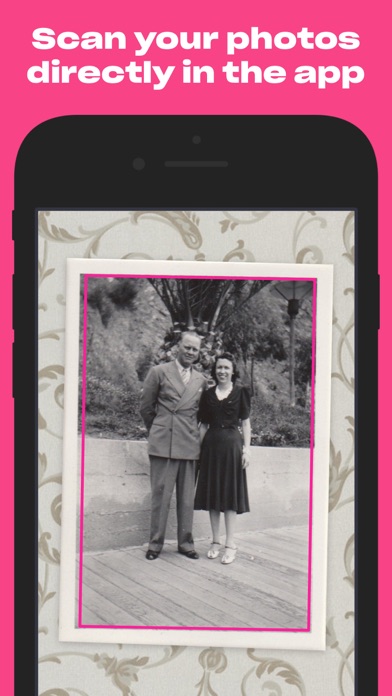
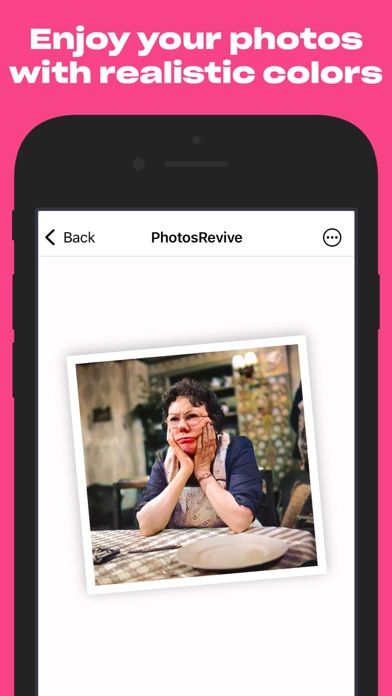
Take your breath away with a colored look of your old black-and-white shots. Colorize old photos with the help of artificial intelligence in PhotosRevive. Just drag and drop your image and click Colorize. Adjust your results if needed, and save your new image. - COLORIZE AUTOMATICALLY Want to view how an old black-and-white photo would look like in color? Got old family photos you’d like to colorize? No need to call for an expert — PhotosRevive got the tech to help you out! Just add your photo in the app and click Colorize. - ADJUST COLOR MANUALLY (FOR MAC ONLY) If you want to get creative with your old photos, achieve a specific look, or simply know what your subjects looked like in real life when the images were taken, you can provide points of colors to help the artificial intelligence be more accurate, as well as adjust image brightness, contrast, and more. - IMPORT PHOTOS OR SCAN Import photos you want to colorize from your on-device library (you can add files from Photos or Finder) or use the app’s built-in scanner to scan the image directly into PhotosRevive. You can also explore the app’s sample library while you are getting started with the tool. - USE ON MAC OR IOS PhotosRevive is available both on your Mac and iOS devices (iPhone or iPad). This way, you can colorize your black-and-white images even when you aren’t in front of your Mac. No fancy equipment, only fancy artificial inteligence! - USE THE PHOTOS EXTENSION And if you get nostalgic when viewing your photos in the Photos app, you don’t even need to exit to colorize the images. Use the Photos extension to colorize your black-and-white shots directly in the Photos app. - GET HELP WITHIN THE APP PhotosRevive is designed so that just anyone can pick it up and use it, particularly if you have even a rudimentary knowledge of photography. However, if something isn’t clear, you can submit feedback or ask questions within the app itself. Subscription Terms of Service and Privacy Policy: https://neededapps.com/legal. Please note that the application is universal. The manual colorizer is exclusive to the Mac version.