PC 용 SMB Explorer - For Shares,NAS
- 카테고리: Utilities
- 최근 업데이트: 2019-09-19
- 현재 버전: 1.0.1
- 파일 크기: 64.74 MB
- 개발자: Underwood ST.
- 호환성: 필요 Windows XP, Windows Vista, Windows 7, Windows 8, Windows 8.1 and Windows 10, Windows 11

PC에서 SMB Explorer - For Shares,NAS 용 호환 APK 다운로드
| 다운로드 | 개발자 | 평점 | 점수 | 현재 버전 | 성인 랭킹 |
|---|---|---|---|---|---|
| ↓ PC용 APK 다운로드 | Underwood ST. | 2 | 3.5 | 1.0.1 | 4+ |
에뮬레이터의 중요성은 컴퓨터에서 안드로이드 환경을 흉내 내고 안드로이드 폰을 구입하지 않고도 안드로이드 앱을 설치하고 실행하는 것을 매우 쉽게 만들어주는 것입니다. 누가 당신이 두 세계를 즐길 수 없다고 말합니까? 우선 아래에있는 에뮬레이터 앱을 다운로드 할 수 있습니다.
A. Nox App . OR
B. Bluestacks App .
Bluestacks는 매우 대중적이므로 개인적으로 "B"옵션을 사용하는 것이 좋습니다. 문제가 발생하면 Google 또는 Naver.com에서 좋은 해결책을 찾을 수 있습니다.
Bluestacks.exe 또는 Nox.exe를 성공적으로 다운로드 한 경우 컴퓨터의 다운로드 폴더 또는 다운로드 한 파일을 일반적으로 저장하는 곳으로 이동하십시오.
찾으면 클릭하여 응용 프로그램을 설치하십시오. PC에서 설치 프로세스를 시작해야합니다.
다음을 클릭하여 EULA 라이센스 계약에 동의하십시오.
응용 프로그램을 설치하려면 화면 지시문을 따르십시오.
위 사항을 올바르게 수행하면 소프트웨어가 성공적으로 설치됩니다.
이제 설치 한 에뮬레이터 애플리케이션을 열고 검색 창을 찾으십시오. 지금 입력하십시오. - SMB Explorer - For Shares,NAS 앱을 쉽게 볼 수 있습니다. 그것을 클릭하십시오. 응용 프로그램 창이 열리고 에뮬레이터 소프트웨어에 응용 프로그램이 표시됩니다. 설치 버튼을 누르면 응용 프로그램이 다운로드되기 시작합니다. 이제 우리는 모두 끝났습니다.
그런 다음 "모든 앱"아이콘이 표시됩니다.
클릭하면 설치된 모든 응용 프로그램이 포함 된 페이지로 이동합니다.
당신은 SMB Explorer - For Shares,NAS 상. 그것을 클릭하고 응용 프로그램 사용을 시작하십시오.
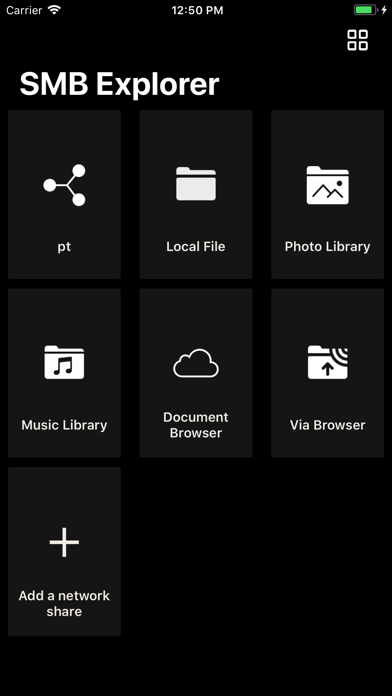
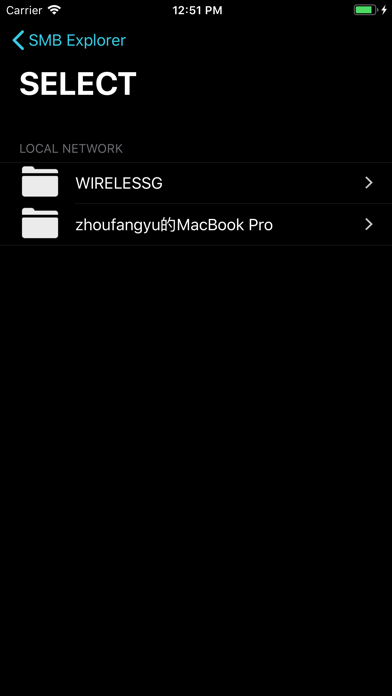
SMB Explorer is a full-featured SMB client for iOS as well as convenient file manager to store, view and manage files and documents. The app includes tools for viewing files on the remote machine and locally. This is a powerful tool to transfer images, books, music and video. * Create, move, copy, cut, rename, pack/unpack, delete file/folder options. * Copy/Cut then paste between network share and your iPhone/iPad. * Transmission manager provides smooth experience. * Automatically discover computers, NAS in your network area, not just windows systems, but also NAS, OSX, and older devices that use the SMB1 protocol. * Stream movies and musics from network shares to iPhone/iPad. * Stream (MOST) video formats with subtitle supported. * Access files on Network Shares: macOS, Windows, Linux, Time Capsule, NAS, SMB/CIFS. * Connects to (MOST) SMB devices over local network. * Unzip major compressed file types with a single tap, including .ZIP, .RAR, .7z and TAR * Create Zip files, extract files, encrypt, decrypt, open Zip, 7z, RAR or TAR files, SMB Explorer supports multiple SMB servers. SMB Explorer can work with the photo galleries and files on your device. SMB Explorer can open documents from external apps. You will be able to manage all of your stored data like subfolders! In addition the app will provide you with: ** Compatible with all popular archive formats (rar, zip, 7z, gz, tar ...) ** Downloading files with Mac, via Wi-Fi or through iTunes: The app allows you to transfer files from any computer with Mac OS X or Windows. ** View and manage documents: * Microsoft Office documents (*.doc, *.docx, *.xls, *.xlsx, *.ppt, *.pptx), * Apple iWorks documents (*.pages, *.numbers, *.key), * image files (jpg, png, gif, tiff, bmp, ...), * and sources: (*.h, *.c, *.cpp, *.m, *.java, *.cs ...). * any other formats supported by system. ** Video formats support 3G2,3GP,3GP2,3GPP,AMV,ASF,AVI,BIK,BIN,CRF,DIVX,DV,EVO,F4V,FLV,ISO,M1V,M2V,M2T,M2TS,M4V,MKV,MOV,MP2,MP2V,MP4,MP4V,MPE,MPEG,MPEG1,MPEG2,MPEG4,MPG,MPV2,MTS,MTV,OGG,OGM,OGV,OGX,PS,RM,RMVB,TS,TTS,VOB,WEBM,WM,WMV,WTV ** Audio formats support 3GA,669,A52,AAC,AC3,ADT,ADTS,AIF,AIFC,AIFF,AMB,AMR,AOB,APE,AU,AWB,CAF,DTS,FLAC,IT,KAR,M4A,M4B,M4P,M5P,MID,MKA,MLP,MOD,MPA,MP1,MP2,MP3,MPC,MPGA,MUS,OGA,OGG,OMA,OPUS,QCP,RA,RMI,S3M,SID,SPX,TAK,THD,TTA,VOC,VQF,W64,WAV,WMA,WV,XA,XM ** Subtitle formats support SRT,ASS,SSA,CDG,IDX,SUB,SMI,TXT,MKS,VTT,TTML ** You will be able download files through the built-in app browser. This app is the perfect solution for storing, viewing and file management! Extended functionality, high speed and stability of work, elegant design and user friendly navigation by gestures will make this application a great help in everyday tasks. We are continuously working to improve the app. If you have any comments, suggestions and questions, please visit our website https://www.cannedrocket.com .