PC 용 Pause - Video editor & Camera
- 카테고리: Photo & Video
- 최근 업데이트: 2021-11-24
- 현재 버전: 1.0.1
- 파일 크기: 193.76 MB
- 개발자: Metromedya Digital Ad Agency
- 호환성: 필요 Windows XP, Windows Vista, Windows 7, Windows 8, Windows 8.1 and Windows 10, Windows 11






PC에서 Pause - Video editor & Camera 용 호환 APK 다운로드
| 다운로드 | 개발자 | 평점 | 점수 | 현재 버전 | 성인 랭킹 |
|---|---|---|---|---|---|
| ↓ PC용 APK 다운로드 | Metromedya Digital Ad Agency | 1 | 5 | 1.0.1 | 4+ |
에뮬레이터의 중요성은 컴퓨터에서 안드로이드 환경을 흉내 내고 안드로이드 폰을 구입하지 않고도 안드로이드 앱을 설치하고 실행하는 것을 매우 쉽게 만들어주는 것입니다. 누가 당신이 두 세계를 즐길 수 없다고 말합니까? 우선 아래에있는 에뮬레이터 앱을 다운로드 할 수 있습니다.
A. Nox App . OR
B. Bluestacks App .
Bluestacks는 매우 대중적이므로 개인적으로 "B"옵션을 사용하는 것이 좋습니다. 문제가 발생하면 Google 또는 Naver.com에서 좋은 해결책을 찾을 수 있습니다.
Bluestacks.exe 또는 Nox.exe를 성공적으로 다운로드 한 경우 컴퓨터의 다운로드 폴더 또는 다운로드 한 파일을 일반적으로 저장하는 곳으로 이동하십시오.
찾으면 클릭하여 응용 프로그램을 설치하십시오. PC에서 설치 프로세스를 시작해야합니다.
다음을 클릭하여 EULA 라이센스 계약에 동의하십시오.
응용 프로그램을 설치하려면 화면 지시문을 따르십시오.
위 사항을 올바르게 수행하면 소프트웨어가 성공적으로 설치됩니다.
이제 설치 한 에뮬레이터 애플리케이션을 열고 검색 창을 찾으십시오. 지금 입력하십시오. - Pause - Video editor & Camera 앱을 쉽게 볼 수 있습니다. 그것을 클릭하십시오. 응용 프로그램 창이 열리고 에뮬레이터 소프트웨어에 응용 프로그램이 표시됩니다. 설치 버튼을 누르면 응용 프로그램이 다운로드되기 시작합니다. 이제 우리는 모두 끝났습니다.
그런 다음 "모든 앱"아이콘이 표시됩니다.
클릭하면 설치된 모든 응용 프로그램이 포함 된 페이지로 이동합니다.
당신은 Pause - Video editor & Camera 상. 그것을 클릭하고 응용 프로그램 사용을 시작하십시오.
Mac OS 에서 Pause 다운로드
| 다운로드 | 개발자 | 점수 | 현재 버전 | 성인 랭킹 |
|---|---|---|---|---|
| 무료 - Mac 에서 다운로드 | Metromedya Digital Ad Agency | 5 |
1.0.1 | 4+ |
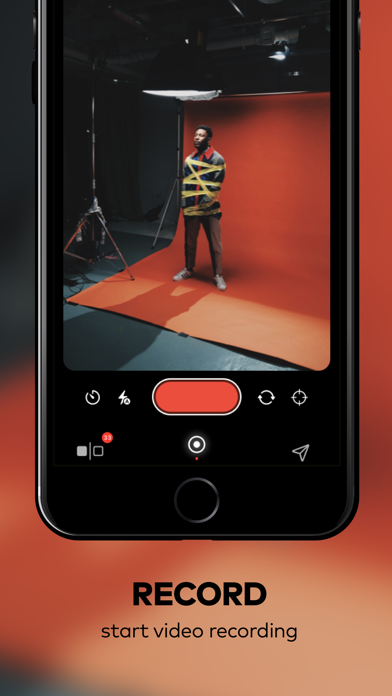
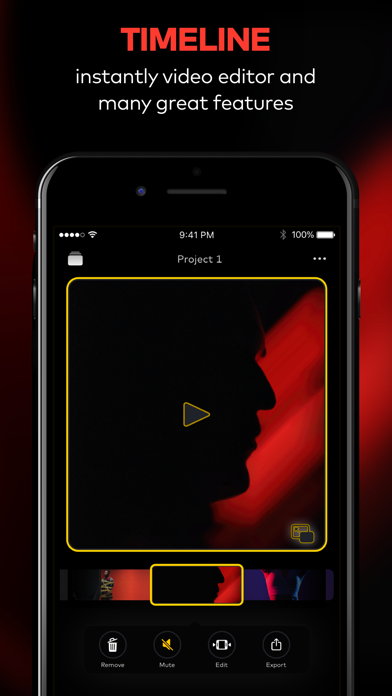
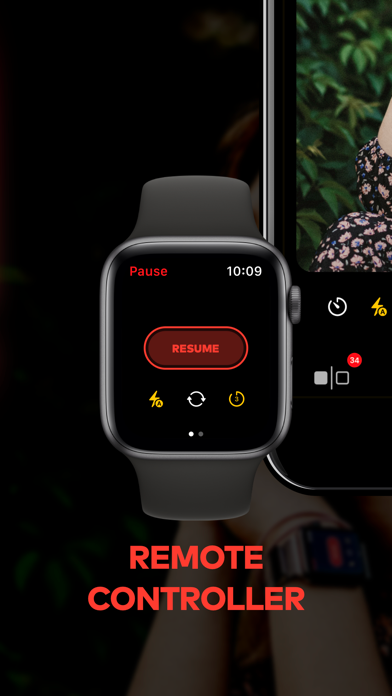
Pause video maker is a real time video cut editor. The Pause video maker is easiest way to video while recording. Now, you can video record with the ability to pause and resume your recording. You can get record video inshot, pause and resume recording whenever you want - when you are ready, edit and save your recordings as one completed video to your camera roll and share with friends on your social media accounts ! FEATURES; ● Pause and Resume on your video recording ● Better video quality , 4K support camera ● Video Editor - Trim or Cut your videos ● Zoom in/out with pinch gesture or slide while recording on cam ● Camera change to back/front or Ultra Wide Angle cam ● Export video clips from Pause app after that share on ig, tik tok, youtube with blogger and vloggers ● Change order of your movie clips ● Delete anyone video clips before video final cut process ● Trim on video clips duration like a splice and instagram reels video editor ● Video length without limits ● Video Countdown timer like iPhone camera app ● Supports Remote Controller for Apple Watch. You can control shooting from Apple Watch. ● Target Mode ( Vine ghost mode ) ● Share with AirDrop for your Mac or iPad. ● Share on social networks (Instagram, Youtube, Twitter, Facebook) ● Share on cloud services (Dropbox, iCloud Drive) ● Share via with E-mail, WhatsApp or iMessage on Pause video maker & editor TARGET MODE ( Ghost Mode ) The primary benefit of the ghost feature on Pause app, that helps make capcut clips or video story like that influencer of tiktok, instagram reels and instagram stories, inshot, capcut, like a picsart. This video editor pause the target feature switched on - just tap the little target icon in the bottom-right corner of the app - the end point of your last recording snippet will overlay the "live" scene, as in the pic above. With the target mode on, you will much more easily be able to line up your stop-motion videos, tiktok,instagram reels,instagram story style video shots, without the guesswork that might ruin the finished video. You are become filmmaker and jump cutter !