PC 용 Big Mean Folder Machine 2
- 카테고리: Utilities
- 최근 업데이트: 2024-11-08
- 현재 버전: 2.43
- 파일 크기: 3.12 MB
- 개발자: publicspace.net
- 호환성: 필요 Windows XP, Windows Vista, Windows 7, Windows 8, Windows 8.1 and Windows 10, Windows 11


PC에서 Big Mean Folder Machine 2 용 호환 APK 다운로드
| 다운로드 | 개발자 | 평점 | 점수 | 현재 버전 | 성인 랭킹 |
|---|---|---|---|---|---|
| ↓ PC용 APK 다운로드 | publicspace.net | 0 | 0 | 2.43 | 4+ |
에뮬레이터의 중요성은 컴퓨터에서 안드로이드 환경을 흉내 내고 안드로이드 폰을 구입하지 않고도 안드로이드 앱을 설치하고 실행하는 것을 매우 쉽게 만들어주는 것입니다. 누가 당신이 두 세계를 즐길 수 없다고 말합니까? 우선 아래에있는 에뮬레이터 앱을 다운로드 할 수 있습니다.
A. Nox App . OR
B. Bluestacks App .
Bluestacks는 매우 대중적이므로 개인적으로 "B"옵션을 사용하는 것이 좋습니다. 문제가 발생하면 Google 또는 Naver.com에서 좋은 해결책을 찾을 수 있습니다.
Bluestacks.exe 또는 Nox.exe를 성공적으로 다운로드 한 경우 컴퓨터의 다운로드 폴더 또는 다운로드 한 파일을 일반적으로 저장하는 곳으로 이동하십시오.
찾으면 클릭하여 응용 프로그램을 설치하십시오. PC에서 설치 프로세스를 시작해야합니다.
다음을 클릭하여 EULA 라이센스 계약에 동의하십시오.
응용 프로그램을 설치하려면 화면 지시문을 따르십시오.
위 사항을 올바르게 수행하면 소프트웨어가 성공적으로 설치됩니다.
이제 설치 한 에뮬레이터 애플리케이션을 열고 검색 창을 찾으십시오. 지금 입력하십시오. - Big Mean Folder Machine 2 앱을 쉽게 볼 수 있습니다. 그것을 클릭하십시오. 응용 프로그램 창이 열리고 에뮬레이터 소프트웨어에 응용 프로그램이 표시됩니다. 설치 버튼을 누르면 응용 프로그램이 다운로드되기 시작합니다. 이제 우리는 모두 끝났습니다.
그런 다음 "모든 앱"아이콘이 표시됩니다.
클릭하면 설치된 모든 응용 프로그램이 포함 된 페이지로 이동합니다.
당신은 Big Mean Folder Machine 2 상. 그것을 클릭하고 응용 프로그램 사용을 시작하십시오.
Mac OS 에서 Big Mean Folder Machine 2 다운로드
| 다운로드 | 개발자 | 점수 | 현재 버전 | 성인 랭킹 |
|---|---|---|---|---|
| ₩22,000 - Mac 에서 다운로드 | publicspace.net | 0 |
2.43 | 4+ |
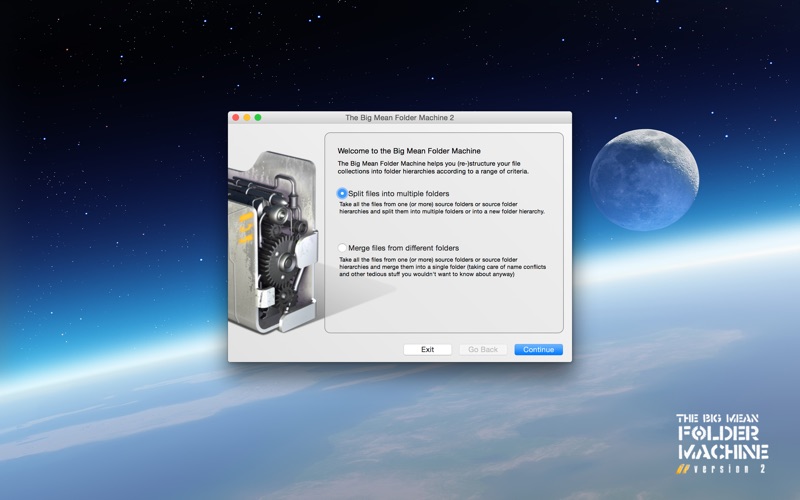
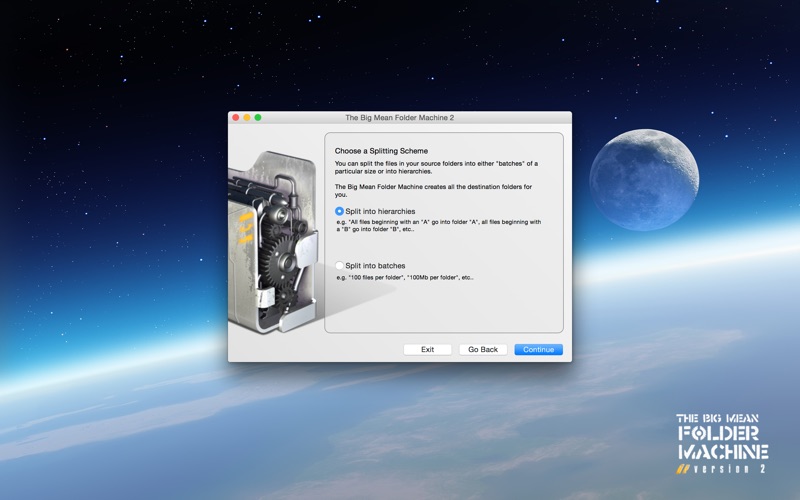
The Big Mean Folder Machine is an easy to use file/folder management utility. It can split files into folder hierarchies or merge them into a single folder. With a familiar assistant-styled interface, The Big Mean Folder Machine is an essential tool for anyone who works with large file collections, including digital photographers, content creation, post-production, system administrators, and other creative professionals. PERFECT FOR (RE-)ORGANIZING YOUR PHOTO COLLECTION The Big Mean Folder Machine knows all about the shooting dates and times embedded in your digital JPEG EXIF or RAW picture files. With only a few clicks you can reorganize your entire photo collection into a customized folder hierarchy. Fancy organizing your photos by year and month? Click. Click. Done. Prefer a deeper hierarchy with year, month and date? Click. Click. Done. WE LOVE YOUR MUSIC TOO The Big Mean Folder Machine is just as useful for your music collections as it can read id3 tags (Artist, Album, Title, Year, etc.) and use them to split your entire collection into a pristine folder hierarchy of your own design. CREATE FIXED SIZE BATCH FOLDERS Anybody who has ever tried to burn a large file collection onto physical media such as DVDs or CDs will appreciate the Big Mean Folder Machine's ability to create batch folders of a particular size, so that you can backup each folder onto a separate data carrier. MERGE SEVERAL FOLDERS The Big Mean Folder Machine cannot only split files into folders, but it can also do the reverse, namely merging the files from many folders and folder hierarchies into a single folder. Not only is doing this manually exceedingly tedious, but you also run into real problems when you run into files with the same name in several folders. The Big Mean Folder Machine takes care of these issues with its customizable file name conflict resolution algorithm. SAFE, FLEXIBLE & INDUSTRIAL STRENGTH All this would be of little use unless there is a safe, flexible and capable engine behind these pretty buttons.. The Big Mean Folder Machine packs an industrial-strength 64-bit database-backed processing engine that is capable of shifting hundreds of thousands of files and terabytes of data, while taking care of pesky problems such as file name conflicts. The Big Mean Folder Machine provides you a full (!) preview of the folder hierarchies that it will create before doing anything and by default your files are copied rather than moved to their new locations, leaving you with a perfect copy should things not work out as expected. For the more adventurous file moving is of course also available, saving time and disk space but this is inherently less safe. WHAT OTHERS ARE SAYING "We’d like to register a protest under the Trades Description Act. The Big Mean Folder Machine is neither big or mean. In fact, it’s really rather small and polite, helping you to organise your disparate files and folders with minimum mess and fuss.", 4 out of 5 mice, Mac World, December 2008 "As others have commented, this App is in many ways the Killer App. With the incredible amount of photos that you can collect in a small amount of time, or other files for that matter, this App is a God send. Let's say you have 1000 photos from vacation you want to separate into Folders of 100 each. Click Click Click - done. This has saved my bacon more times than I can count. Free time is fun time!", Killer Klown Kar on MacUpdate, November 2010 "Awesome. Saved me at least a full day rearranging 7 years of photos from multiple folders into a single structure with exactly the naming and date organization needed to move to a new workflow.", Zaph on MacUpdate, March 2010