PC 용 Pixelmator Classic
- 카테고리: Graphics & Design
- 최근 업데이트: 2020-12-08
- 현재 버전: 3.9.2
- 파일 크기: 107.17 MB
- 개발자: Pixelmator Team
- 호환성: 필요 Windows XP, Windows Vista, Windows 7, Windows 8, Windows 8.1 and Windows 10, Windows 11


PC에서 Pixelmator Classic 용 호환 APK 다운로드
| 다운로드 | 개발자 | 평점 | 점수 | 현재 버전 | 성인 랭킹 |
|---|---|---|---|---|---|
| ↓ PC용 APK 다운로드 | Pixelmator Team | 0 | 3.9.2 | 4+ |
에뮬레이터의 중요성은 컴퓨터에서 안드로이드 환경을 흉내 내고 안드로이드 폰을 구입하지 않고도 안드로이드 앱을 설치하고 실행하는 것을 매우 쉽게 만들어주는 것입니다. 누가 당신이 두 세계를 즐길 수 없다고 말합니까? 우선 아래에있는 에뮬레이터 앱을 다운로드 할 수 있습니다.
A. Nox App . OR
B. Bluestacks App .
Bluestacks는 매우 대중적이므로 개인적으로 "B"옵션을 사용하는 것이 좋습니다. 문제가 발생하면 Google 또는 Naver.com에서 좋은 해결책을 찾을 수 있습니다.
Bluestacks.exe 또는 Nox.exe를 성공적으로 다운로드 한 경우 컴퓨터의 다운로드 폴더 또는 다운로드 한 파일을 일반적으로 저장하는 곳으로 이동하십시오.
찾으면 클릭하여 응용 프로그램을 설치하십시오. PC에서 설치 프로세스를 시작해야합니다.
다음을 클릭하여 EULA 라이센스 계약에 동의하십시오.
응용 프로그램을 설치하려면 화면 지시문을 따르십시오.
위 사항을 올바르게 수행하면 소프트웨어가 성공적으로 설치됩니다.
이제 설치 한 에뮬레이터 애플리케이션을 열고 검색 창을 찾으십시오. 지금 입력하십시오. - Pixelmator Classic 앱을 쉽게 볼 수 있습니다. 그것을 클릭하십시오. 응용 프로그램 창이 열리고 에뮬레이터 소프트웨어에 응용 프로그램이 표시됩니다. 설치 버튼을 누르면 응용 프로그램이 다운로드되기 시작합니다. 이제 우리는 모두 끝났습니다.
그런 다음 "모든 앱"아이콘이 표시됩니다.
클릭하면 설치된 모든 응용 프로그램이 포함 된 페이지로 이동합니다.
당신은 Pixelmator Classic 상. 그것을 클릭하고 응용 프로그램 사용을 시작하십시오.
Mac OS 에서 Pixelmator Classic 다운로드
| 다운로드 | 개발자 | 점수 | 현재 버전 | 성인 랭킹 |
|---|---|---|---|---|
| ₩37,000 - Mac 에서 다운로드 | Pixelmator Team | 3.9.2 | 4+ |
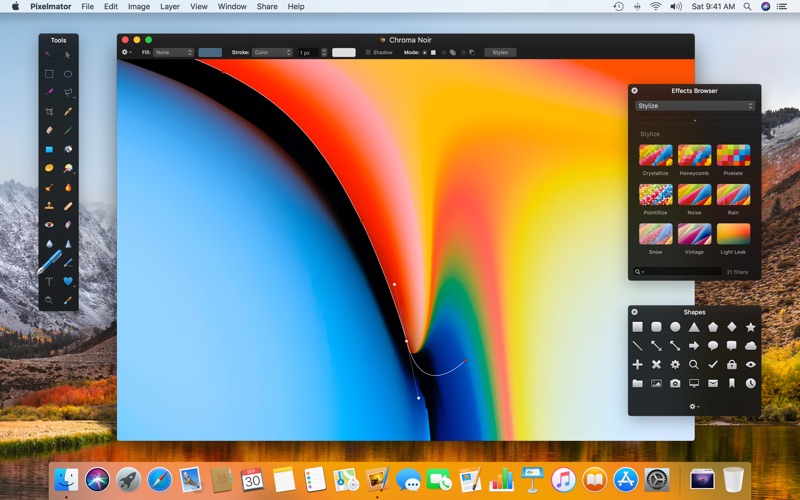
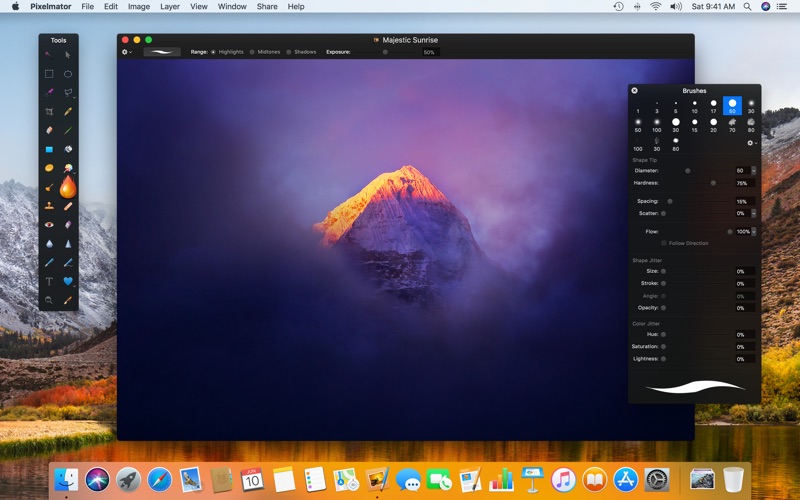
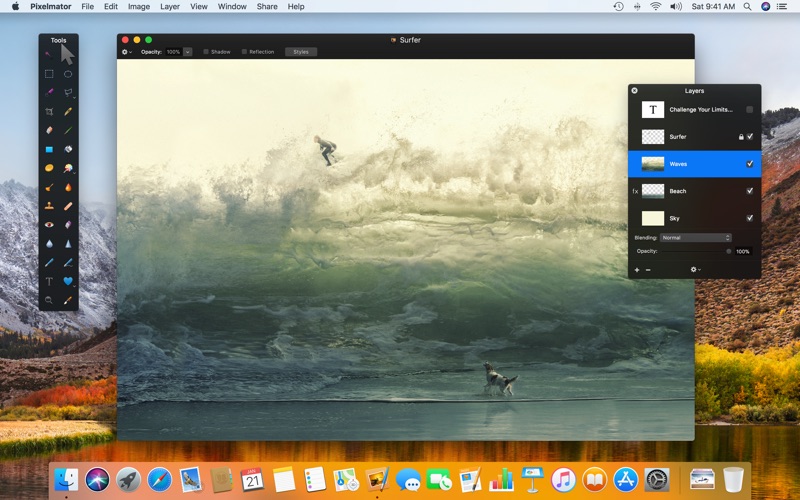
Full-featured and powerful image editing app for the Mac. Pixelmator takes full advantage of the latest Mac features and technologies, giving you speedy, powerful tools that let you touch up and enhance images, draw or paint, apply dazzling effects, or create advanced compositions with ease. Once your images are ready, save them to popular image formats, share them via email or social networks, print them, or instantly add them to your Photos library. All right from Pixelmator. Pixelmator 3.9 Classic is designed to integrate seamlessly with macOS Catalina's fresh and modern look, macOS Continuity features, like Handoff, iCloud Drive, and Continuity Camera, and it works wonderfully together with Pixelmator for iOS. A powerful, pixel-accurate collection of selection tools • Quickly and easily select any part of an image • Edit and apply special effects to parts of your pictures • Select and remove unwanted elements of your photos • Cut out objects from one image to place in another Top-notch painting tools • Paint with Pixelmator as you would on canvas • Use different brush sizes, shapes, hardness, and blending modes • Adjust brush settings to get just the look you want • Cover any area with beautiful gradients and color fills Retouching tools • Correct wrinkles and repair scratches • Make flaws vanish from your photos, remove or rearrange objects in a composition • Blur, sharpen, lighten, or darken specific areas • Reshape areas to subtly improve or give images a completely unexpected look • Combine different tools and effects for an endless number of ways to refine your images Drawing tools • Easily add, create, combine, and edit shapes • Quickly add lines, circles, rectangles, polygons, and many more custom shapes • Effortlessly apply shadows, fills, and strokes for more advanced shapes • Create buttons, icons, web page elements, illustrations, and much more A real effects machine • Play with over 160 breathtaking effects • Combine different effects for unique, near-effortless artistic creations An elegant collection of professional-grade color correction tools • Adjust exposure, hue, saturation, shadows and highlights, brightness, contrast, and much more • Replace and remix colors • Dramatically improve less-than-perfect images with one click Layer Styles • Easily add non-destructive layer effects like shadows, outlines, color, gradient fills, or reflections • Combine a set of effects to create and save your own unique layer style presets • Or just use any of the Pixelmator Team-designed layer style presets • Apply any of the layer style presets using drag and drop Compatibility • Launch Pixelmator directly from Photos and save edits back to the original image • Open and save images using PSD, JPEG, PNG, HEIF, TIFF, PDF, and many other popular formats • Open and save Photoshop images with layers • Open and save 16-bits per channel images iCloud, sharing, and saving for the web • Let iCloud automatically store your edited images and seamlessly sync your work across all your Macs • Skip manual saving of your documents thanks to Auto Save • Email your photos right from Pixelmator • Optimize and save images for use on your web pages, blogs, photo albums, and more Editing extensions for the Photos app: • Retouch photos with powerful Pixelmator retouching tools right inside the Photos app • Reshape images with Metal-based Pixelmator distort tools without leaving Photos Built exclusively for Mac Pixelmator uses a wide range of macOS features and technologies like Cocoa, Metal, Core Image, Grand Central Dispatch, 64-bit, FaceTime camera, Automator, Full-Screen, built-in Sharing and much more. And Pixelmator’s beautiful interface and image editing engine are fully optimized for the MacBook Pro with Retina display. Apple Design Award Winner Best of Mac App Store 2011: App of the Year 2011