
PC 용 Filmic Pro-Video Camera
- 카테고리: Photo & Video
- 최근 업데이트: 2026-09-08
- 현재 버전: 7.5.35
- 파일 크기: 97.30 MB
- 개발자: FiLMiC Inc
- 호환성: 필요 Windows XP, Windows Vista, Windows 7, Windows 8, Windows 8.1 and Windows 10, Windows 11


PC에서 Filmic Pro-Video Camera 용 호환 APK 다운로드
| 다운로드 | 개발자 | 평점 | 점수 | 현재 버전 | 성인 랭킹 |
|---|---|---|---|---|---|
| ↓ PC용 APK 다운로드 | FiLMiC Inc | 1044 | 2.70881 | 7.5.35 | 4+ |
호환되는 PC 앱 또는 대안 확인
| 소프트웨어 | 다운로드 | 평점 | 개발자 |
|---|---|---|---|
| Filmic Pro-Video Camera |
PC 앱 받기 | 2.70881/5 1044 리뷰 2.70881 |
FiLMiC Inc |
에뮬레이터의 중요성은 컴퓨터에서 안드로이드 환경을 흉내 내고 안드로이드 폰을 구입하지 않고도 안드로이드 앱을 설치하고 실행하는 것을 매우 쉽게 만들어주는 것입니다. 누가 당신이 두 세계를 즐길 수 없다고 말합니까? 우선 아래에있는 에뮬레이터 앱을 다운로드 할 수 있습니다.
A. Nox App . OR
B. Bluestacks App .
Bluestacks는 매우 대중적이므로 개인적으로 "B"옵션을 사용하는 것이 좋습니다. 문제가 발생하면 Google 또는 Naver.com에서 좋은 해결책을 찾을 수 있습니다.
Bluestacks.exe 또는 Nox.exe를 성공적으로 다운로드 한 경우 컴퓨터의 다운로드 폴더 또는 다운로드 한 파일을 일반적으로 저장하는 곳으로 이동하십시오.
찾으면 클릭하여 응용 프로그램을 설치하십시오. PC에서 설치 프로세스를 시작해야합니다.
다음을 클릭하여 EULA 라이센스 계약에 동의하십시오.
응용 프로그램을 설치하려면 화면 지시문을 따르십시오.
위 사항을 올바르게 수행하면 소프트웨어가 성공적으로 설치됩니다.
이제 설치 한 에뮬레이터 애플리케이션을 열고 검색 창을 찾으십시오. 지금 입력하십시오. - Filmic Pro-Video Camera 앱을 쉽게 볼 수 있습니다. 그것을 클릭하십시오. 응용 프로그램 창이 열리고 에뮬레이터 소프트웨어에 응용 프로그램이 표시됩니다. 설치 버튼을 누르면 응용 프로그램이 다운로드되기 시작합니다. 이제 우리는 모두 끝났습니다.
그런 다음 "모든 앱"아이콘이 표시됩니다.
클릭하면 설치된 모든 응용 프로그램이 포함 된 페이지로 이동합니다.
당신은 Filmic Pro-Video Camera 상. 그것을 클릭하고 응용 프로그램 사용을 시작하십시오.
Mac OS 에서 Filmic Pro-Video Camera 다운로드
| 다운로드 | 개발자 | 점수 | 현재 버전 | 성인 랭킹 |
|---|---|---|---|---|
| ₩19,000 - Mac 에서 다운로드 | FiLMiC Inc | 2.70881 |
7.5.35 | 4+ |
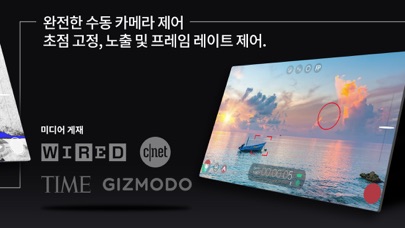
Filmic Pro v7은 모바일 장치를 전문 시네마 카메라로 바꾸어 스마트폰이나 태블릿에서 가장 직관적인 캡처 경험을 통해 가능한 최고의 비디오 품질을 캡처할 수 있도록 합니다. 올해의 여러 번 iOS 비디오 카메라 앱으로 선정된 Filmic Pro는 수상 경력에 빛나는 영화 제작자들이 다른 어떤 앱보다 많은 주목을 받는 비디오 프로젝트에 사용되었습니다. • Stupid Love - 레이디 가가 • 탠저린 - 숀 베이커 • Unsane & High Flying Bird - 스티븐 소더버그 • 우회 - 미셸 공드리 • 스노우 스팀 다리미 - 잭 스나이더 • 나를 사랑하게 하소서 - 셀레나 고메즈 처음부터 다시 디자인된 Filmic Pro v7은 영화 제작자, 뉴스 진행자, 교사, 동영상 블로거 및 소셜 미디어 콘텐츠 제작자에게 가장 강력하고 직관적인 카메라 경험을 제공하며 고급 기능과 사용하기 쉬운 전체 제품군을 제공합니다. | — V7 New Features — | • Dedicated Focus/Exposure Mode selector, comprising three intuitive focus and exposure modes. • Redesigned Manual Sliders for improved focus and exposure control: — New Exposure/Zoom Slider provides discrete control over LV; ISO; shutter speed; and zoom. — Improved pull points for automated rack focus and zoom moves. • Quick Action Modals (QAMs) put key functionality at your fingertips front and center in the main interface, eliminating the need to dive into settings. • Action Slider can be revealed to provide a real-time readout and control over key capture settings including ISO, shutter speed, white balance, and gamma curve. Tap a value to interact with its associated QAM for unrivalled control. • Custom Function (Fn) Button now allows you to map one of dozens of available custom functions to the main UI, so your most used feature is only ever a tap away. • Enhanced pro audio capabilities with support for 16/24-bit audio. — — Headline Features — — • ProRes Capture (Proxy; LT; 422; 422 HQ)* • Log and Flat gamma curves* • Realtime Film Looks for cinematic results without the need for grading* • Live Analytic suite including Zebras, False Color, Focus Peaking* • Support for DolbyVision HDR, 10-bit SDR, and 8-bit HEVC and H264* • Clean HDMI Out transforms your device into a pro level web cam • Frame.io Camera to Cloud (C2C) support* • Advanced Audio Controls for manual input gain, 16/24-bit audio, and uncompressed PCM • CMS for industry standard clip naming conventions. — Foundation Features — • Manual control over every capture parameter • Apple Watch support for remote start/stop + video preview • Vertical and landscape support • Sync audio frame rates of 24/25/30/48/50/60 fps* • High speed frame rates of 60/120/240fps* • Slow and fast motion FX • Time lapse mode • Histogram and waveform • Downsample to lower resolutions • Capture presets synced to the cloud • Framing guide overlays • Image stabilization (standard/cinematic)* • Support for Filmic Remote. Remote allows you to control an iOS device running Filmic Pro with a second device running Remote. • 8 aspect ratios including Widescreen (16:9); Ultra Panavision (2.76:1); Square (1:1). • 4 encoding options for H264/HEVC to balance quality and file size: — Filmic Extreme — Filmic Quality — Apple Standard — Economy • 3rd Party Hardware Support — 1.33x and 1.55x anamorphic desqueeze — 35mm lens adapters — Horizontal flip • Supported Gimbals — Zhiyun Q3/4 + Smooth 4/5 — DJI OSMO Mobile 1/2/3/4/5 • Advanced Audio Features: — Pro audio formats; headphone monitoring; manual gain * 기능은 하드웨어 또는 구성에 따라 다릅니다. 자세한 내용은 당사 웹사이트를 방문하십시오. 구독 정보 • 구독 기간: 매주, 매년 • 결제는 구매를 확인하는 즉시 청구됩니다. • 현재 기간이 끝나기 최소 24시간 전에 자동 갱신을 끄지 않으면 구독이 자동으로 갱신됩니다. • 구독을 취소하면 구독 기간이 끝날 때까지 활성 상태로 유지됩니다. 자동 갱신이 비활성화되지만 현재 구독은 환불되지 않습니다. • 무료 평가판 기간 중 사용하지 않은 부분은 제공되는 경우 구독 구매 시 소멸됩니다. Terms of Service: https://support.bendingspoons.com/tos.html?app=436577167