
PC 용 PhotoSweeper
- 카테고리: Photo & Video
- 최근 업데이트: 2026-11-14
- 현재 버전: 5.5.6
- 파일 크기: 26.24 MB
- 개발자: Ivan Prymak
- 호환성: 필요 Windows XP, Windows Vista, Windows 7, Windows 8, Windows 8.1 and Windows 10, Windows 11



에뮬레이터의 중요성은 컴퓨터에서 안드로이드 환경을 흉내 내고 안드로이드 폰을 구입하지 않고도 안드로이드 앱을 설치하고 실행하는 것을 매우 쉽게 만들어주는 것입니다. 누가 당신이 두 세계를 즐길 수 없다고 말합니까? 우선 아래에있는 에뮬레이터 앱을 다운로드 할 수 있습니다.
A. Nox App . OR
B. Bluestacks App .
Bluestacks는 매우 대중적이므로 개인적으로 "B"옵션을 사용하는 것이 좋습니다. 문제가 발생하면 Google 또는 Naver.com에서 좋은 해결책을 찾을 수 있습니다.
Bluestacks.exe 또는 Nox.exe를 성공적으로 다운로드 한 경우 컴퓨터의 다운로드 폴더 또는 다운로드 한 파일을 일반적으로 저장하는 곳으로 이동하십시오.
찾으면 클릭하여 응용 프로그램을 설치하십시오. PC에서 설치 프로세스를 시작해야합니다.
다음을 클릭하여 EULA 라이센스 계약에 동의하십시오.
응용 프로그램을 설치하려면 화면 지시문을 따르십시오.
위 사항을 올바르게 수행하면 소프트웨어가 성공적으로 설치됩니다.
이제 설치 한 에뮬레이터 애플리케이션을 열고 검색 창을 찾으십시오. 지금 입력하십시오. - PhotoSweeper 앱을 쉽게 볼 수 있습니다. 그것을 클릭하십시오. 응용 프로그램 창이 열리고 에뮬레이터 소프트웨어에 응용 프로그램이 표시됩니다. 설치 버튼을 누르면 응용 프로그램이 다운로드되기 시작합니다. 이제 우리는 모두 끝났습니다.
그런 다음 "모든 앱"아이콘이 표시됩니다.
클릭하면 설치된 모든 응용 프로그램이 포함 된 페이지로 이동합니다.
당신은 PhotoSweeper 상. 그것을 클릭하고 응용 프로그램 사용을 시작하십시오.
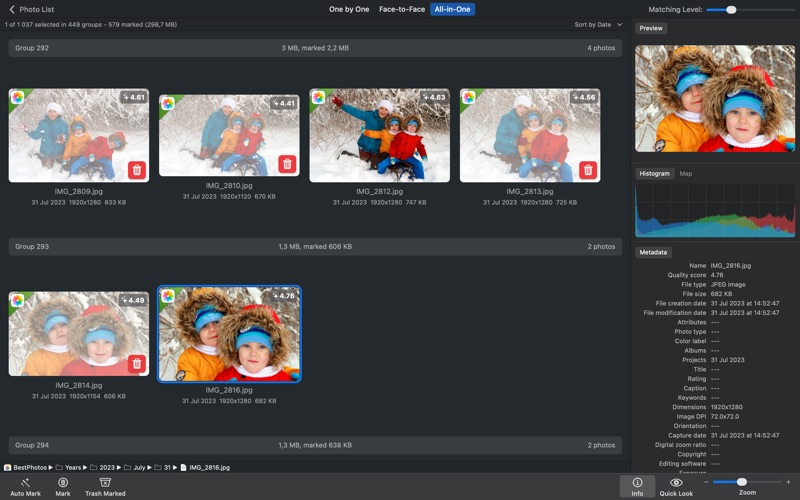
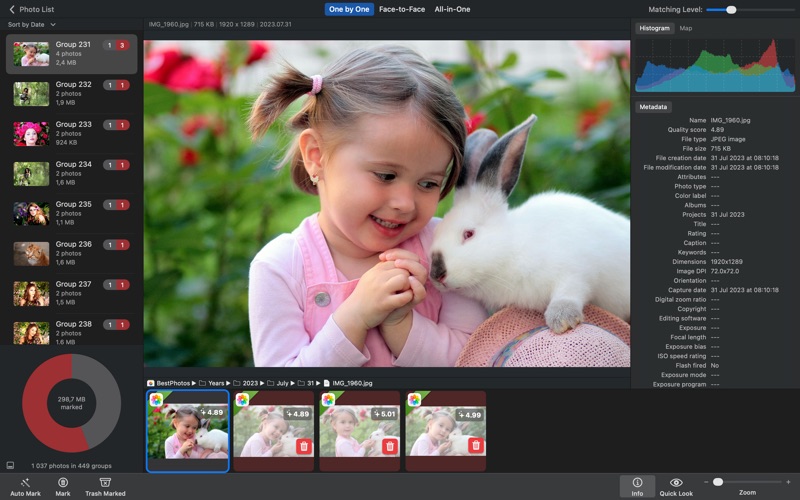
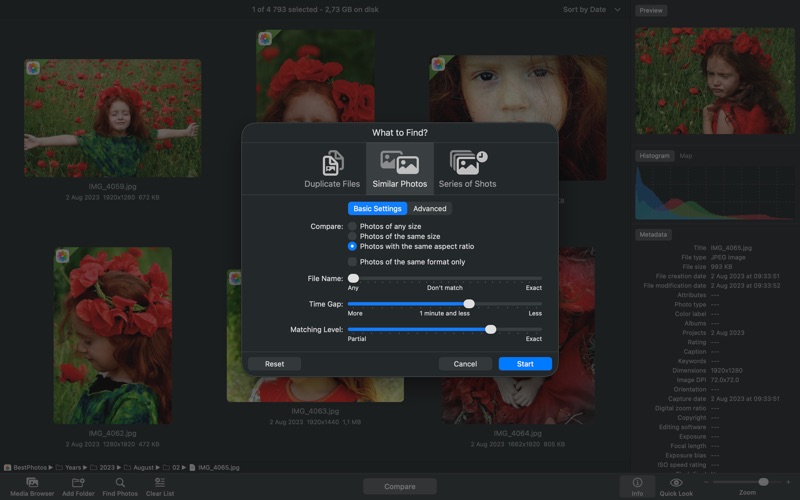
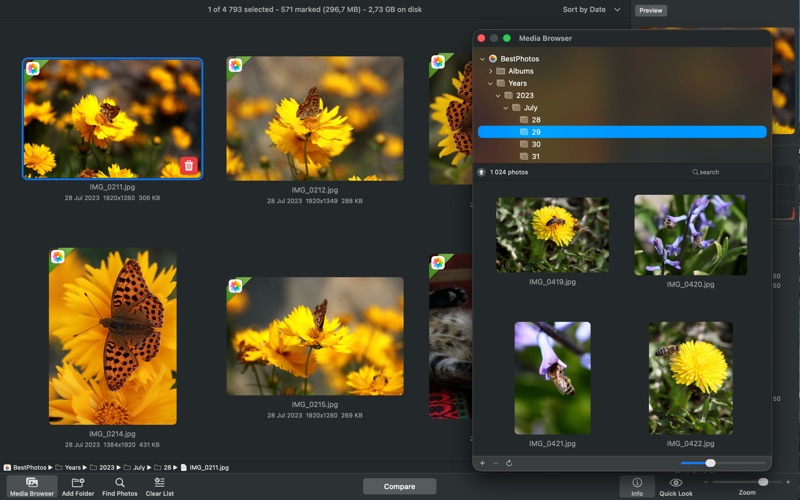
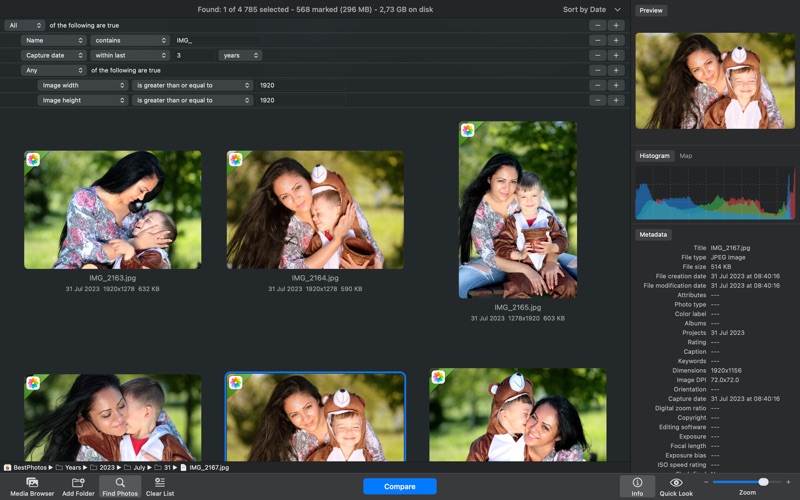
PhotoSweeper is a lightning-fast, highly accurate, and remarkably efficient tool for cleaning up similar or duplicate photos, even in massive photo libraries. It works with Apple Photos, Lightroom Classic, Capture One, and images stored anywhere on your Mac or external drives. “Swift, easy to use, thorough, analyzes specific libraries, can search according to various criteria, offers choices in photo handling” - TheNextWeb "PhotoSweeper packs a powerful punch in de-cluttering any size collection. 9/10" - Mac.AppStorm "PhotoSweeper is a simple and efficient utility for organizing photos. 4.5/5" - Macworld “I like PhotoSweeper because you can tweak it to compare with different criteria… not a one-trick-pony.” - MacRumors forum user "This tool does a great job of finding duplicates, not just exact duplicates, but photos that have been rotated, resized, or are even just very similar. It also has a great set of default rules for figuring out which image to keep automatically, which can save hours." - Mac App Store Review PhotoSweeper is perfect for you if: • You often take a series of shots to get the perfect image and want to remove the extras. • You edit photos in apps like Photoshop or Capture One and create multiple versions or backups. • You have photos spread across folders, external drives, and libraries like Apple Photos, Lightroom Classic, or Capture One. • Your photo library feels messy, disorganized, or too full, and you want to reclaim space by removing unnecessary files. Key Features • Deep Integration with Popular Photo Libraries Works seamlessly with Apple Photos, Lightroom Classic, and Capture One. You can also scan any folder or external drive, with no need to move or reorganize your files beforehand. • Fast and Accurate Comparison Engine Under the hood is a lightning-fast engine that detects both exact duplicates and visually similar images. It goes beyond filenames by analyzing content, composition, and capture time. You can fine-tune the matching level to catch everything from identical copies to burst shots and edits. • Flexible, User-Friendly Workflow Clean up your library with ease. Similar photos are grouped side by side for quick visual comparison. Use Auto Mark to automatically select the best image in each group, or choose manually. Lock important photos, view EXIF data, preview with Quick Look, and apply customizable marking rules. • AI-Powered Photo Scoring Evaluates the visual quality of photos using AI and displays a visual badge on each image. Use the “Quality Score” auto mark rule to automatically keep the best shots. • Smart Cleanup with Safety in Mind You're always in control. Review all marked photos before deleting. Nothing is permanently erased. Photos go to the system Trash, are marked “Rejected” in Lightroom, or moved to a special album in Photos so you can recover them later if needed. • Optimized for Performance / Handles Large Libraries Whether you have thousands or hundreds of thousands of photos, PhotoSweeper runs fast and smooth. It's optimized for macOS and runs natively on Apple Silicon for top performance on your Mac. Why Choose PhotoSweeper? • Works with Photos, Lightroom Classic, Capture One, folders, and more • Detects both exact duplicates and similar-looking photos • Lets you compare side-by-side with clear previews and detailed info • Features Auto Mark, customizable rules, and flexible cleanup options • Supports RAW, JPEG, HEIC, PNG, TIFF, and other popular formats • Designed for both casual users and professionals • Keeps your photo collection tidy, organized, and free of clutter Declutter your photo library, free up disk space, and enjoy your best memories without the noise. With PhotoSweeper, cleaning up your Mac has never been so smart and satisfying. Need help or want to learn more? Check out the full user manual at http://overmacs.com, or drop us a line at [email protected] — we’re happy to help!