
PC 용 Data Recovery Druid
- 카테고리: Utilities
- 최근 업데이트: 2014-02-18
- 현재 버전: 2.5
- 파일 크기: 1.29 MB
- 개발자: FelixDev
- 호환성: 필요 Windows XP, Windows Vista, Windows 7, Windows 8, Windows 8.1 and Windows 10, Windows 11


PC에서 Data Recovery Druid 용 호환 APK 다운로드
| 다운로드 | 개발자 | 평점 | 점수 | 현재 버전 | 성인 랭킹 |
|---|---|---|---|---|---|
| ↓ PC용 APK 다운로드 | FelixDev | 0 | 0 | 2.5 | 4+ |
에뮬레이터의 중요성은 컴퓨터에서 안드로이드 환경을 흉내 내고 안드로이드 폰을 구입하지 않고도 안드로이드 앱을 설치하고 실행하는 것을 매우 쉽게 만들어주는 것입니다. 누가 당신이 두 세계를 즐길 수 없다고 말합니까? 우선 아래에있는 에뮬레이터 앱을 다운로드 할 수 있습니다.
A. Nox App . OR
B. Bluestacks App .
Bluestacks는 매우 대중적이므로 개인적으로 "B"옵션을 사용하는 것이 좋습니다. 문제가 발생하면 Google 또는 Naver.com에서 좋은 해결책을 찾을 수 있습니다.
Bluestacks.exe 또는 Nox.exe를 성공적으로 다운로드 한 경우 컴퓨터의 다운로드 폴더 또는 다운로드 한 파일을 일반적으로 저장하는 곳으로 이동하십시오.
찾으면 클릭하여 응용 프로그램을 설치하십시오. PC에서 설치 프로세스를 시작해야합니다.
다음을 클릭하여 EULA 라이센스 계약에 동의하십시오.
응용 프로그램을 설치하려면 화면 지시문을 따르십시오.
위 사항을 올바르게 수행하면 소프트웨어가 성공적으로 설치됩니다.
이제 설치 한 에뮬레이터 애플리케이션을 열고 검색 창을 찾으십시오. 지금 입력하십시오. - Data Recovery Druid 앱을 쉽게 볼 수 있습니다. 그것을 클릭하십시오. 응용 프로그램 창이 열리고 에뮬레이터 소프트웨어에 응용 프로그램이 표시됩니다. 설치 버튼을 누르면 응용 프로그램이 다운로드되기 시작합니다. 이제 우리는 모두 끝났습니다.
그런 다음 "모든 앱"아이콘이 표시됩니다.
클릭하면 설치된 모든 응용 프로그램이 포함 된 페이지로 이동합니다.
당신은 Data Recovery Druid 상. 그것을 클릭하고 응용 프로그램 사용을 시작하십시오.
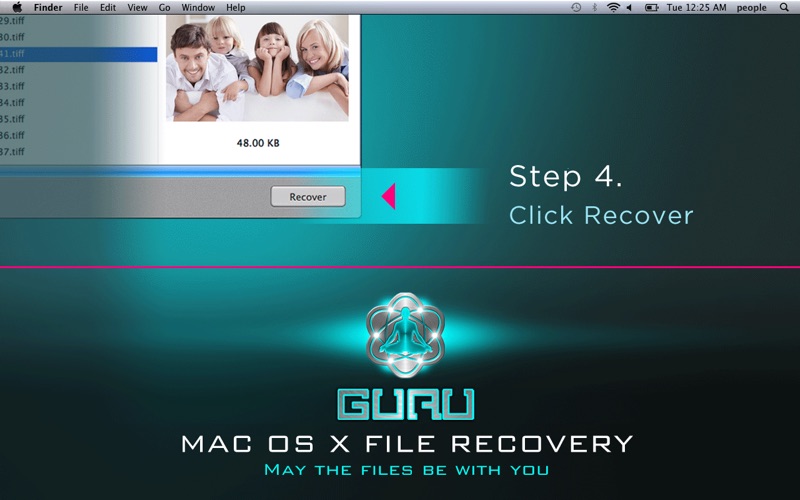
Note: Although the app store version is limited, the website version is fully functioning and also capable of scanning internal disks. If you purchase the App Store version, the website version will be automatically registered as soon as you download it and you can use that to scan and recover data on any disk. After using the In-App Purchase in Data Recovery Druid from the app store, simply go to the website and download it from there. It will automatically detect that you completed the in app purchase with the app store version, and will automatically register itself so you can use it to scan your startup disk. *** Alternatively, if you only want to use the App Store version *** The App Store version of the award-winning data recovery technology, uses uncompressed (byte-by-byte) disk images as the source for data recovery. Here's how you can create them simply: 1. Run Disk Utility, it's a standard Mac OS X app. 2. Go to File > New > Disk Image from "YOUR_DISK_NAME". 3. Choose "read-write" as your Image format. Do not choose "Compressed", or lost data will not be copied. 4. Set encryption to "none". 5. Save your disk image, and load it in Data Recovery Guru when done. From AppleLinks “I found that Data Recovery Druid works as effortlessly and elegantly as claimed, and that there is only the most minimal learning curve involved. Using it is simple and intuitive. It does indeed “just work”." In a similar manner as the Finder allows you to browse through regular files on your disks, Data Recovery Druid allows you to browse and recover deleted files. Although the App Store version is limited to scanning external devices (due to App Store security policy), if you purchase the App Store version then download it from the website, the website version will automatically be fully registered and capable of scanning your startup disk. With this free version you can recover 10 common filetypes, and preview the less common types that are available for recovery. The common types can be recovered with the initial purchase. There is an In App Purchase for the ability to recover the less common types. It allows you to view files that were in the trash after it's been emptied, and files from formatted, corrupted, or unmountable disks or other devices such as cameras and phones. You'll be surprised at what it'll find. It can often show you files you would never have thought were still on your disk, deleted years ago. In the same way you browse through your regular files using the Finder, Data Recovery Druid will scan your disks for permanently deleted files and allow you to view them in a media rich file browser window. Notes: • If you purchase it with the Mac App Store and you then use the website version, the website version will be automatically fully registered. You can seamlessly use it to scan the startup disk. More Reviews: From Tech-Reviews “Unlike other data recovery applications, this really is a very simple application to use and does exactly what it says on the tin.” From MacDetails “We recovered everything we could find – Word docs and PDFs, Illustrator files, QuickTime movies, and Photoshop PSD files.” From MacManiaPodcast “allowed me to quickly and easily browse them with the preview. Then, I was able to click the “Recover” button and save them right to my desktop. It worked perfectly, and salvaged the files that I needed.”