PC 용 Photo Meta Edit
- 카테고리: Photography
- 최근 업데이트: 2026-05-22
- 현재 버전: 3.08
- 파일 크기: 3.76 MB
- 개발자: Tranquillity Base
- 호환성: 필요 Windows XP, Windows Vista, Windows 7, Windows 8, Windows 8.1 and Windows 10, Windows 11

PC에서 Photo Meta Edit 용 호환 APK 다운로드
| 다운로드 | 개발자 | 평점 | 점수 | 현재 버전 | 성인 랭킹 |
|---|---|---|---|---|---|
| ↓ PC용 APK 다운로드 | Tranquillity Base | 0 | 0 | 3.08 | 4+ |
에뮬레이터의 중요성은 컴퓨터에서 안드로이드 환경을 흉내 내고 안드로이드 폰을 구입하지 않고도 안드로이드 앱을 설치하고 실행하는 것을 매우 쉽게 만들어주는 것입니다. 누가 당신이 두 세계를 즐길 수 없다고 말합니까? 우선 아래에있는 에뮬레이터 앱을 다운로드 할 수 있습니다.
A. Nox App . OR
B. Bluestacks App .
Bluestacks는 매우 대중적이므로 개인적으로 "B"옵션을 사용하는 것이 좋습니다. 문제가 발생하면 Google 또는 Naver.com에서 좋은 해결책을 찾을 수 있습니다.
Bluestacks.exe 또는 Nox.exe를 성공적으로 다운로드 한 경우 컴퓨터의 다운로드 폴더 또는 다운로드 한 파일을 일반적으로 저장하는 곳으로 이동하십시오.
찾으면 클릭하여 응용 프로그램을 설치하십시오. PC에서 설치 프로세스를 시작해야합니다.
다음을 클릭하여 EULA 라이센스 계약에 동의하십시오.
응용 프로그램을 설치하려면 화면 지시문을 따르십시오.
위 사항을 올바르게 수행하면 소프트웨어가 성공적으로 설치됩니다.
이제 설치 한 에뮬레이터 애플리케이션을 열고 검색 창을 찾으십시오. 지금 입력하십시오. - Photo Meta Edit 앱을 쉽게 볼 수 있습니다. 그것을 클릭하십시오. 응용 프로그램 창이 열리고 에뮬레이터 소프트웨어에 응용 프로그램이 표시됩니다. 설치 버튼을 누르면 응용 프로그램이 다운로드되기 시작합니다. 이제 우리는 모두 끝났습니다.
그런 다음 "모든 앱"아이콘이 표시됩니다.
클릭하면 설치된 모든 응용 프로그램이 포함 된 페이지로 이동합니다.
당신은 Photo Meta Edit 상. 그것을 클릭하고 응용 프로그램 사용을 시작하십시오.
Mac OS 에서 Photo Meta Edit 다운로드
| 다운로드 | 개발자 | 점수 | 현재 버전 | 성인 랭킹 |
|---|---|---|---|---|
| ₩4,900 - Mac 에서 다운로드 | Tranquillity Base | 0 |
3.08 | 4+ |
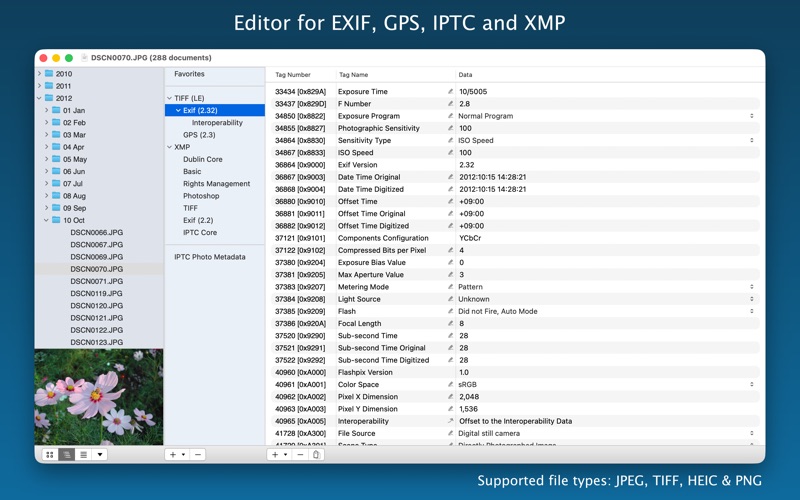
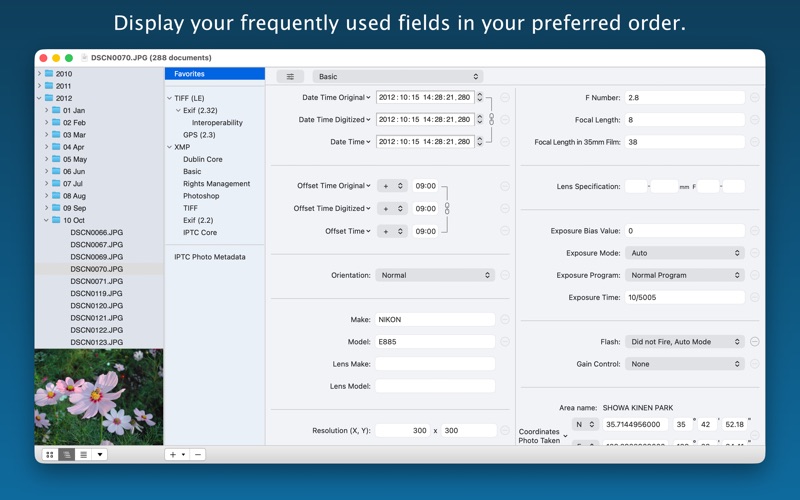
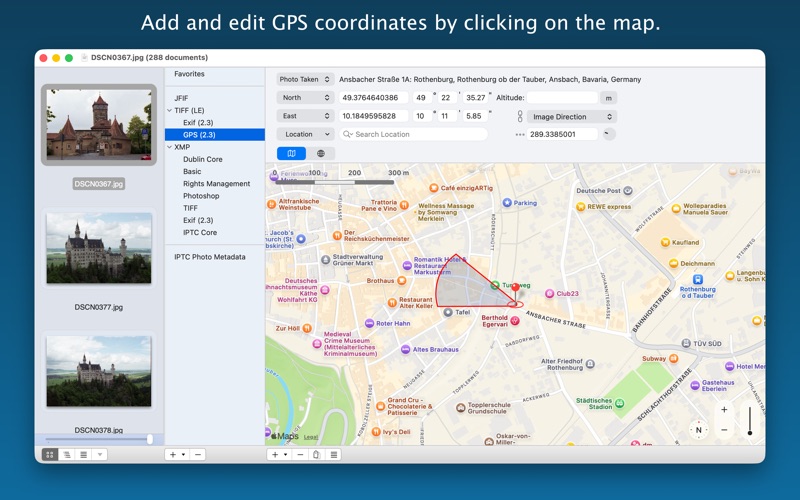
Photo Meta Edit is a powerful tool that lets you easily edit various types of photo metadata, including Exif, GPS, IPTC, and XMP, in JPEG, TIFF, HEIC, and PNG files. ■ Supported Metadata Types - TIFF, Exif, GPS Note: Editing and displaying the Maker Note [0x927C] in Exif is not supported - JFIF Segment - COM Segment - XMP, IPTC - Photoshop Segment (Adding new Photoshop segments is not supported) ■ Supported File Types - JPEG - TIFF (single page type only) - HEIC (single image type only) - PNG ■ Key Features - Batch editing: Efficiently edit metadata for multiple photos at once - Thumbnail Management: Embed or remove thumbnails in JPEG, HEIC files - Easy IPTC Editing: Simplify the process of editing IPTC photo metadata - IPTC Creator's Contact Information Presets: Save and apply frequently used contact details - Common Words List: Register and quickly access words you use often - Edit GPS coordinates directly by clicking on an Apple Map - Search for GPS coordinates using keywords (requires internet access) - Access a customizable GPS Location List pre-loaded with major airports from 98 countries and regions - Google Depth Map metadata in XMP: View, export, and remove original 2D images and depth map images. Adding new depth map metadata is not supported - Dedicated Date-Time Batch Functions ■ NOTE! This app cannot open or edit Apple's Photos library. Photos creates data files for metadata (e.g., metaSchema.db) within the Photos.photoslibrary > database directory when importing image files. It then displays metadata from metaSchema.db, rather than embedded metadata within the imported image files themselves. Since Photo Meta Edit modifies embedded metadata in image files, Photos will not display these changes. To see the changes reflected in Photos, you will need to re-import the image files to update metaSchema.db. It is advisable to edit images before importing them into Photos to avoid unexpected issues. Photos itself never modifies the original imported image files. Photo Meta Edit cannot edit the data files within Photos.photoslibrary to ensure the safety and integrity of your Photos library. Please backup your files before using this app, just in case any unexpected errors occur.