PC 용 MamaCam - the cutest camera frames for your baby photos!
- 카테고리: Photo & Video
- 최근 업데이트: 2015-02-04
- 현재 버전: 1.3.1
- 파일 크기: 25.53 MB
- 개발자: VicMan LLC
- 호환성: 필요 Windows XP, Windows Vista, Windows 7, Windows 8, Windows 8.1 and Windows 10, Windows 11


PC에서 MamaCam - the cutest camera frames for your baby photos! 용 호환 APK 다운로드
| 다운로드 | 개발자 | 평점 | 점수 | 현재 버전 | 성인 랭킹 |
|---|---|---|---|---|---|
| ↓ PC용 APK 다운로드 | VicMan LLC | 0 | 1.3.1 | 4+ |
에뮬레이터의 중요성은 컴퓨터에서 안드로이드 환경을 흉내 내고 안드로이드 폰을 구입하지 않고도 안드로이드 앱을 설치하고 실행하는 것을 매우 쉽게 만들어주는 것입니다. 누가 당신이 두 세계를 즐길 수 없다고 말합니까? 우선 아래에있는 에뮬레이터 앱을 다운로드 할 수 있습니다.
A. Nox App . OR
B. Bluestacks App .
Bluestacks는 매우 대중적이므로 개인적으로 "B"옵션을 사용하는 것이 좋습니다. 문제가 발생하면 Google 또는 Naver.com에서 좋은 해결책을 찾을 수 있습니다.
Bluestacks.exe 또는 Nox.exe를 성공적으로 다운로드 한 경우 컴퓨터의 다운로드 폴더 또는 다운로드 한 파일을 일반적으로 저장하는 곳으로 이동하십시오.
찾으면 클릭하여 응용 프로그램을 설치하십시오. PC에서 설치 프로세스를 시작해야합니다.
다음을 클릭하여 EULA 라이센스 계약에 동의하십시오.
응용 프로그램을 설치하려면 화면 지시문을 따르십시오.
위 사항을 올바르게 수행하면 소프트웨어가 성공적으로 설치됩니다.
이제 설치 한 에뮬레이터 애플리케이션을 열고 검색 창을 찾으십시오. 지금 입력하십시오. - MamaCam - the cutest camera frames for your baby photos! 앱을 쉽게 볼 수 있습니다. 그것을 클릭하십시오. 응용 프로그램 창이 열리고 에뮬레이터 소프트웨어에 응용 프로그램이 표시됩니다. 설치 버튼을 누르면 응용 프로그램이 다운로드되기 시작합니다. 이제 우리는 모두 끝났습니다.
그런 다음 "모든 앱"아이콘이 표시됩니다.
클릭하면 설치된 모든 응용 프로그램이 포함 된 페이지로 이동합니다.
당신은 MamaCam - the cutest camera frames for your baby photos! 상. 그것을 클릭하고 응용 프로그램 사용을 시작하십시오.
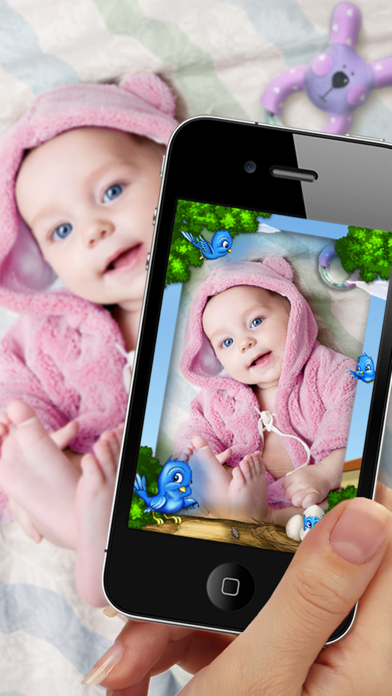
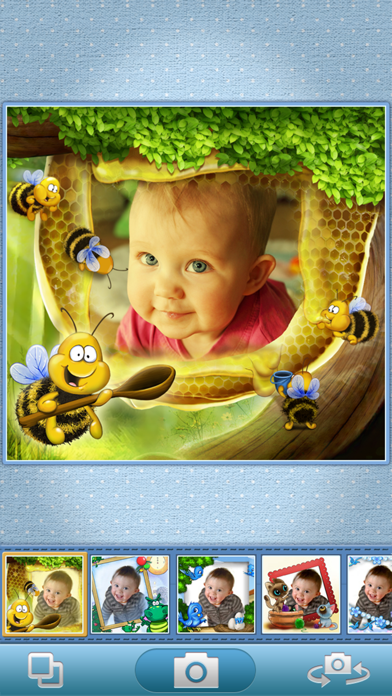
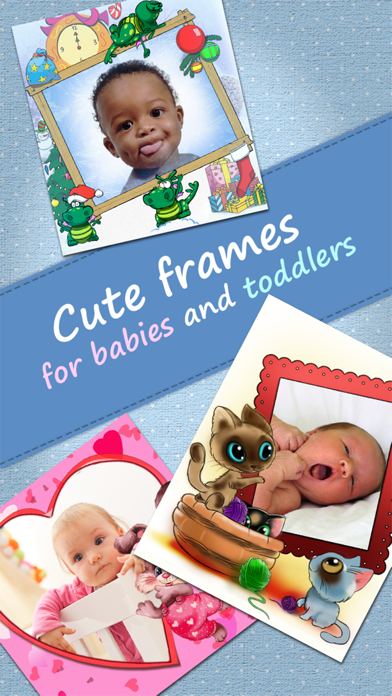
If you're a happy parent of a little kid and you love taking pictures of him/her, you simply must try MamaCam. This tiny app will make every picture of your baby look cute and colorful! Key features: 10 funny baby frames * Manual adjustment of a photo inside the frame * Intuitive and cute interface * Front-facing camera support (great for independent toddlers who like to "do it myself") * Easy sharing on Twitter, Facebook and Instagram Just launch the app and pick one of 10 adorable photo effects containing: * cartoon characters * cute animals * flowers and hearts * rainbows and fairies Every photo template MamaCam has to offer is not just a lifeless frame, it's an entire fairy tale. See your baby cuddled by cute kittens and rabbits or making friends with industrious bees and plush bears. The inside borders of the picture frames are professionally smoothed, so your photos will fit in perfectly! Moreover, you can zoom the camera in and out, pinch and move the shot inside the frame or even switch between the frames to achieve the best result! Share the resulting pics with your friends and family via Twitter, Facebook and Instagram or save them to the Camera Roll album. Your kid will love this!