
PC 용 Collect - Photo Journal, Diary
- 카테고리: Photo & Video
- 최근 업데이트: 2019-02-13
- 현재 버전: 3.4.9
- 파일 크기: 89.08 MB
- 개발자: The Lens Lab Pty Ltd
- 호환성: 필요 Windows XP, Windows Vista, Windows 7, Windows 8, Windows 8.1 and Windows 10, Windows 11

PC에서 Collect - Photo Journal, Diary 용 호환 APK 다운로드
| 다운로드 | 개발자 | 평점 | 점수 | 현재 버전 | 성인 랭킹 |
|---|---|---|---|---|---|
| ↓ PC용 APK 다운로드 | The Lens Lab Pty Ltd | 26 | 4.57692 | 3.4.9 | 4+ |
에뮬레이터의 중요성은 컴퓨터에서 안드로이드 환경을 흉내 내고 안드로이드 폰을 구입하지 않고도 안드로이드 앱을 설치하고 실행하는 것을 매우 쉽게 만들어주는 것입니다. 누가 당신이 두 세계를 즐길 수 없다고 말합니까? 우선 아래에있는 에뮬레이터 앱을 다운로드 할 수 있습니다.
A. Nox App . OR
B. Bluestacks App .
Bluestacks는 매우 대중적이므로 개인적으로 "B"옵션을 사용하는 것이 좋습니다. 문제가 발생하면 Google 또는 Naver.com에서 좋은 해결책을 찾을 수 있습니다.
Bluestacks.exe 또는 Nox.exe를 성공적으로 다운로드 한 경우 컴퓨터의 다운로드 폴더 또는 다운로드 한 파일을 일반적으로 저장하는 곳으로 이동하십시오.
찾으면 클릭하여 응용 프로그램을 설치하십시오. PC에서 설치 프로세스를 시작해야합니다.
다음을 클릭하여 EULA 라이센스 계약에 동의하십시오.
응용 프로그램을 설치하려면 화면 지시문을 따르십시오.
위 사항을 올바르게 수행하면 소프트웨어가 성공적으로 설치됩니다.
이제 설치 한 에뮬레이터 애플리케이션을 열고 검색 창을 찾으십시오. 지금 입력하십시오. - Collect - Photo Journal, Diary 앱을 쉽게 볼 수 있습니다. 그것을 클릭하십시오. 응용 프로그램 창이 열리고 에뮬레이터 소프트웨어에 응용 프로그램이 표시됩니다. 설치 버튼을 누르면 응용 프로그램이 다운로드되기 시작합니다. 이제 우리는 모두 끝났습니다.
그런 다음 "모든 앱"아이콘이 표시됩니다.
클릭하면 설치된 모든 응용 프로그램이 포함 된 페이지로 이동합니다.
당신은 Collect - Photo Journal, Diary 상. 그것을 클릭하고 응용 프로그램 사용을 시작하십시오.
Mac OS 에서 Collect 다운로드
| 다운로드 | 개발자 | 점수 | 현재 버전 | 성인 랭킹 |
|---|---|---|---|---|
| ₩3,900 - Mac 에서 다운로드 | The Lens Lab Pty Ltd | 4.57692 |
3.4.9 | 4+ |
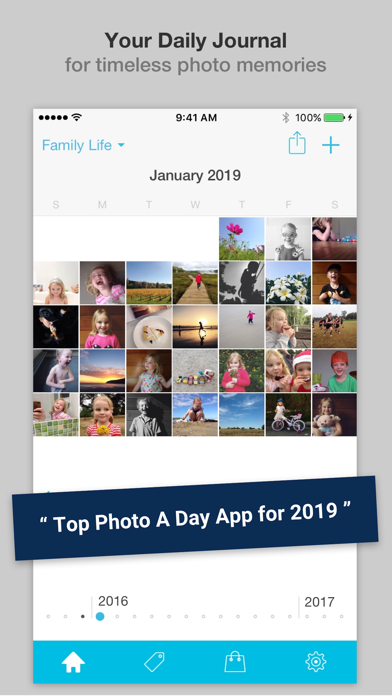
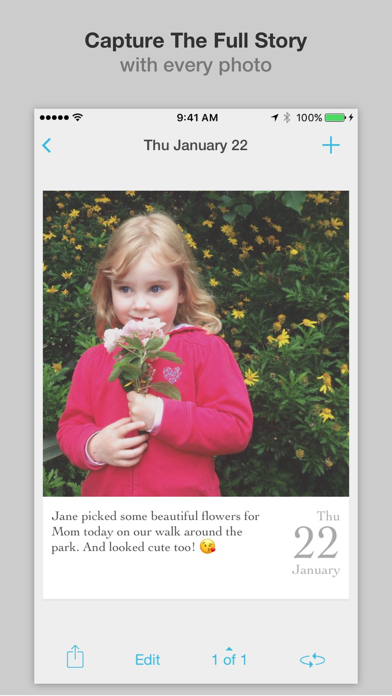
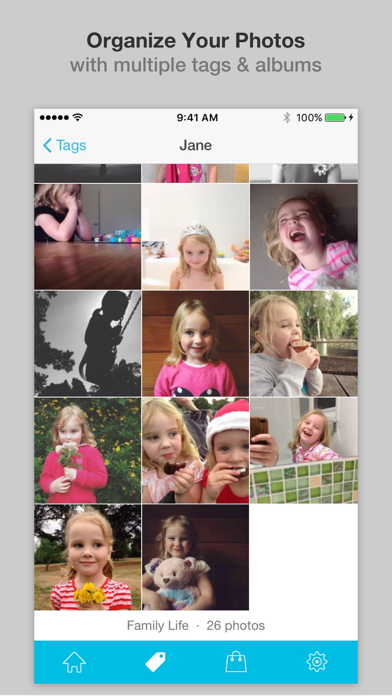
- Collect rich memories, not just photos - - Easy, modern memory keeping - - Complete your photo-a-day project - 'Collect' is the perfect daily photo journal! -------------------------------------------------------- WHY? THESE AMAZING REVIEWS "Love it! Downloaded a bunch of these photo journals. This one definitely beats them all." "Favorite app on iPhone. The interface is simple and stylish, convenient, user-friendly.” “Best… App… Ever. If you are a scrapbooker or memory keeper this is the perfect app." -------------------------------------------------------- WHAT MAKES COLLECT DIFFERENT? DATE & CAPTION YOUR PHOTOS Beautiful, elegant design to show off your photos that also includes the date (month, day and year) and a caption. CAPTIONS PLUS DETAILED NOTES Sometimes a short caption isn't enough so with Collect you can add as much detail as you want with unlimited text notes entry with each photo. ADD PHOTOS IN BULK Get your important photos into the app quickly using the bulk import feature (up to 15 at one time). PASSCODE LOCK (WITH TOUCH ID) Keep your journal private by adding a passcode lock (with support for Touch ID to unlock). USE TAGS TO SORT YOUR PHOTOS Adding tags to each photo memory helps you filter and find them later. MULTIPLE ALBUMS & CALENDARS Create multiple different albums for whatever you're interested in. AUTOMATIC BACKUP & SYNC Get the Keep Safe Pack upgrade to enable fast syncing & private backup via your iCloud account. CREATE & SHARE MONTHLY COLLAGES Easily generate hi-resolution (2448px) collages of your photos every single month. SEND TO DROPBOX & FLICKR Get the Creative Pack upgrade and export all your photos, captions, notes & tags to Dropbox & Flickr. PERFECT FOR PRINTING The card format is perfect for printing when you export them from the app. Export you whole month of photos in bulk ready to print in either 3x4 or 4x6 print sizes. CREATE VIDEO SLIDESHOWS Want a super-easy way to share your photos & memories with friends & family? Then grab the Video Pack upgrade to create square or rectangular videos including dates & captions (ideal for Instagram, YouTube & Facebook). NO SIGN-UP REQUIRED Starting collecting your photo memories straight away and with no annoying ads to get in the way. AND SO MUCH MORE... - Add multiple photos every day - Beautiful, intuitive design - Fast, easy to use interface - Daily reminders to add photos -------------------------------------------------------- DOWNLOAD NOW. GET STARTED. Save your best photos each day and 'Collect' a stunning photographic journal of your life. - Follow us on Instagram! @collectphotoapp #collectphotoapp - Follow us on Twitter! @collectphotoapp - All the details at collectphotoapp.com