
PC 용 Photo Gallery Editor
- 카테고리: Photo & Video
- 최근 업데이트: 2019-03-27
- 현재 버전: 8.3
- 파일 크기: 27.16 MB
- 개발자: MarkelSoft, Inc.
- 호환성: 필요 Windows XP, Windows Vista, Windows 7, Windows 8, Windows 8.1 and Windows 10, Windows 11


PC에서 Photo Gallery Editor 용 호환 APK 다운로드
| 다운로드 | 개발자 | 평점 | 점수 | 현재 버전 | 성인 랭킹 |
|---|---|---|---|---|---|
| ↓ PC용 APK 다운로드 | MarkelSoft, Inc. | 0 | 8.3 | 4+ |
에뮬레이터의 중요성은 컴퓨터에서 안드로이드 환경을 흉내 내고 안드로이드 폰을 구입하지 않고도 안드로이드 앱을 설치하고 실행하는 것을 매우 쉽게 만들어주는 것입니다. 누가 당신이 두 세계를 즐길 수 없다고 말합니까? 우선 아래에있는 에뮬레이터 앱을 다운로드 할 수 있습니다.
A. Nox App . OR
B. Bluestacks App .
Bluestacks는 매우 대중적이므로 개인적으로 "B"옵션을 사용하는 것이 좋습니다. 문제가 발생하면 Google 또는 Naver.com에서 좋은 해결책을 찾을 수 있습니다.
Bluestacks.exe 또는 Nox.exe를 성공적으로 다운로드 한 경우 컴퓨터의 다운로드 폴더 또는 다운로드 한 파일을 일반적으로 저장하는 곳으로 이동하십시오.
찾으면 클릭하여 응용 프로그램을 설치하십시오. PC에서 설치 프로세스를 시작해야합니다.
다음을 클릭하여 EULA 라이센스 계약에 동의하십시오.
응용 프로그램을 설치하려면 화면 지시문을 따르십시오.
위 사항을 올바르게 수행하면 소프트웨어가 성공적으로 설치됩니다.
이제 설치 한 에뮬레이터 애플리케이션을 열고 검색 창을 찾으십시오. 지금 입력하십시오. - Photo Gallery Editor 앱을 쉽게 볼 수 있습니다. 그것을 클릭하십시오. 응용 프로그램 창이 열리고 에뮬레이터 소프트웨어에 응용 프로그램이 표시됩니다. 설치 버튼을 누르면 응용 프로그램이 다운로드되기 시작합니다. 이제 우리는 모두 끝났습니다.
그런 다음 "모든 앱"아이콘이 표시됩니다.
클릭하면 설치된 모든 응용 프로그램이 포함 된 페이지로 이동합니다.
당신은 Photo Gallery Editor 상. 그것을 클릭하고 응용 프로그램 사용을 시작하십시오.
Mac OS 에서 Photo Gallery Editor 다운로드
| 다운로드 | 개발자 | 점수 | 현재 버전 | 성인 랭킹 |
|---|---|---|---|---|
| ₩1,200 - Mac 에서 다운로드 | MarkelSoft, Inc. | 8.3 | 4+ |
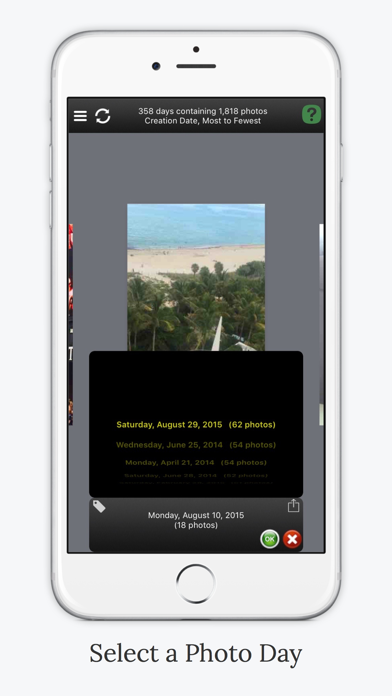
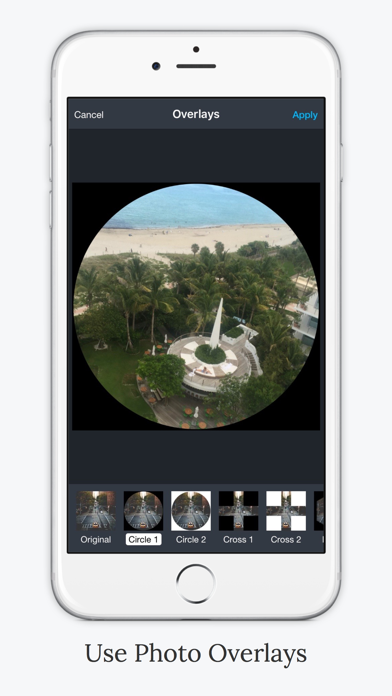
PhotoGallery is a beautiful fun way to explore, edit and share your photos. Explore photos organized by day (newest to oldest, oldest to newest, most to fewest and fewest to most) and by album (alphabetical, reverse alpha, most to fewest and fewest to most). Includes photo toolbox of editing tools: Enhance, Effects, Frames, Overlays, Stickers, Orientation, Crop, Lighting, Color, Sharpness, Focus, Vignette, Blemish, Blur, Whiten, Redeye, Draw, Splash, Text, and Meme. On startup can now open the editor with the latest created photo. Your photos are organized by day, month or by album name in the order you desire. View by Day Newest to Oldest, View by Day Oldest to Newest, View by Day Most to Fewest, View by Day Fewest to Most, View by Album Alphabetical or reverse order. The Photo Toolbox provides 20 powerful tools to edit your creations. Enhance, Effects, Frames, Overlays, Stickers, Orientation, Crop, Lighting, Color, Sharpness, Focus, Vignette, Blemish, Blur, Whiten, Redeye, Draw, Splash, Text, and Meme. Photo albums can also be tagged with user-friendly names that show up in searching to make things easier. Need to adjust a photo quickly by rotating, cropping, adjusting focus, applying a filter or effect? Use the photo toolbox for all your editing needs. If edits are kept, a copy of your photo with the edits applied is saved and the original is always saved. When a Photo Toolbox edit is applied and accepted, a new photo for the result is saved to your Photo Album. The original is always kept untouched. Month by Month calendar let you go through each month and see the days that have photos. Uses red underline (less than 10 photos), green (11-50 photos), and blue (more than 50 photos). Share your photos using Message, Email, Twitter or Facebook. Save to photos, copy clipboard or print to an AirPrint printer. Photo days and albums can be tagged to allow for easy search and meta descriptions. Photos can be shown by days newest to oldest, days oldest to newest, days most to fewest, days fewest to most, album name alphabetical, album name reverse alphabetical, album name most to fewest and album name fewest to most. For days photo creation date is used. For most to fewest and the reverse, photo count is used. Photos for today indicated with 'today' stamp. Settings control animation speed (fast, slow, slow-mo), full-screen swipe effect (curl, scroll, flip) and open at random photo. When displaying by creation date, your new photos for today are easy to find as they are shown first in their own photo book. See all dates or album names that have available photos and switch to a specific date or album to see the associated photos.