PC 용 Lightroom 4 Retouching II Free Edition
- 카테고리: Photo & Video
- 최근 업데이트: 2013-04-03
- 현재 버전: 1.0
- 파일 크기: 148.32 MB
- 개발자: Serge Ramelli
- 호환성: 필요 Windows XP, Windows Vista, Windows 7, Windows 8, Windows 8.1 and Windows 10, Windows 11
PC에서 Lightroom 4 Retouching II Free Edition 용 호환 APK 다운로드
| 다운로드 | 개발자 | 평점 | 점수 | 현재 버전 | 성인 랭킹 |
|---|---|---|---|---|---|
| ↓ PC용 APK 다운로드 | Serge Ramelli | 1 | 5 | 1.0 | 4+ |
호환되는 PC 앱 또는 대안 확인
| 소프트웨어 | 다운로드 | 평점 | 개발자 |
|---|---|---|---|
| Lightroom 4 Retouching II Free Edition |
PC 앱 받기 | 5/5 1 리뷰 5 |
Serge Ramelli |
에뮬레이터의 중요성은 컴퓨터에서 안드로이드 환경을 흉내 내고 안드로이드 폰을 구입하지 않고도 안드로이드 앱을 설치하고 실행하는 것을 매우 쉽게 만들어주는 것입니다. 누가 당신이 두 세계를 즐길 수 없다고 말합니까? 우선 아래에있는 에뮬레이터 앱을 다운로드 할 수 있습니다.
A. Nox App . OR
B. Bluestacks App .
Bluestacks는 매우 대중적이므로 개인적으로 "B"옵션을 사용하는 것이 좋습니다. 문제가 발생하면 Google 또는 Naver.com에서 좋은 해결책을 찾을 수 있습니다.
Bluestacks.exe 또는 Nox.exe를 성공적으로 다운로드 한 경우 컴퓨터의 다운로드 폴더 또는 다운로드 한 파일을 일반적으로 저장하는 곳으로 이동하십시오.
찾으면 클릭하여 응용 프로그램을 설치하십시오. PC에서 설치 프로세스를 시작해야합니다.
다음을 클릭하여 EULA 라이센스 계약에 동의하십시오.
응용 프로그램을 설치하려면 화면 지시문을 따르십시오.
위 사항을 올바르게 수행하면 소프트웨어가 성공적으로 설치됩니다.
이제 설치 한 에뮬레이터 애플리케이션을 열고 검색 창을 찾으십시오. 지금 입력하십시오. - Lightroom 4 Retouching II Free Edition 앱을 쉽게 볼 수 있습니다. 그것을 클릭하십시오. 응용 프로그램 창이 열리고 에뮬레이터 소프트웨어에 응용 프로그램이 표시됩니다. 설치 버튼을 누르면 응용 프로그램이 다운로드되기 시작합니다. 이제 우리는 모두 끝났습니다.
그런 다음 "모든 앱"아이콘이 표시됩니다.
클릭하면 설치된 모든 응용 프로그램이 포함 된 페이지로 이동합니다.
당신은 Lightroom 4 Retouching II Free Edition 상. 그것을 클릭하고 응용 프로그램 사용을 시작하십시오.
Mac OS 에서 Lightroom 4 Retouching II Free Edition 다운로드
| 다운로드 | 개발자 | 점수 | 현재 버전 | 성인 랭킹 |
|---|---|---|---|---|
| 무료 - Mac 에서 다운로드 | Serge Ramelli | 5 |
1.0 | 4+ |
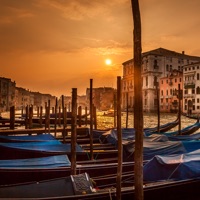
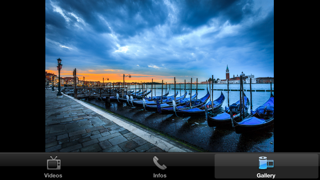
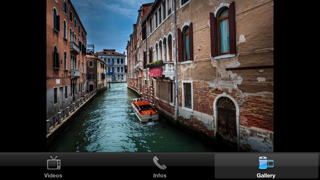
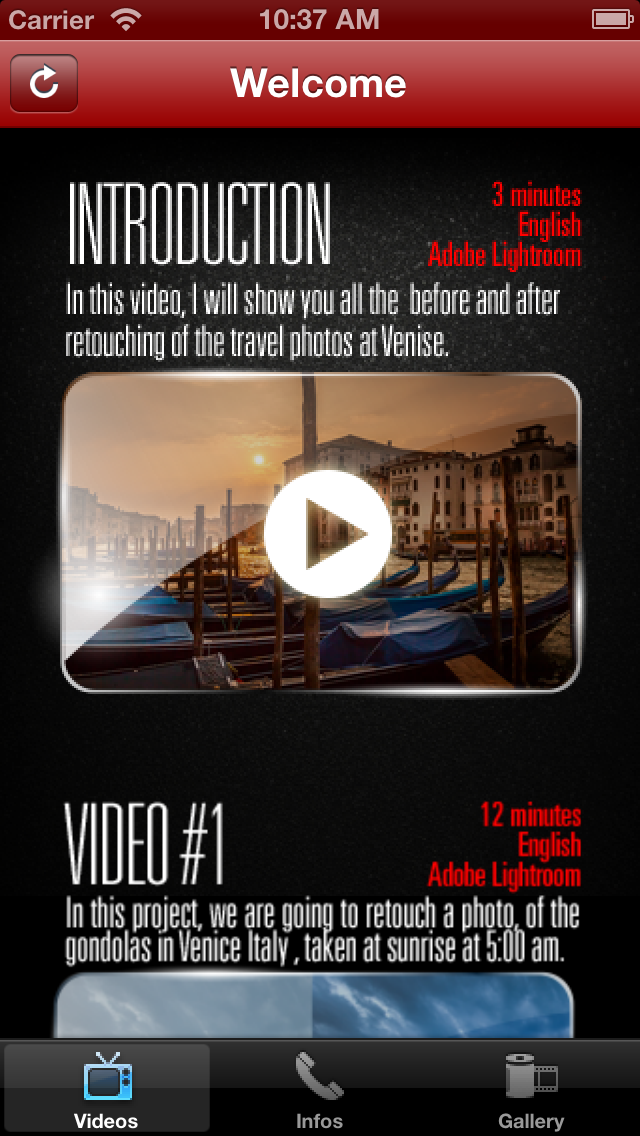
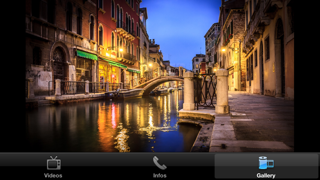
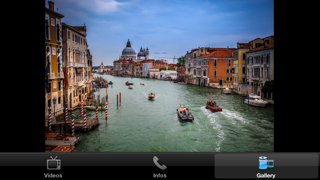
USE LIGHTROOM 4 TO CREATE STUNNING TRAVEL PHOTOGRAPHY ======================================== Excellent ***** ========= This guy has the best tutorials you can find!!! Excellent work The Bob Ross of Lightroom ***** ==================== This guy teaches you how to use Lightroom in 20 minutes. He also seems really cool. I highly recommend this app. Adobe should pay him. This app will provide you 6 videos of 6 different retouching project from start to finish to get the maximum out of your travel photography. Sometime we travel far away and the weather is not liked we hoped, I will show you how to use Lightroom 4 to retouch your photos and make them a lot of more interesting. See the photos below to view the some of the final results. ==================================== NO technical jargon used without a simple explanation. More importantly get straight to work doing stunning landscapes. FREE with the app: Access to amazing high-res pictures (raw files), so you can follow along the retouch process and get the same results ! - Are you tired of all the theory and technical jargon you have to wade through before getting to the point? - Do you want to master the industry-leading digital darkroom in no time ? - Do you want to see the full workflow of a pro photographer who is specialized in landscapes ? - Do you want tutorials that are easy to understand and fun ? This tutorial is probably what you are looking for. Serge Ramelli a french photographer who specialized in urban/landscapes photography over the last 6 years and is known for his very simple way of teaching. You will find various unique tips and tricks to get the most out of your photos. Serge is a known for his very unique way of teaching, with 2 main rules : 1. No technical terms explained with technical words, but with simple english. 2. No theory, practical and visual examples only. The app provided 6 chapters, each chapters is a different photo project, you can see below some of the final retouched results. Chapter summary: =========== Introduction : ========= In this video, I will show you all the before and after, to give you an idea of the retouching task ahead of us on each videos. Photo Project # 1 : Venice gondolas ====================== In this retouching project, we are going to retouch a photo of the gondolas in Venice Italy. The photo was taken at sunrise at 5:00 am. Photo Project # 2 : The river view ==================== This photo has a nice composition, but the weather was very bad, the light completly grey. Let’s see what tools can we use to bring back to life that photo! Photo Project # 3 : The Venice street ====================== As the prior photo this photo has a complete blown-out sky and very boring lights. We are going to do some global retouching and local light adjustment to try to make an interresting photo. Photo Project # 4 : The Venice Street Black & White =============================== Continuing from prior photo, we are going to take the color version and see how can turn into a dramatic black and white artistic photo. Photo Project # 5 : Venice night shot ====================== At night, the city light goes on and the feeling is completely different. However, the contrast is becoming very strong. I will show you a few tricks to get the best out of night shot. Photo Project # 6 : HDR in Lightroom 4.1 ========================= With the release of Lightroom 4.1 a new HDR feature was added. Giving the user the possibility to assemble different exposures using Photoshop CS 5 or 6 and doing the HDR or tone mapping with the Lightroom Develop module.