PC 용 Slideshow DVD Creator
- 카테고리: Photo & Video
- 최근 업데이트: 2020-06-08
- 현재 버전: 4.1
- 파일 크기: 31.32 MB
- 개발자: Shenzhen Socusoft Co., Ltd
- 호환성: 필요 Windows XP, Windows Vista, Windows 7, Windows 8, Windows 8.1 and Windows 10, Windows 11
PC에서 Slideshow DVD Creator 용 호환 APK 다운로드
| 다운로드 | 개발자 | 평점 | 점수 | 현재 버전 | 성인 랭킹 |
|---|---|---|---|---|---|
| ↓ PC용 APK 다운로드 | Shenzhen Socusoft Co., Ltd | 0 | 0 | 4.1 | 4+ |
호환되는 PC 앱 또는 대안 확인
| 소프트웨어 | 다운로드 | 평점 | 개발자 |
|---|---|---|---|
| Slideshow DVD Creator |
PC 앱 받기 | 0/5 0 리뷰 0 |
Shenzhen Socusoft Co., Ltd |
에뮬레이터의 중요성은 컴퓨터에서 안드로이드 환경을 흉내 내고 안드로이드 폰을 구입하지 않고도 안드로이드 앱을 설치하고 실행하는 것을 매우 쉽게 만들어주는 것입니다. 누가 당신이 두 세계를 즐길 수 없다고 말합니까? 우선 아래에있는 에뮬레이터 앱을 다운로드 할 수 있습니다.
A. Nox App . OR
B. Bluestacks App .
Bluestacks는 매우 대중적이므로 개인적으로 "B"옵션을 사용하는 것이 좋습니다. 문제가 발생하면 Google 또는 Naver.com에서 좋은 해결책을 찾을 수 있습니다.
Bluestacks.exe 또는 Nox.exe를 성공적으로 다운로드 한 경우 컴퓨터의 다운로드 폴더 또는 다운로드 한 파일을 일반적으로 저장하는 곳으로 이동하십시오.
찾으면 클릭하여 응용 프로그램을 설치하십시오. PC에서 설치 프로세스를 시작해야합니다.
다음을 클릭하여 EULA 라이센스 계약에 동의하십시오.
응용 프로그램을 설치하려면 화면 지시문을 따르십시오.
위 사항을 올바르게 수행하면 소프트웨어가 성공적으로 설치됩니다.
이제 설치 한 에뮬레이터 애플리케이션을 열고 검색 창을 찾으십시오. 지금 입력하십시오. - Slideshow DVD Creator 앱을 쉽게 볼 수 있습니다. 그것을 클릭하십시오. 응용 프로그램 창이 열리고 에뮬레이터 소프트웨어에 응용 프로그램이 표시됩니다. 설치 버튼을 누르면 응용 프로그램이 다운로드되기 시작합니다. 이제 우리는 모두 끝났습니다.
그런 다음 "모든 앱"아이콘이 표시됩니다.
클릭하면 설치된 모든 응용 프로그램이 포함 된 페이지로 이동합니다.
당신은 Slideshow DVD Creator 상. 그것을 클릭하고 응용 프로그램 사용을 시작하십시오.
Mac OS 에서 Slideshow DVD Creator 다운로드
| 다운로드 | 개발자 | 점수 | 현재 버전 | 성인 랭킹 |
|---|---|---|---|---|
| ₩37,000 - Mac 에서 다운로드 | Shenzhen Socusoft Co., Ltd | 0 |
4.1 | 4+ |
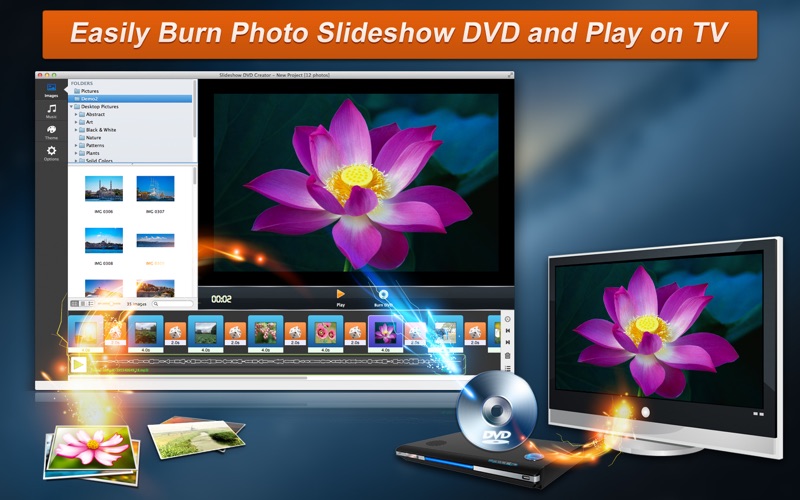
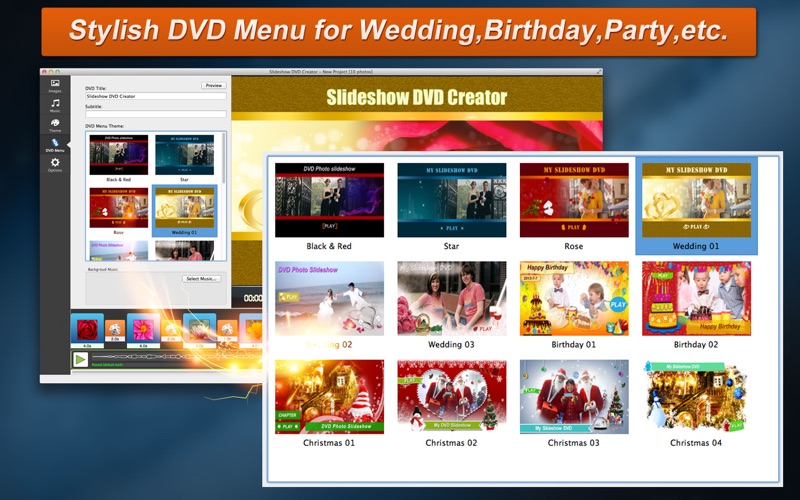
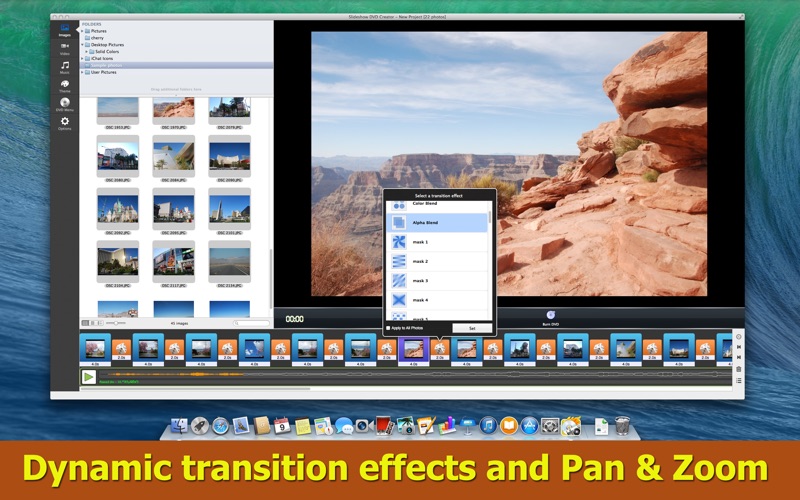
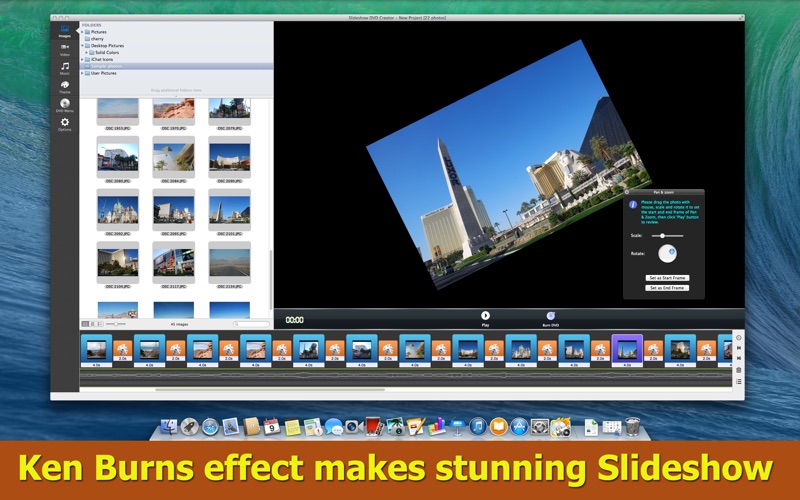
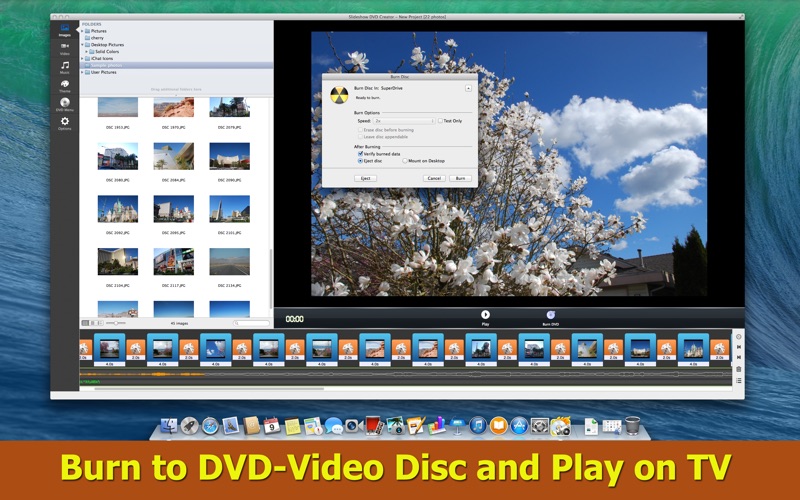
Build photo slideshow easily and quickly and watch hi-resolution slideshow video on bigger TV screen. Slideshow DVD Creator helps you create photo slideshow with music and burn DVD video disc to get movies on DVD from your photo collections, video clips and favorite music as easy as 1,2,3. with Slideshow DVD Creator, you can easily turns your photos and video clips into live slideshow movie file with dozens of dynamic transition effects, then encode to a HD video file or burn to DVD video disc, so you can play on TV with traditional DVD player. The slideshow video can also be saved as 4K video file and be showed on TV screen at the best quality. Key Features: 1. Very easy to use. You just need to drag photos, videos and music to the software, click "Burn DVD" button and the Video-DVD is ready for you to play on big screen TV with a regular DVD player. 2. Integrated with DVD burning function, burn a photo slideshow video DVD couldn't be more easier with Slideshow DVD Creator. All you have to do is to add photos, movie clips and music, then click 'Burn DVD' button, this software will create a standard DVD-Video disc so you can play on TV with a regular DVD player. 3. Support DVD menu. With built-in DVD menu templates, you can create an eye-catching Hollywood style DVD-video disc for wedding, birthday party, holidays in minutes. 4. Support both photos and videos clips. You can merge short video clips with photos to make an eye-catching DVD-Video disc easily. 5. Encode photo slideshow to HD video as MP4 or MOV file. So you can upload the video file to video sharing website or play on HDTV by copying to a USB drive. 6. Dozens of transition effects to choose from. Your photos will be turned to a live show without any additional work. You can choose one transition effect for each individual photo or let the software pick one randomly while play back. 7. Sync music and photos automatically. With this feature, you can build a slideshow with music easily. The slideshow duration will adjusted to the same length of background music. 8. Preview slide show lively before burning a DVD. 9. Support DVD+R, DVD-R, DVD+RW, DVD-RW. 10. No photo quantity limitations. You can burn a couple of dozen photos or as many as one thousand photos into one disc. 11. Very intuitive software interface, you can burn a photo slideshow video DVD in minutes without any help. Note: It is necessary to install Apple USB SuperDrive on new Mac computer if you want to burn DVD video disc using this application. You can also export project to video file without Apple USB SuperDrive hardware. The video file can also be played on TV with a USB drive or via AirPlay.