
PC 용 AgeEra - Face & Photo AI
- 카테고리: Photo & Video
- 최근 업데이트: 2026-06-26
- 현재 버전: 1.1.0
- 파일 크기: 25.97 MB
- 개발자: Yuenhe Innovations Co., Ltd.
- 호환성: 필요 Windows XP, Windows Vista, Windows 7, Windows 8, Windows 8.1 and Windows 10, Windows 11



PC에서 AgeEra - Face & Photo AI 용 호환 APK 다운로드
| 다운로드 | 개발자 | 평점 | 점수 | 현재 버전 | 성인 랭킹 |
|---|---|---|---|---|---|
| ↓ PC용 APK 다운로드 | Yuenhe Innovations Co., Ltd. | 2 | 3 | 1.1.0 | 12+ |
에뮬레이터의 중요성은 컴퓨터에서 안드로이드 환경을 흉내 내고 안드로이드 폰을 구입하지 않고도 안드로이드 앱을 설치하고 실행하는 것을 매우 쉽게 만들어주는 것입니다. 누가 당신이 두 세계를 즐길 수 없다고 말합니까? 우선 아래에있는 에뮬레이터 앱을 다운로드 할 수 있습니다.
A. Nox App . OR
B. Bluestacks App .
Bluestacks는 매우 대중적이므로 개인적으로 "B"옵션을 사용하는 것이 좋습니다. 문제가 발생하면 Google 또는 Naver.com에서 좋은 해결책을 찾을 수 있습니다.
Bluestacks.exe 또는 Nox.exe를 성공적으로 다운로드 한 경우 컴퓨터의 다운로드 폴더 또는 다운로드 한 파일을 일반적으로 저장하는 곳으로 이동하십시오.
찾으면 클릭하여 응용 프로그램을 설치하십시오. PC에서 설치 프로세스를 시작해야합니다.
다음을 클릭하여 EULA 라이센스 계약에 동의하십시오.
응용 프로그램을 설치하려면 화면 지시문을 따르십시오.
위 사항을 올바르게 수행하면 소프트웨어가 성공적으로 설치됩니다.
이제 설치 한 에뮬레이터 애플리케이션을 열고 검색 창을 찾으십시오. 지금 입력하십시오. - AgeEra - Face & Photo AI 앱을 쉽게 볼 수 있습니다. 그것을 클릭하십시오. 응용 프로그램 창이 열리고 에뮬레이터 소프트웨어에 응용 프로그램이 표시됩니다. 설치 버튼을 누르면 응용 프로그램이 다운로드되기 시작합니다. 이제 우리는 모두 끝났습니다.
그런 다음 "모든 앱"아이콘이 표시됩니다.
클릭하면 설치된 모든 응용 프로그램이 포함 된 페이지로 이동합니다.
당신은 AgeEra - Face & Photo AI 상. 그것을 클릭하고 응용 프로그램 사용을 시작하십시오.
Mac OS 에서 AgeEra 다운로드
| 다운로드 | 개발자 | 점수 | 현재 버전 | 성인 랭킹 |
|---|---|---|---|---|
| 무료 - Mac 에서 다운로드 | Yuenhe Innovations Co., Ltd. | 3 |
1.1.0 | 12+ |
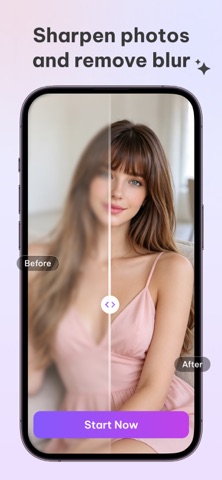
Explore the future—from your own face to your future child. AgeEra brings powerful AI photo tools together in one smart app: age transformation, future baby preview, photo restoration, cartoon styles, AI filters, and a creative chat assistant. See yourself younger or older with natural, realistic results. Upload both parents' photos for a fun future baby preview. Repair faded or damaged memories, polish portraits, turn selfies into cartoon art, or try stunning AI filters from the Home screen. Everything starts with a single tap. FEATURES • AI Age Transformation Preview yourself at different ages with realistic results. Slide to explore your past, present, and future look. • Future Baby Predictor Upload photos of both parents and see a shareable AI preview of your future child. For entertainment purposes only. • Photo Restore & Enhance Bring old, faded, blurry, or damaged photos back to life. Improve clarity, color, and detail with AI-powered repair and enhancement. • AI Cartoon Turn portraits into cartoon-style art with one tap from the Cartoon tab. • AI Filters Apply creative AI filters to your photos—available from the Home screen. • AI Chat Assistant Get editing tips, creative ideas, and quick answers—your smart photo companion. WHY YOU'LL LOVE AGEERA - Fast & Easy: Upload a photo and get results in seconds - Natural Results: Realistic effects, not over-processed filters - All-in-One: Age, baby preview, restore, cartoon, filters, and chat in one app - Fun to Share: Save and share your favorite creations with friends - Transparent Privacy: Photos are sent to our secure cloud for processing, used only for your request, and deleted from servers within 24 hours. We never sell your personal data. Download AgeEra today and experience the future of AI photo editing. Note: Future baby and age transformation results are AI-generated simulations for entertainment purposes only. They are not scientific or medical predictions. Privacy Policy: https://picailens.com/privacyPolicy.html


