PC 용 Nero Receiver
- 카테고리: Photo & Video
- 최근 업데이트: 2026-01-13
- 현재 버전: 1.0.32
- 파일 크기: 10.88 MB
- 개발자: Nero AG
- 호환성: 필요 Windows XP, Windows Vista, Windows 7, Windows 8, Windows 8.1 and Windows 10, Windows 11

에뮬레이터의 중요성은 컴퓨터에서 안드로이드 환경을 흉내 내고 안드로이드 폰을 구입하지 않고도 안드로이드 앱을 설치하고 실행하는 것을 매우 쉽게 만들어주는 것입니다. 누가 당신이 두 세계를 즐길 수 없다고 말합니까? 우선 아래에있는 에뮬레이터 앱을 다운로드 할 수 있습니다.
A. Nox App . OR
B. Bluestacks App .
Bluestacks는 매우 대중적이므로 개인적으로 "B"옵션을 사용하는 것이 좋습니다. 문제가 발생하면 Google 또는 Naver.com에서 좋은 해결책을 찾을 수 있습니다.
Bluestacks.exe 또는 Nox.exe를 성공적으로 다운로드 한 경우 컴퓨터의 다운로드 폴더 또는 다운로드 한 파일을 일반적으로 저장하는 곳으로 이동하십시오.
찾으면 클릭하여 응용 프로그램을 설치하십시오. PC에서 설치 프로세스를 시작해야합니다.
다음을 클릭하여 EULA 라이센스 계약에 동의하십시오.
응용 프로그램을 설치하려면 화면 지시문을 따르십시오.
위 사항을 올바르게 수행하면 소프트웨어가 성공적으로 설치됩니다.
이제 설치 한 에뮬레이터 애플리케이션을 열고 검색 창을 찾으십시오. 지금 입력하십시오. - Nero Receiver 앱을 쉽게 볼 수 있습니다. 그것을 클릭하십시오. 응용 프로그램 창이 열리고 에뮬레이터 소프트웨어에 응용 프로그램이 표시됩니다. 설치 버튼을 누르면 응용 프로그램이 다운로드되기 시작합니다. 이제 우리는 모두 끝났습니다.
그런 다음 "모든 앱"아이콘이 표시됩니다.
클릭하면 설치된 모든 응용 프로그램이 포함 된 페이지로 이동합니다.
당신은 Nero Receiver 상. 그것을 클릭하고 응용 프로그램 사용을 시작하십시오.
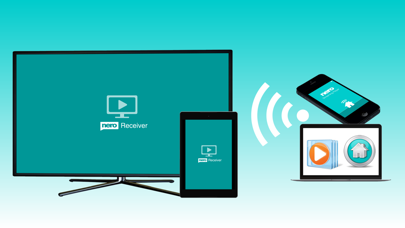
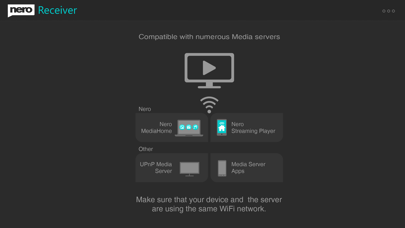
Stream videos, photos & music via your PC in your home network and play your media wirelessly on your mobile device with super easy to use Nero Receiver App. Also stream media files between different mobile devices within the same WiFi network – even platform independent. E.g. use Nero Streaming Player App on one mobile device as a wireless media server and via Nero Receiver App let your second mobile device become your wireless media player. Nero Receiver App is also compatible with numerous other UPnP / DLNA media servers and media player apps. * Stream videos, photos & music to your tablet in the garden! * Listen to PC music playlists on your smartphone in the bedroom! * Friends came over? Show some photos & slideshows sitting on the couch! Nero Receiver provides you with an esay and high quality solution! - Play photos, videos & music stored on the PC to your mobile device - Stream music and music playlists - Stream photos and slideshows - Cast single videos or several videos in a row - Play any media file from Media Player® to your tablet or mobile - Cast media files using other UPnP / DLNA media servers - Pause or stop media playback and skip titles using your smartphone Special features in combination with Nero MediaHome®: - Transcoding: always stream in device-compatible format - Face Recognition: automatic catigorization of your photo library - Geotagging: sort photos by places you have visited - Themed Slideshows: stream slideshows with automatic intro/outro, transitions & music How to stream to Nero Receiver App via Nero MediaHome: 1. Open Nero MediaHome on your PC. 2. In the upper right corner you'll find a screen symbol as ‘Play To’ device selection window. 3. Select your tablet or smartphone from the list. 4. Select a video, photo, a slideshow, or a music playlist in Nero MediaHome. 5. Press play in Nero MediaHome & start enjoying your content around the house on your mobile device! How to proceed with other UPNP / DLNA media servers check out Nero Know HowApp under FAQ 'Nero Receiver'. Please note: Your PC and mobile device need to be on the same WiFi. It is highly recommended to use only in private and secured wireless networks.