PC 용 Flag Day - US Flag Alerts
- 카테고리: Utilities
- 최근 업데이트: 2026-08-31
- 현재 버전: 2.11
- 파일 크기: 30.38 MB
- 개발자: Bonsaisoft LLC
- 호환성: 필요 Windows XP, Windows Vista, Windows 7, Windows 8, Windows 8.1 and Windows 10, Windows 11




PC에서 Flag Day - US Flag Alerts 용 호환 APK 다운로드
| 다운로드 | 개발자 | 평점 | 점수 | 현재 버전 | 성인 랭킹 |
|---|---|---|---|---|---|
| ↓ PC용 APK 다운로드 | Bonsaisoft LLC | 0 | 0 | 2.11 | 4+ |
에뮬레이터의 중요성은 컴퓨터에서 안드로이드 환경을 흉내 내고 안드로이드 폰을 구입하지 않고도 안드로이드 앱을 설치하고 실행하는 것을 매우 쉽게 만들어주는 것입니다. 누가 당신이 두 세계를 즐길 수 없다고 말합니까? 우선 아래에있는 에뮬레이터 앱을 다운로드 할 수 있습니다.
A. Nox App . OR
B. Bluestacks App .
Bluestacks는 매우 대중적이므로 개인적으로 "B"옵션을 사용하는 것이 좋습니다. 문제가 발생하면 Google 또는 Naver.com에서 좋은 해결책을 찾을 수 있습니다.
Bluestacks.exe 또는 Nox.exe를 성공적으로 다운로드 한 경우 컴퓨터의 다운로드 폴더 또는 다운로드 한 파일을 일반적으로 저장하는 곳으로 이동하십시오.
찾으면 클릭하여 응용 프로그램을 설치하십시오. PC에서 설치 프로세스를 시작해야합니다.
다음을 클릭하여 EULA 라이센스 계약에 동의하십시오.
응용 프로그램을 설치하려면 화면 지시문을 따르십시오.
위 사항을 올바르게 수행하면 소프트웨어가 성공적으로 설치됩니다.
이제 설치 한 에뮬레이터 애플리케이션을 열고 검색 창을 찾으십시오. 지금 입력하십시오. - Flag Day - US Flag Alerts 앱을 쉽게 볼 수 있습니다. 그것을 클릭하십시오. 응용 프로그램 창이 열리고 에뮬레이터 소프트웨어에 응용 프로그램이 표시됩니다. 설치 버튼을 누르면 응용 프로그램이 다운로드되기 시작합니다. 이제 우리는 모두 끝났습니다.
그런 다음 "모든 앱"아이콘이 표시됩니다.
클릭하면 설치된 모든 응용 프로그램이 포함 된 페이지로 이동합니다.
당신은 Flag Day - US Flag Alerts 상. 그것을 클릭하고 응용 프로그램 사용을 시작하십시오.
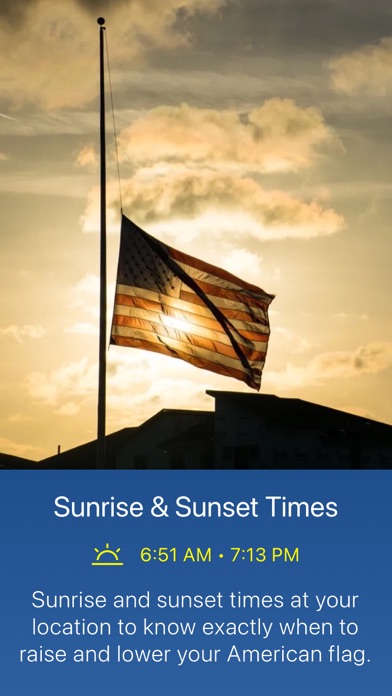
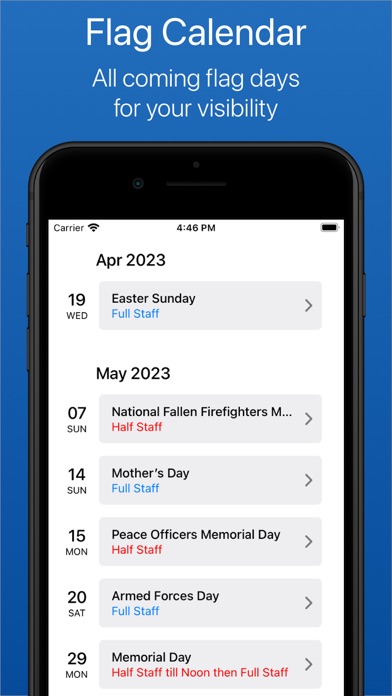
Timely alerts to always fly your American flag the right way! With the Flag Day app, you will receive: - Alerts for unscheduled half-staff days as soon as published by the US President - Alerts for scheduled half & full staff days a day before Note: The app does not cover US States notifications for half-staff days at this point. Only notifications coming from the White House. See below the other app's features WHAT USERS SAY ABOUT THE FLAG DAY APP: ------------------------------------- "GREAT APP" "If you fly the flag, this app is a god send! When the status changes, you get an alert to change the position. That way you do not wonder why the flag is at half-staff!" "SIMPLE AND RELIABLE" "It does more than you'd expect. I've learned a lot about why we observe the days we do." "GREAT APP" "I love this app! I have learned so much about the symbol of patriotism of the United States flag and I use it to display my flag properly. It is a great app and I highly recommend it." APP OVERVIEW: ----------------- Receive alerts to remind you to raise the flag for all American National Flag Days. Alerts are sent the day before the half-staff or full-staff day. Use the flag day calendar to quickly glance over all the coming flag days. App displays the sunrise and sunset times at your location. The application is constantly maintained up to date. New flag days declared by the US President are added to our server and synchronized with the application when you start it. Flying the American flag per the flag code is important and a patriotic thing to do. To help you fly the US flag the proper way, the application references the flag code as well as a detailed step by step process on how to correctly fold the flag. The Flag Day application was built by our company Bonsaisoft which is based in California, USA. APP FEATURES: ---------------- - Notifications are sent a day before half-staff & full-staff days. - Calendar with all coming flag days. Full staff days are in blue. Half staff days are in red. - Each day has historical facts and videos to learn about the day in history. Once published, the Presidential Proclamation is added to the app. - Instructions on how to properly handle the flag based on the flag code - Instructions on how to fold the flag with step by step graphics and visual animation. - Instructions on how to salute the flag - Pledge of allegiance's text PRICING --------- The Flag Day app can be downloaded for free on the app store. To unlock it, a yearly or monthly subscription is required. - The yearly membership subscription is US$7.99/year after a 1 week free trial period. - The monthly membership subscription is US$1.99/month after a 3 day free trial period. LEGAL --------- The price of the subscription will be charged to your iTunes account at confirmation of purchase. Subscription automatically renews unless auto-renew is turned off at least 24 hours before the end of the current period. Your account will be charged for renewal within 24-hours prior to the end of the current period, and identify the cost of the renewal. Subscriptions may be managed by the user and auto-renewal may be turned off by going to the user's Account Settings after purchase. Any unused portion of a free trial period, if offered, will be forfeited when the user purchases a subscription to that publication, where applicable. Our full terms and conditions and privacy policy are at: Terms of Use: https://www.bonsaisoft.com/flag-day-terms Privacy Policy: https://www.bonsaisoft.com/flag-day-privacy