PC 용 Submerge 3
- 카테고리: Photo & Video
- 최근 업데이트: 2022-06-27
- 현재 버전: 3.9.1
- 파일 크기: 19.77 MB
- 개발자: Bitfield AB
- 호환성: 필요 Windows XP, Windows Vista, Windows 7, Windows 8, Windows 8.1 and Windows 10, Windows 11

에뮬레이터의 중요성은 컴퓨터에서 안드로이드 환경을 흉내 내고 안드로이드 폰을 구입하지 않고도 안드로이드 앱을 설치하고 실행하는 것을 매우 쉽게 만들어주는 것입니다. 누가 당신이 두 세계를 즐길 수 없다고 말합니까? 우선 아래에있는 에뮬레이터 앱을 다운로드 할 수 있습니다.
A. Nox App . OR
B. Bluestacks App .
Bluestacks는 매우 대중적이므로 개인적으로 "B"옵션을 사용하는 것이 좋습니다. 문제가 발생하면 Google 또는 Naver.com에서 좋은 해결책을 찾을 수 있습니다.
Bluestacks.exe 또는 Nox.exe를 성공적으로 다운로드 한 경우 컴퓨터의 다운로드 폴더 또는 다운로드 한 파일을 일반적으로 저장하는 곳으로 이동하십시오.
찾으면 클릭하여 응용 프로그램을 설치하십시오. PC에서 설치 프로세스를 시작해야합니다.
다음을 클릭하여 EULA 라이센스 계약에 동의하십시오.
응용 프로그램을 설치하려면 화면 지시문을 따르십시오.
위 사항을 올바르게 수행하면 소프트웨어가 성공적으로 설치됩니다.
이제 설치 한 에뮬레이터 애플리케이션을 열고 검색 창을 찾으십시오. 지금 입력하십시오. - Submerge 3 앱을 쉽게 볼 수 있습니다. 그것을 클릭하십시오. 응용 프로그램 창이 열리고 에뮬레이터 소프트웨어에 응용 프로그램이 표시됩니다. 설치 버튼을 누르면 응용 프로그램이 다운로드되기 시작합니다. 이제 우리는 모두 끝났습니다.
그런 다음 "모든 앱"아이콘이 표시됩니다.
클릭하면 설치된 모든 응용 프로그램이 포함 된 페이지로 이동합니다.
당신은 Submerge 3 상. 그것을 클릭하고 응용 프로그램 사용을 시작하십시오.
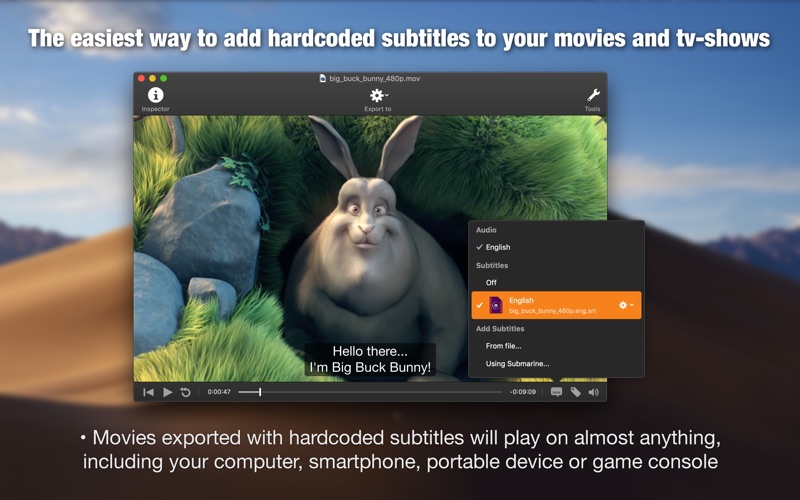
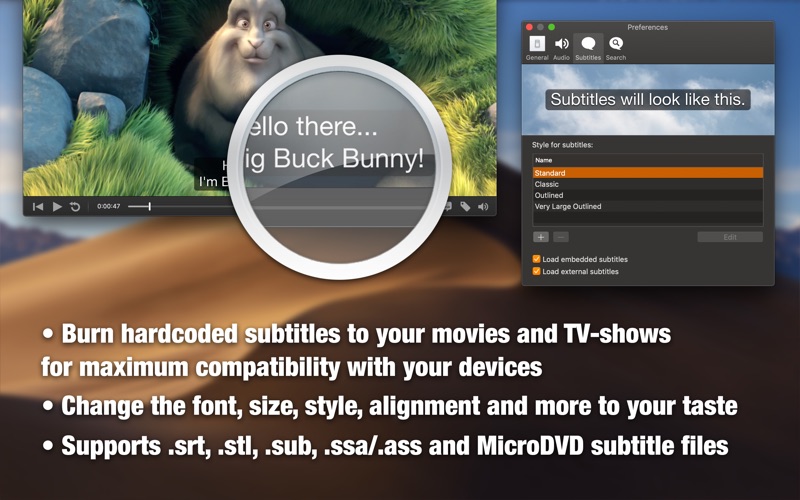
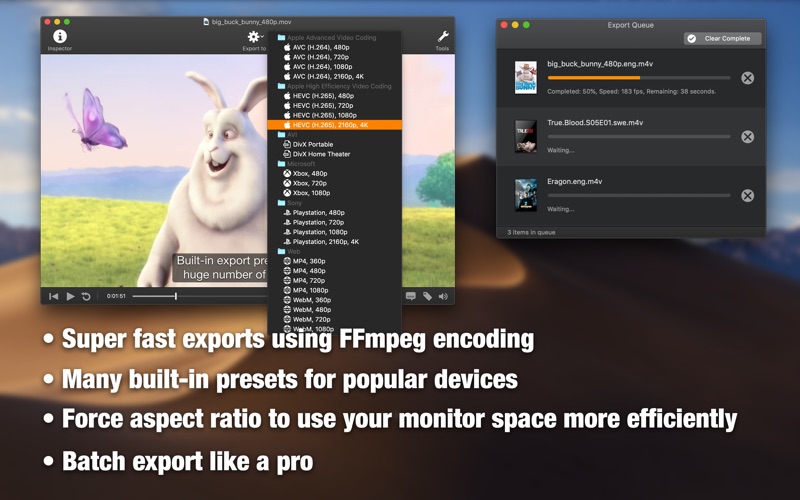
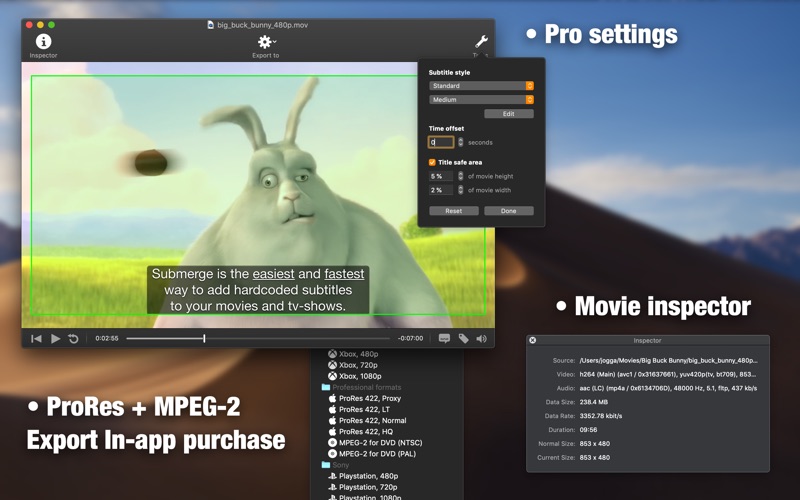
The easiest and fastest way to permanently burn hardcoded subtitles to your movies and tv-shows. With Submerge you can easily add hardcoded subtitles to your movies and tv-shows. The subtitled movie will play on almost anything, like your computer, smartphone, portable device or game console. Submerge supports many text-based subtitle formats as input and you can export the subtitled movie for the most common devices in just one click. Now with a batch exporting feature as well. Submerge also has a built-in subtitle search tool that makes finding and downloading the right subtitles a breeze. It also has a fullscreen player built-in, so you can watch the subtitled movie directly within Submerge. Main features - Add hardcoded subtitles to almost any video file without the need for extra system extensions or plug-ins. - Automatically loads and displays embedded subtitles or subtitles from external files. - Support for many subtitle formats like srt, sub, itt, stl ass/ssa and vtt. - Supports styling tags in subtitle files like italic, bold underlined and font color. - Supports cue settings in WebVTT files to handle the position and alignment of the subtitles. - Fully customizable subtitle display (font, size, color, shadows, etc). - Automatically finds metadata online to tag your movie. - Detailed movie inspector for all those nitty gritty details. - Many export presets built-in for poplar devices. - Batch export queue built right in. - FFmpeg encoding for fastest possible exports. - Force aspect ratio to 16:9, 4:3 or 3:2 to use your monitor space more efficiently. - Fullscreen player built-in (of course). - Playback with hardware decoding on the GPU for H.264 and H.265 (HEVC) video tracks. - Support for macOS Catalina and Big Sur. - 64-bit native. NOTE! Submerge cannot add hardcoded subtitles to movies or tv-shows purchased or rented in the iTunes store due to DRM protection. What's new in Submerge 3 - Re-written from the ground up using modern OS X technologies. - Doesn't depend on QuickTime. - No need for extra system extensions or plug-ins to open and add subtitles to your movies. - 64-bit native. - Batch export queue. - Improved the built-in subtitle search engine. Really easy to use. - Metadata tagging for the TV-app and iDevices. Artwork as well. - Support for more than two subtitles lines and smarter wrapping. - Optional "Title Safe Area" for old TV sets and professionals.