PC 용 Duplicate Photos Fixer Pro
- 카테고리: Photo & Video
- 최근 업데이트: 2026-09-23
- 현재 버전: 9.6
- 파일 크기: 36.84 MB
- 개발자: Systweak Software
- 호환성: 필요 Windows XP, Windows Vista, Windows 7, Windows 8, Windows 8.1 and Windows 10, Windows 11
PC에서 Duplicate Photos Fixer Pro 용 호환 APK 다운로드
| 다운로드 | 개발자 | 평점 | 점수 | 현재 버전 | 성인 랭킹 |
|---|---|---|---|---|---|
| ↓ PC용 APK 다운로드 | Systweak Software | 0 | 0 | 9.6 | 4+ |
호환되는 PC 앱 또는 대안 확인
| 소프트웨어 | 다운로드 | 평점 | 개발자 |
|---|---|---|---|
| Duplicate Photos Fixer Pro |
PC 앱 받기 | 0/5 0 리뷰 0 |
Systweak Software |
에뮬레이터의 중요성은 컴퓨터에서 안드로이드 환경을 흉내 내고 안드로이드 폰을 구입하지 않고도 안드로이드 앱을 설치하고 실행하는 것을 매우 쉽게 만들어주는 것입니다. 누가 당신이 두 세계를 즐길 수 없다고 말합니까? 우선 아래에있는 에뮬레이터 앱을 다운로드 할 수 있습니다.
A. Nox App . OR
B. Bluestacks App .
Bluestacks는 매우 대중적이므로 개인적으로 "B"옵션을 사용하는 것이 좋습니다. 문제가 발생하면 Google 또는 Naver.com에서 좋은 해결책을 찾을 수 있습니다.
Bluestacks.exe 또는 Nox.exe를 성공적으로 다운로드 한 경우 컴퓨터의 다운로드 폴더 또는 다운로드 한 파일을 일반적으로 저장하는 곳으로 이동하십시오.
찾으면 클릭하여 응용 프로그램을 설치하십시오. PC에서 설치 프로세스를 시작해야합니다.
다음을 클릭하여 EULA 라이센스 계약에 동의하십시오.
응용 프로그램을 설치하려면 화면 지시문을 따르십시오.
위 사항을 올바르게 수행하면 소프트웨어가 성공적으로 설치됩니다.
이제 설치 한 에뮬레이터 애플리케이션을 열고 검색 창을 찾으십시오. 지금 입력하십시오. - Duplicate Photos Fixer Pro 앱을 쉽게 볼 수 있습니다. 그것을 클릭하십시오. 응용 프로그램 창이 열리고 에뮬레이터 소프트웨어에 응용 프로그램이 표시됩니다. 설치 버튼을 누르면 응용 프로그램이 다운로드되기 시작합니다. 이제 우리는 모두 끝났습니다.
그런 다음 "모든 앱"아이콘이 표시됩니다.
클릭하면 설치된 모든 응용 프로그램이 포함 된 페이지로 이동합니다.
당신은 Duplicate Photos Fixer Pro 상. 그것을 클릭하고 응용 프로그램 사용을 시작하십시오.
Mac OS 에서 Duplicate Photos Fixer Pro 다운로드
| 다운로드 | 개발자 | 점수 | 현재 버전 | 성인 랭킹 |
|---|---|---|---|---|
| ₩25,000 - Mac 에서 다운로드 | Systweak Software | 0 |
9.6 | 4+ |
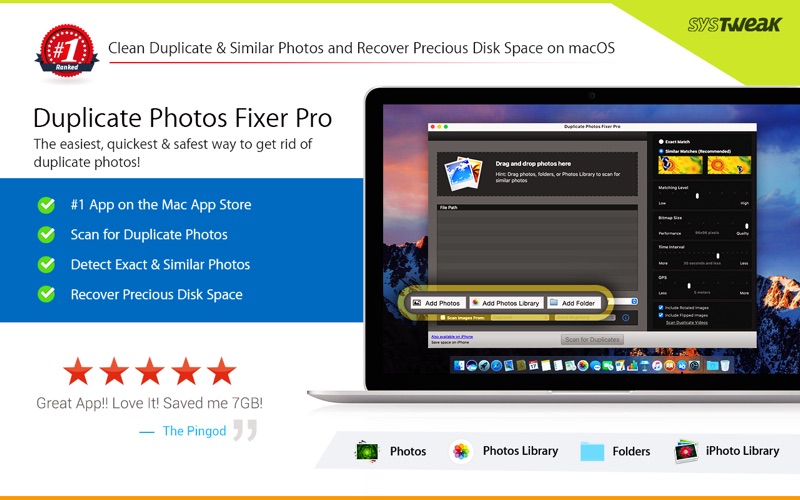
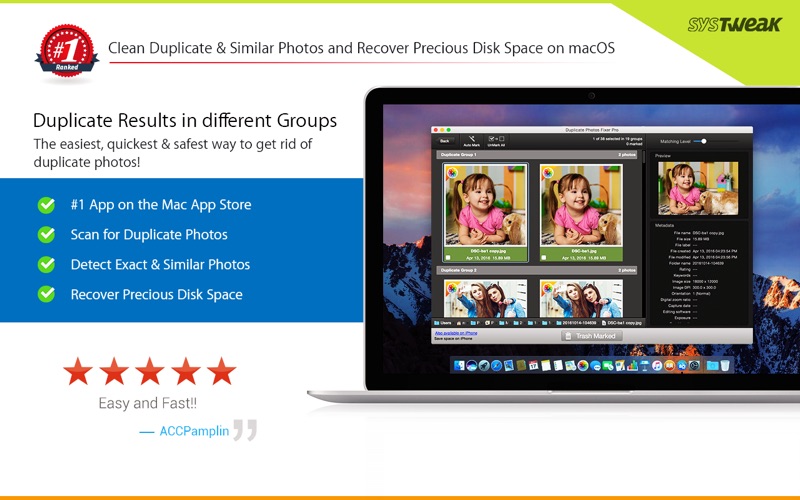
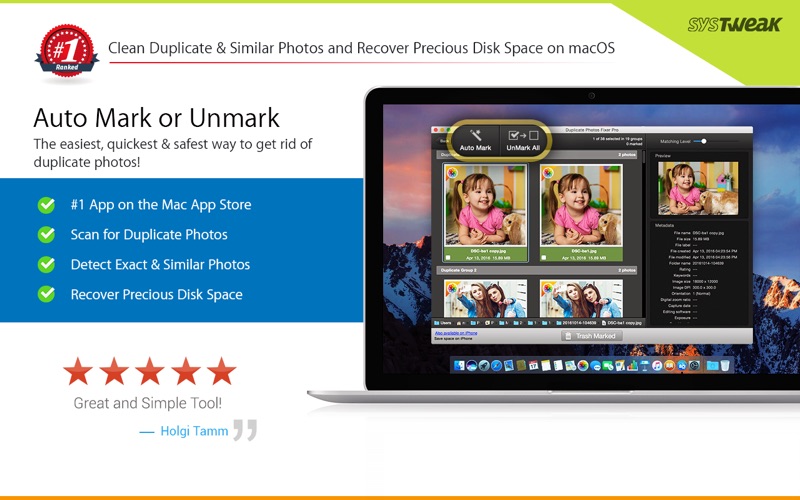
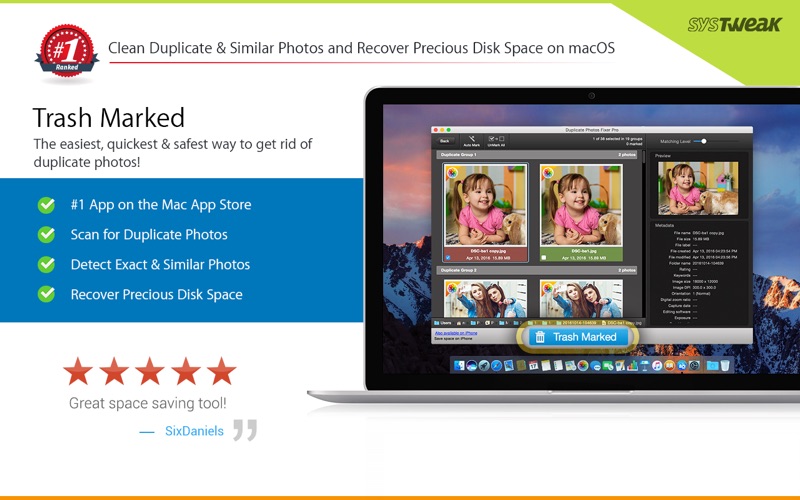
Duplicate Photos Fixer Pro is developed by Systweak Software to remove the unwanted duplicate photos from Mac. It is an ultimate photos fixing tool that smoothly scans and deletes duplicate or similar photos depending on the matching level you choose. This captivating tool works with Photos on Mac along with photos on external storage drives connected to Mac. Free up ample disk space by deleting a large number of similar and duplicate photos in just a click! Duplicate Photos Fixer Pro by Systweak Software works like a charm and has the ability to detect duplicate and similar photos wherein: • You click photos of the same scene in quick succession to capture the perfect shot. • Your photos are scattered all over the internal or external storage. • You clutter the system by creating backups of pictures and now want to remove the junk. Why use Duplicate Photos Fixer Pro? • Drag-and-Drop Folders/Photos Simply drag and drop folders to easily scan for photos inside them. You can add images from your Photos and other folders as well. • Custom Comparison Settings You can fully customize your comparison settings out of the available methods by adjusting the settings according to your requirement, regardless of the image size or format. • Speed Duplicate Photos Fixer Pro by Systweak Software is extremely fast when it comes to scanning and comparing a large number of photos within seconds. This is due to the powerful algorithms injected during the development of this tool that make the search of duplicate photos extremely fast, giving excellent comparison results. • Efficiency / Real-time Results Without re-comparing photos, you can re-group the comparison results by changing the matching level on the slider in real-time. • Auto-Mark Duplicates Use the Auto-Mark feature to mark all duplicate photos in every group except one, depending upon the preferences. • Compact Viewing The interface of Duplicate Photos Fixer Pro is designed in such a way that all occurrences of photos are classified into different groups and are viewed as a large photos group in each line. • Scans Google Drive Use Duplicate Photos Fixer Pro to scan your photos on Google Drive and remove the duplicates from it. • Quick Look Before moving ahead and deleting photos, you can have a clear look at them instead of opening them individually, using this feature. Get Duplicate Photos Fixer Pro by Systweak Software now to quickly get rid of the duplicate photos on Mac.