PC 용 PLAY OPC
- 카테고리: Photo & Video
- 최근 업데이트: 2023-02-23
- 현재 버전: 2.0
- 파일 크기: 7.01 MB
- 개발자: Hiroki Ishiura
- 호환성: 필요 Windows XP, Windows Vista, Windows 7, Windows 8, Windows 8.1 and Windows 10, Windows 11
에뮬레이터의 중요성은 컴퓨터에서 안드로이드 환경을 흉내 내고 안드로이드 폰을 구입하지 않고도 안드로이드 앱을 설치하고 실행하는 것을 매우 쉽게 만들어주는 것입니다. 누가 당신이 두 세계를 즐길 수 없다고 말합니까? 우선 아래에있는 에뮬레이터 앱을 다운로드 할 수 있습니다.
A. Nox App . OR
B. Bluestacks App .
Bluestacks는 매우 대중적이므로 개인적으로 "B"옵션을 사용하는 것이 좋습니다. 문제가 발생하면 Google 또는 Naver.com에서 좋은 해결책을 찾을 수 있습니다.
Bluestacks.exe 또는 Nox.exe를 성공적으로 다운로드 한 경우 컴퓨터의 다운로드 폴더 또는 다운로드 한 파일을 일반적으로 저장하는 곳으로 이동하십시오.
찾으면 클릭하여 응용 프로그램을 설치하십시오. PC에서 설치 프로세스를 시작해야합니다.
다음을 클릭하여 EULA 라이센스 계약에 동의하십시오.
응용 프로그램을 설치하려면 화면 지시문을 따르십시오.
위 사항을 올바르게 수행하면 소프트웨어가 성공적으로 설치됩니다.
이제 설치 한 에뮬레이터 애플리케이션을 열고 검색 창을 찾으십시오. 지금 입력하십시오. - PLAY OPC 앱을 쉽게 볼 수 있습니다. 그것을 클릭하십시오. 응용 프로그램 창이 열리고 에뮬레이터 소프트웨어에 응용 프로그램이 표시됩니다. 설치 버튼을 누르면 응용 프로그램이 다운로드되기 시작합니다. 이제 우리는 모두 끝났습니다.
그런 다음 "모든 앱"아이콘이 표시됩니다.
클릭하면 설치된 모든 응용 프로그램이 포함 된 페이지로 이동합니다.
당신은 PLAY OPC 상. 그것을 클릭하고 응용 프로그램 사용을 시작하십시오.
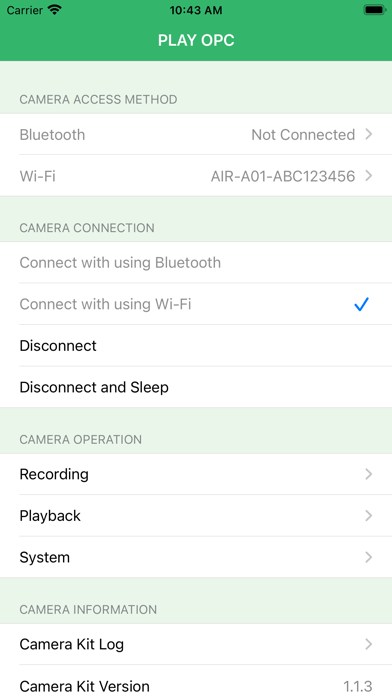
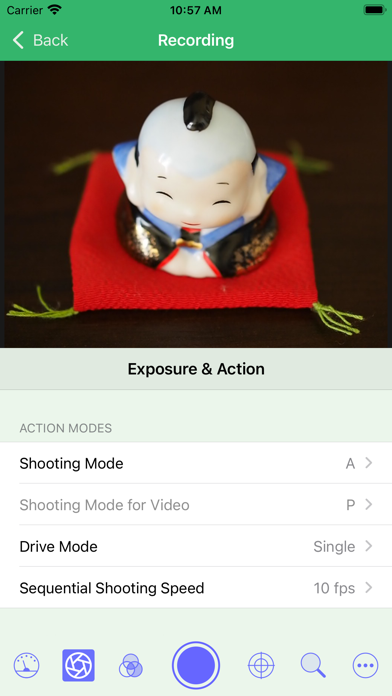
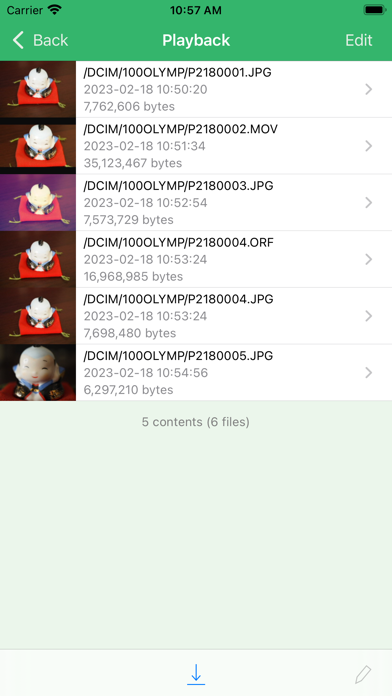
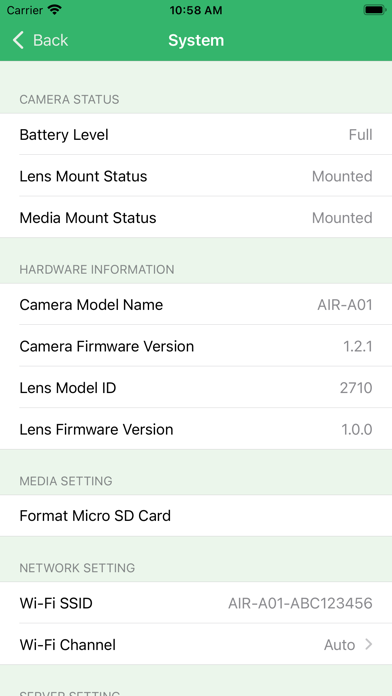
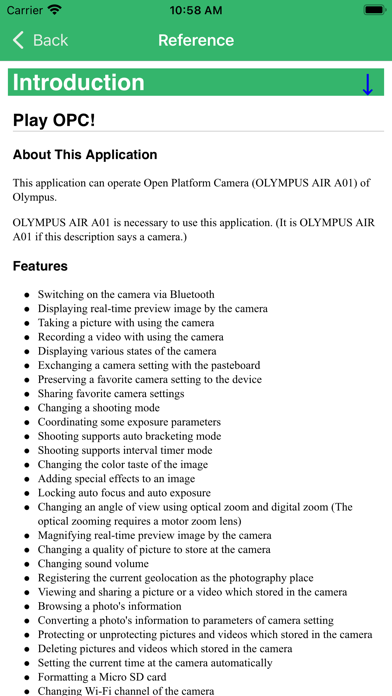
This application can operate Open Platform Camera (OLYMPUS AIR A01) of Olympus. OLYMPUS AIR A01 is necessary to use this application. (It is OLYMPUS AIR A01 if this description says a camera.) Features * Switching on the camera via Bluetooth * Displaying real-time preview image by the camera * Taking a picture with using the camera * Recording a video with using the camera * Displaying various states of the camera * Exchanging a camera setting with the pasteboard * Preserving a favorite camera setting to the device * Sharing favorite camera settings * Changing a shooting mode * Coordinating some exposure parameters * Shooting supports auto bracketing mode * Shooting supports interval timer mode * Changing the color taste of the image * Adding special effects to an image * Locking auto focus and auto exposure * Changing an angle of view using optical zoom and digital zoom (The optical zooming requires a motor zoom lens) * Magnifying real-time preview image by the camera * Changing a quality of picture to store at the camera * Changing sound volume * Registering the current geolocation as the photography place * Viewing and sharing a picture or a video which stored in the camera * Browsing a photo's information * Converting a photo's information to parameters of camera setting * Protecting or unprotecting pictures and videos which stored in the camera * Deleting pictures and videos which stored in the camera * Setting the current time at the camera automatically * Formatting a Micro SD card * Changing Wi-Fi channel of the camera * Switching off the camera Known Issue * If the device cannot connect the camera via Wi-Fi automatically, it is necessary to connect the camera by manual operation. * The operation of the camera is not stable and may not work at the place where Wi-Fi is crowded. Other Information * The OLYMPUS AIR A01 was discontinued by the manufacturer on 2018-03-31 and is currently only available on the used market. * If you are interested in handling the OLYMPUS AIR A01, please check the published instruction manual. (http://sapp.olympus-imaging.com/manual/man_a01_us_enu.pdf) * If you are interested in the details of camera functions and setting values, please check the published SDK document. (https://dl-support.olympus-imaging.com/opc/en/) * This application is Open Source. If you want to know what the application does inside, you are able to find almost source codes in GitHub. (https://github.com/ura14h/PlayOPC)