
PC 용 SnipTag: Crop Scans, Edit EXIF
- 카테고리: Photo & Video
- 최근 업데이트: 2026-02-26
- 현재 버전: 4.61
- 파일 크기: 10.50 MB
- 개발자: App Initio Limited
- 호환성: 필요 Windows XP, Windows Vista, Windows 7, Windows 8, Windows 8.1 and Windows 10, Windows 11



PC에서 SnipTag: Crop Scans, Edit EXIF 용 호환 APK 다운로드
| 다운로드 | 개발자 | 평점 | 점수 | 현재 버전 | 성인 랭킹 |
|---|---|---|---|---|---|
| ↓ PC용 APK 다운로드 | App Initio Limited | 0 | 0 | 4.61 | 4+ |
에뮬레이터의 중요성은 컴퓨터에서 안드로이드 환경을 흉내 내고 안드로이드 폰을 구입하지 않고도 안드로이드 앱을 설치하고 실행하는 것을 매우 쉽게 만들어주는 것입니다. 누가 당신이 두 세계를 즐길 수 없다고 말합니까? 우선 아래에있는 에뮬레이터 앱을 다운로드 할 수 있습니다.
A. Nox App . OR
B. Bluestacks App .
Bluestacks는 매우 대중적이므로 개인적으로 "B"옵션을 사용하는 것이 좋습니다. 문제가 발생하면 Google 또는 Naver.com에서 좋은 해결책을 찾을 수 있습니다.
Bluestacks.exe 또는 Nox.exe를 성공적으로 다운로드 한 경우 컴퓨터의 다운로드 폴더 또는 다운로드 한 파일을 일반적으로 저장하는 곳으로 이동하십시오.
찾으면 클릭하여 응용 프로그램을 설치하십시오. PC에서 설치 프로세스를 시작해야합니다.
다음을 클릭하여 EULA 라이센스 계약에 동의하십시오.
응용 프로그램을 설치하려면 화면 지시문을 따르십시오.
위 사항을 올바르게 수행하면 소프트웨어가 성공적으로 설치됩니다.
이제 설치 한 에뮬레이터 애플리케이션을 열고 검색 창을 찾으십시오. 지금 입력하십시오. - SnipTag: Crop Scans, Edit EXIF 앱을 쉽게 볼 수 있습니다. 그것을 클릭하십시오. 응용 프로그램 창이 열리고 에뮬레이터 소프트웨어에 응용 프로그램이 표시됩니다. 설치 버튼을 누르면 응용 프로그램이 다운로드되기 시작합니다. 이제 우리는 모두 끝났습니다.
그런 다음 "모든 앱"아이콘이 표시됩니다.
클릭하면 설치된 모든 응용 프로그램이 포함 된 페이지로 이동합니다.
당신은 SnipTag: Crop Scans, Edit EXIF 상. 그것을 클릭하고 응용 프로그램 사용을 시작하십시오.
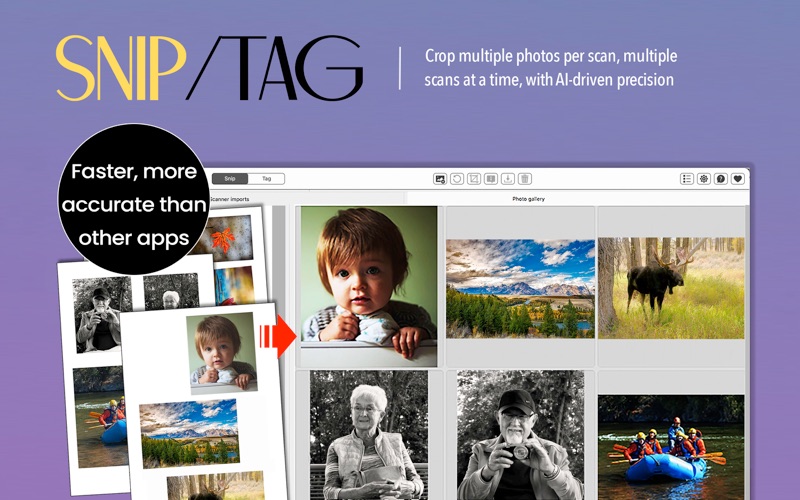
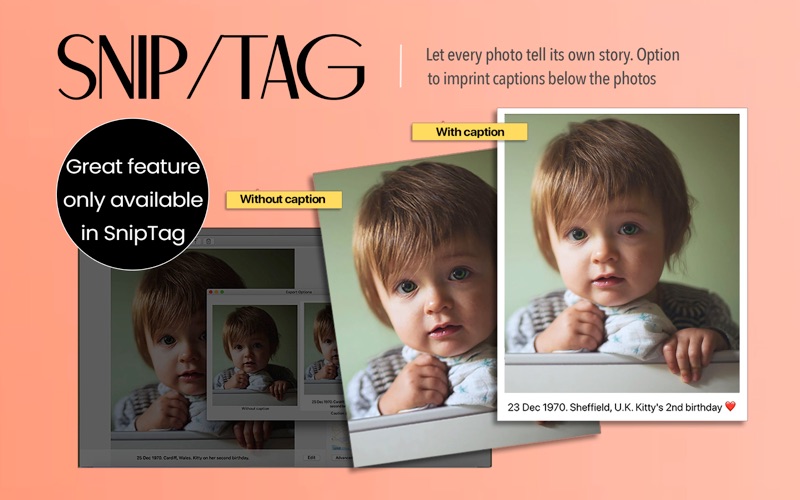
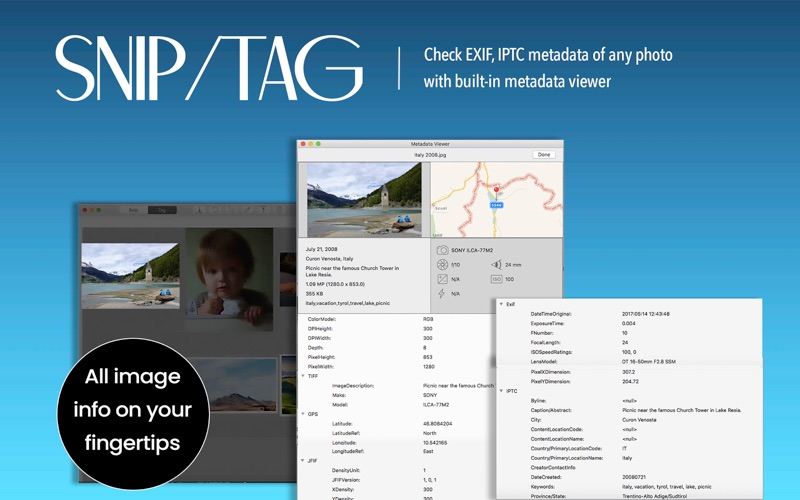
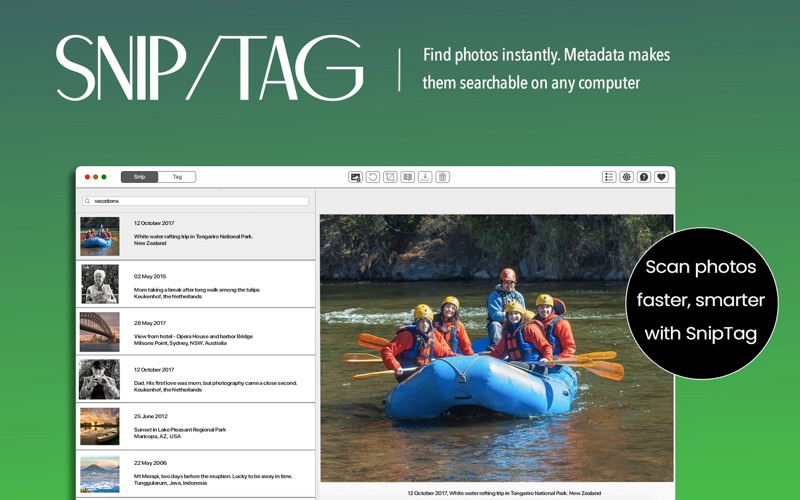
**SnipTag — The Essential App When Scanning and Organizing Photos on Mac** Scanning thousands of old photo prints? Bulk-editing image metadata for easy organization? SnipTag dramatically reduces the time it takes to crop and add metadata for large photo collections. It combines two powerful tools in one streamlined Mac app: • SNIP: AI-powered batch auto-cropping • TAG: Easy EXIF / IPTC metadata editing All processing happens locally on your Mac. Nothing is uploaded to any third-party server. Ever. When you are digitizing and organizing hundreds (or thousands) of photos, SnipTag can cut down the effort and time into half. Its two powerful tools streamline your workflow: the fastest and most accurate batch cropping engine, and a robust EXIF / IPTC metadata editor. All the processing - including AI - is done on your Mac, assuring total privacy. **SNIP — Batch Auto-Crop Printed Photos in One Click** ---------- Scanning multiple photos on a flatbed or photographing them with an DSLR camera or your iPhone? Import an entire folder of scans and SnipTag will: • Detect individual photos automatically • Crop multiple photos from each scan • Straighten and separate them • Save each as an individual file • Preserve full image resolution Crop up to 100 scans at once. Perfect for: • Family photo digitization • Archiving albums • Genealogy projects • Historical preservation Supports JPG, HEIC, TIFF, PNG and BMP. Maintains original resolution and DPI. **TAG — Advanced Photo Metadata Editor for macOS** ---------- You also get a powerful metadata editor and viewer for adding image metadata in bulk mode. Batch-edit: • Date created • Capture time • Titles • Captions • Descriptions • Locations • Keywords • File names • More (25+ EXIF and IPTC fields). Use it to: • Restore correct dates to scanned photos • Add searchable captions • Organize archives • Prepare images for Apple Photos, Lightroom or DAM systems Includes: • Metadata Viewer • Photo Finder • Caption imprinting option (adds text beneath photos) *** Built for Privacy Unlike cloud-based tools, SnipTag runs entirely on your Mac. No uploads. No tracking. No personal data collection. You stay in full control of your photo library. A unique, user-friendly utility from the creators of the popular photo scanner apps, Pic Scanner and Pic Scanner Gold. Quick Feature Summary: Batch crop photos, Auto crop scans. Accurate detection & cropping with AI. Photo metadata editing: Add captions & keywords and IPTC tags. Edit EXIF dates to help organize photos. Local, on-Mac processing for full privacy. Digital archiving of old photos. Terms of use: www.sniptagapp.com/terms Contact us: [email protected]