PC 용 Pic Scanner: Scan Old Photos
- 카테고리: Photo & Video
- 최근 업데이트: 2026-06-10
- 현재 버전: 6.42
- 파일 크기: 64.01 MB
- 개발자: App Initio Limited
- 호환성: 필요 Windows XP, Windows Vista, Windows 7, Windows 8, Windows 8.1 and Windows 10, Windows 11



PC에서 Pic Scanner: Scan Old Photos 용 호환 APK 다운로드
| 다운로드 | 개발자 | 평점 | 점수 | 현재 버전 | 성인 랭킹 |
|---|---|---|---|---|---|
| ↓ PC용 APK 다운로드 | App Initio Limited | 1 | 5 | 6.42 | 4+ |
에뮬레이터의 중요성은 컴퓨터에서 안드로이드 환경을 흉내 내고 안드로이드 폰을 구입하지 않고도 안드로이드 앱을 설치하고 실행하는 것을 매우 쉽게 만들어주는 것입니다. 누가 당신이 두 세계를 즐길 수 없다고 말합니까? 우선 아래에있는 에뮬레이터 앱을 다운로드 할 수 있습니다.
A. Nox App . OR
B. Bluestacks App .
Bluestacks는 매우 대중적이므로 개인적으로 "B"옵션을 사용하는 것이 좋습니다. 문제가 발생하면 Google 또는 Naver.com에서 좋은 해결책을 찾을 수 있습니다.
Bluestacks.exe 또는 Nox.exe를 성공적으로 다운로드 한 경우 컴퓨터의 다운로드 폴더 또는 다운로드 한 파일을 일반적으로 저장하는 곳으로 이동하십시오.
찾으면 클릭하여 응용 프로그램을 설치하십시오. PC에서 설치 프로세스를 시작해야합니다.
다음을 클릭하여 EULA 라이센스 계약에 동의하십시오.
응용 프로그램을 설치하려면 화면 지시문을 따르십시오.
위 사항을 올바르게 수행하면 소프트웨어가 성공적으로 설치됩니다.
이제 설치 한 에뮬레이터 애플리케이션을 열고 검색 창을 찾으십시오. 지금 입력하십시오. - Pic Scanner: Scan Old Photos 앱을 쉽게 볼 수 있습니다. 그것을 클릭하십시오. 응용 프로그램 창이 열리고 에뮬레이터 소프트웨어에 응용 프로그램이 표시됩니다. 설치 버튼을 누르면 응용 프로그램이 다운로드되기 시작합니다. 이제 우리는 모두 끝났습니다.
그런 다음 "모든 앱"아이콘이 표시됩니다.
클릭하면 설치된 모든 응용 프로그램이 포함 된 페이지로 이동합니다.
당신은 Pic Scanner: Scan Old Photos 상. 그것을 클릭하고 응용 프로그램 사용을 시작하십시오.
Mac OS 에서 Pic Scanner 다운로드
| 다운로드 | 개발자 | 점수 | 현재 버전 | 성인 랭킹 |
|---|---|---|---|---|
| ₩4,900 - Mac 에서 다운로드 | App Initio Limited | 5 |
6.42 | 4+ |
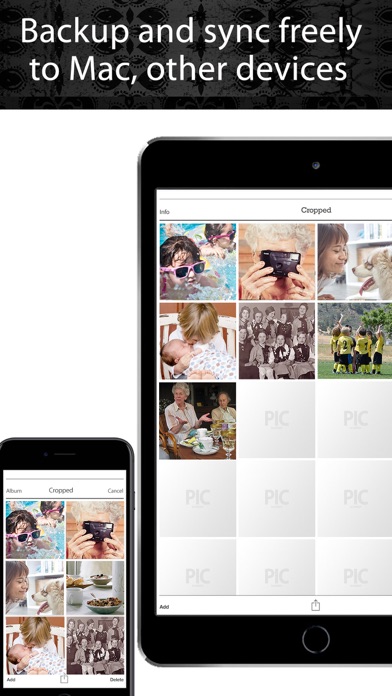
Pic Scanner: Batch Photo Scanning for iPhone and iPad ---- The original, world's first app to scan and crop multiple photos with one click. Bring your analog photo collection into the digital present quickly and easily. Scan multiple photos at a time. Pic Scanner automatically crops, enhances, and corrects perspective using highly accurate AI. Unbeatable value: A low, one-time, all-inclusive price for unlimited, forever use of all features. No ads, watermarks, subscriptions, sign-ups, or in-app purchases—your purchase is yours forever. Essential Features ---- - Unlimited scans and full feature access. - Accurate AI-powered auto-cropping - Automatic perspective correction. - Photo editing tools and filters. - Add captions (date, place, description) to memories. - Create unlimited albums and slideshows. - Privacy assured: Your photos stay on your device (No server uploads) - Back up to Mac, sync iPhone-iPad without expensive cloud subscriptions. - Freely save & share photos to any computer, social network, messaging app. - Universal purchase: Pay once and use it on both your iPhone and iPad. Your Portable Photo Scanner ---- Turn your iPhone or iPad into a powerful, portable photo scanner. Scan your entire collection in hours, not days, with high-quality results. Scan anytime, anywhere: No internet connection is needed. Digitize those unique photos only you or your relatives possess, then easily share them so everyone in the family can have a copy. Note: For high DPI / PPI (pixels per inch) scans for photo books or high-resolution prints, digitize one or two pictures at a time. Reviewers and Users Love Pic Scanner ---- - "Saves loads of time" - BBC Click - "Deserving of the rave reviews" - Cult of Mac - "40 Best Apps" - The Guardian - "Who needs a desktop scanner?" - App Advice Users say it's easy enough for a 7 or 77 year old and praise the friendly, prompt customer service. We are dedicated to this app and want you to love it. Email us for fast, personalized advice. Check out the "5 Minute guide" on our website to get started quickly. Upgrade Path ---- Pic Scanner is the perfect way to begin your photo scanning project. If you need more advanced and fun features later, you can upgrade anytime and seamlessly transfer your work to our pro app, Pic Scanner Gold, by simply paying the price difference.