PC 용 Diptic
- 카테고리: Photo & Video
- 최근 업데이트: 2021-02-01
- 현재 버전: 10.1.1
- 파일 크기: 35.00 MB
- 개발자: Peak Systems
- 호환성: 필요 Windows XP, Windows Vista, Windows 7, Windows 8, Windows 8.1 and Windows 10, Windows 11


PC에서 Diptic 용 호환 APK 다운로드
| 다운로드 | 개발자 | 평점 | 점수 | 현재 버전 | 성인 랭킹 |
|---|---|---|---|---|---|
| ↓ PC용 APK 다운로드 | Peak Systems | 31 | 4.83871 | 10.1.1 | 4+ |
에뮬레이터의 중요성은 컴퓨터에서 안드로이드 환경을 흉내 내고 안드로이드 폰을 구입하지 않고도 안드로이드 앱을 설치하고 실행하는 것을 매우 쉽게 만들어주는 것입니다. 누가 당신이 두 세계를 즐길 수 없다고 말합니까? 우선 아래에있는 에뮬레이터 앱을 다운로드 할 수 있습니다.
A. Nox App . OR
B. Bluestacks App .
Bluestacks는 매우 대중적이므로 개인적으로 "B"옵션을 사용하는 것이 좋습니다. 문제가 발생하면 Google 또는 Naver.com에서 좋은 해결책을 찾을 수 있습니다.
Bluestacks.exe 또는 Nox.exe를 성공적으로 다운로드 한 경우 컴퓨터의 다운로드 폴더 또는 다운로드 한 파일을 일반적으로 저장하는 곳으로 이동하십시오.
찾으면 클릭하여 응용 프로그램을 설치하십시오. PC에서 설치 프로세스를 시작해야합니다.
다음을 클릭하여 EULA 라이센스 계약에 동의하십시오.
응용 프로그램을 설치하려면 화면 지시문을 따르십시오.
위 사항을 올바르게 수행하면 소프트웨어가 성공적으로 설치됩니다.
이제 설치 한 에뮬레이터 애플리케이션을 열고 검색 창을 찾으십시오. 지금 입력하십시오. - Diptic 앱을 쉽게 볼 수 있습니다. 그것을 클릭하십시오. 응용 프로그램 창이 열리고 에뮬레이터 소프트웨어에 응용 프로그램이 표시됩니다. 설치 버튼을 누르면 응용 프로그램이 다운로드되기 시작합니다. 이제 우리는 모두 끝났습니다.
그런 다음 "모든 앱"아이콘이 표시됩니다.
클릭하면 설치된 모든 응용 프로그램이 포함 된 페이지로 이동합니다.
당신은 Diptic 상. 그것을 클릭하고 응용 프로그램 사용을 시작하십시오.
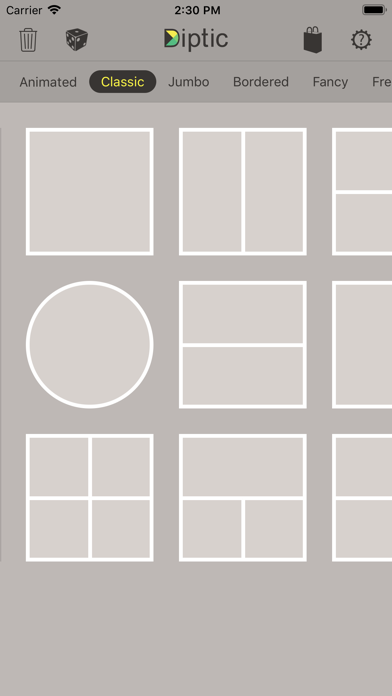
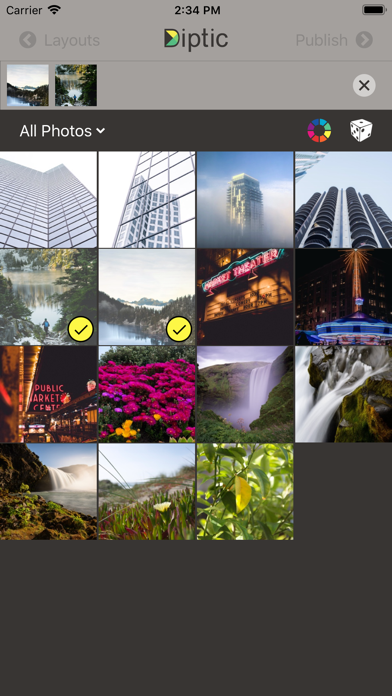
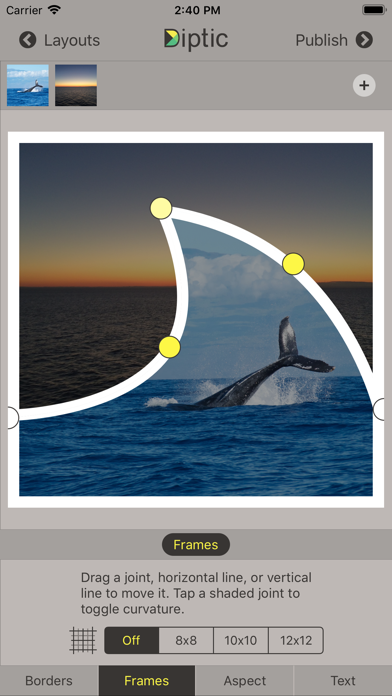
Diptic, a former App Store App of the Week, helps you create and share beautiful photo and video collages. See for yourself why millions of people have downloaded this app! "A simple, elegant way to use pictures to tell your story." – Macworld DIPTIC 101 • Create collages with photos and videos • Super Customizable — Tons of layouts to choose from plus tons of ways to enhance each one. Save your own customized layouts for re-use • Add text captions, filters, colored borders, textured borders & more LAYOUTS AND BORDERS • Choose from 194+ layouts (additional layouts are available as in-app purchases) • Combine up to nine photos and/or videos in each layout • Customize your layouts to better fit your video or images by sliding interior frame lines or moving joints along the line • Create rectangular Diptics (great for printing) with Expandable Layouts (in-app purchase) • Round the inner and outer borders, as well as modify thickness and color, and apply textures to videos and images IMAGE ADJUSTMENTS • Choose from 14 filters, as well as adjust brightness, contrast, hue and color saturation • Pan, rotate, mirror, flip, and zoom individual photos TEXT CAPTIONS • Personalize your Diptic photo and video creations with a text caption • Adjust the font, style, color and size of the text VIDEO ADJUSTMENTS • Add music to any video collage and adjust audio start and stop time • Pick any song from your Music library • Customize video start and stop time IMPORT/EXPORT OPTIONS • Create Diptics with photos or videos from your library, Instagram, Dropbox, Facebook or Flickr, or take a photo on the spot with the camera • Save Diptics for safe keeping or share them with friends. You can send via email, or share by uploading directly to Instagram, Facebook, Twitter, Tumblr or any app that accepts JPGs and/or video files • High-resolution export for pixel-perfect images • Import multiple photos and videos at once and swap media between frames • Add music from your music library to any of your videos Let’s connect! Twitter: @dipticapp Instagram: @dipticapp Facebook: facebook.com/dipticapp Flickr: flickr.com/groups/diptic Please reach out to us at [email protected] if you have any suggestions for the new video features or anything else you’d like to see... we’d love to hear from you!