
PC 용 Diptic
- 카테고리: Photo & Video
- 최근 업데이트: 2016-02-18
- 현재 버전: 2.0.4
- 파일 크기: 7.98 MB
- 개발자: Peak Systems
- 호환성: 필요 Windows XP, Windows Vista, Windows 7, Windows 8, Windows 8.1 and Windows 10, Windows 11
에뮬레이터의 중요성은 컴퓨터에서 안드로이드 환경을 흉내 내고 안드로이드 폰을 구입하지 않고도 안드로이드 앱을 설치하고 실행하는 것을 매우 쉽게 만들어주는 것입니다. 누가 당신이 두 세계를 즐길 수 없다고 말합니까? 우선 아래에있는 에뮬레이터 앱을 다운로드 할 수 있습니다.
A. Nox App . OR
B. Bluestacks App .
Bluestacks는 매우 대중적이므로 개인적으로 "B"옵션을 사용하는 것이 좋습니다. 문제가 발생하면 Google 또는 Naver.com에서 좋은 해결책을 찾을 수 있습니다.
Bluestacks.exe 또는 Nox.exe를 성공적으로 다운로드 한 경우 컴퓨터의 다운로드 폴더 또는 다운로드 한 파일을 일반적으로 저장하는 곳으로 이동하십시오.
찾으면 클릭하여 응용 프로그램을 설치하십시오. PC에서 설치 프로세스를 시작해야합니다.
다음을 클릭하여 EULA 라이센스 계약에 동의하십시오.
응용 프로그램을 설치하려면 화면 지시문을 따르십시오.
위 사항을 올바르게 수행하면 소프트웨어가 성공적으로 설치됩니다.
이제 설치 한 에뮬레이터 애플리케이션을 열고 검색 창을 찾으십시오. 지금 입력하십시오. - Diptic 앱을 쉽게 볼 수 있습니다. 그것을 클릭하십시오. 응용 프로그램 창이 열리고 에뮬레이터 소프트웨어에 응용 프로그램이 표시됩니다. 설치 버튼을 누르면 응용 프로그램이 다운로드되기 시작합니다. 이제 우리는 모두 끝났습니다.
그런 다음 "모든 앱"아이콘이 표시됩니다.
클릭하면 설치된 모든 응용 프로그램이 포함 된 페이지로 이동합니다.
당신은 Diptic 상. 그것을 클릭하고 응용 프로그램 사용을 시작하십시오.
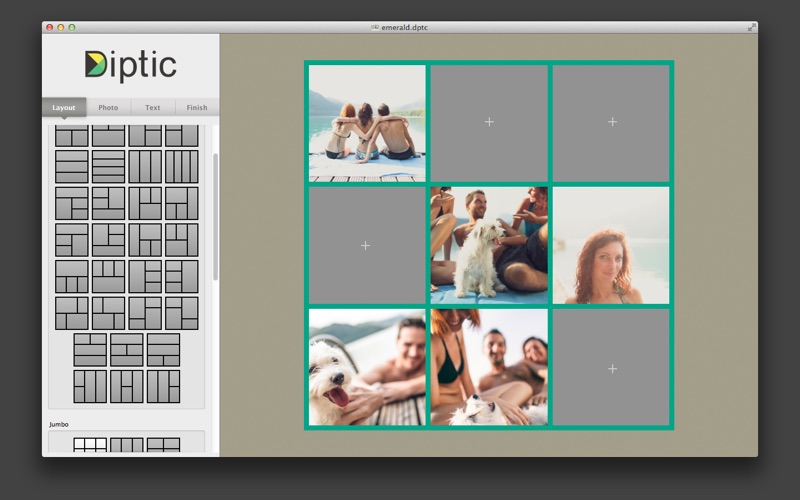
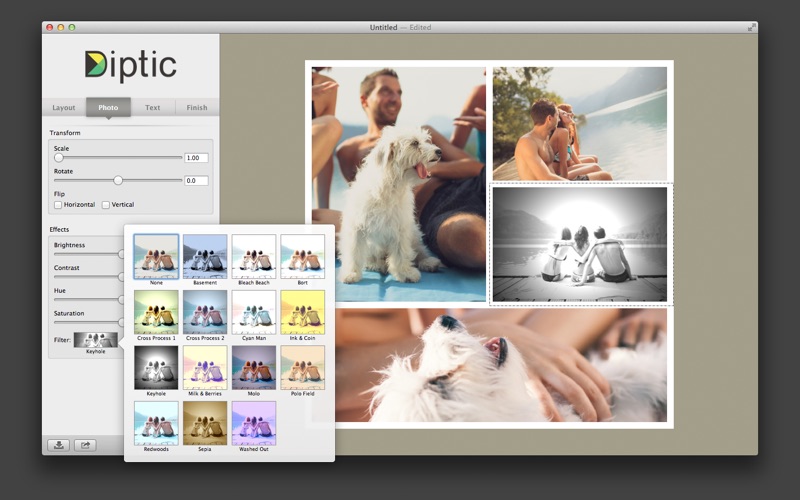
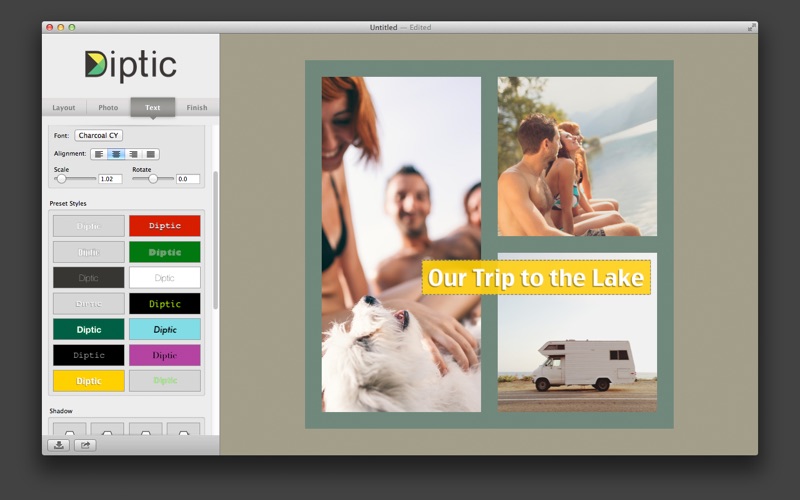
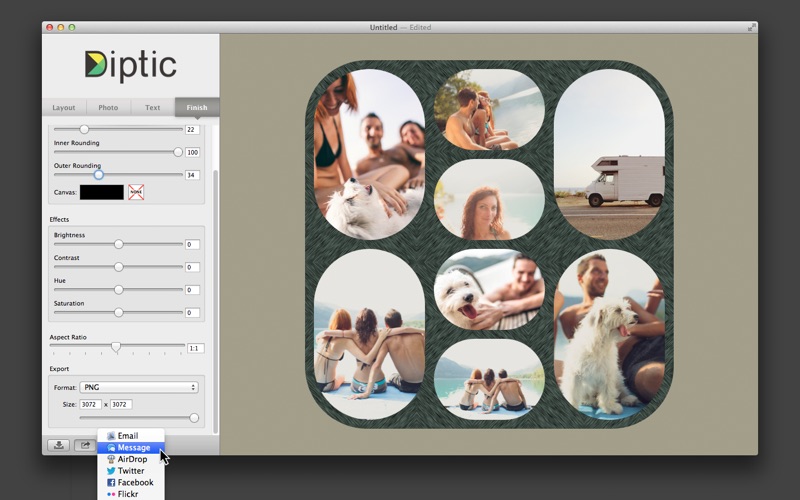
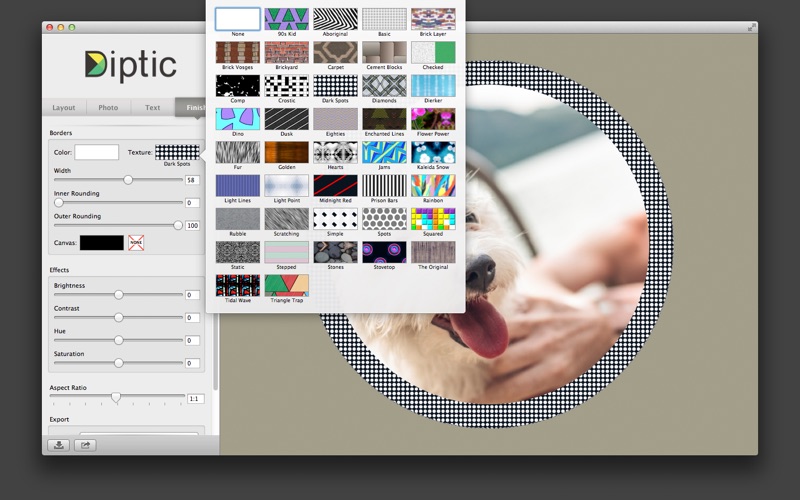
Diptic helps you create and share beautiful photo collages. • Mac App Store Best of 2012 and 2013 • Apple’s Editors' Choice •Top 5 Photography App IMPORT/EXPORT OPTIONS • Import photos from iPhoto and Aperture. Use the Media section of the open dialog to browse your iPhoto and Aperture albums. Alternatively, you can drag and drop images from your favorite photo applications into the Diptic frame. • Share Sheets: Share to Facebook, Twitter, Flickr and more. (10.8+). • High resolution export (max of 3072x3072), with option to choose JPG or PNG. LAYOUTS AND BORDERS • Choose from 75 layouts (one to nine photos in each layout). • Customize your layouts to better fit your pictures by sliding interior frame lines. • Create rectangular Diptics (great for printing) with the Aspect Ratio Slider. • Round the inner and outer borders, as well as modify thickness and color, and apply background textures. IMAGE ADJUSTMENTS • Choose from14 filters, as well as adjust brightness, contrast, hue and color saturation. • Personalize your Diptics with text captions. OTHER SWEET FEATURES • Save Projects. The “.dptc” file format lets you save your Diptic projects and come back to them later. • Drag and drop pictures into frames, and swap photos between frames • Multi-Touch: The UI reacts to gestures with your Magic Mouse or Trackpad. • Full screen. Because sometimes you just want things to be huge.