PC 용 HDRtist
- 카테고리: Photography
- 최근 업데이트: 2020-09-26
- 현재 버전: 2.2.4
- 파일 크기: 13.60 MB
- 개발자: Ohanaware Co., Ltd
- 호환성: 필요 Windows XP, Windows Vista, Windows 7, Windows 8, Windows 8.1 and Windows 10, Windows 11
PC에서 HDRtist 용 호환 APK 다운로드
| 다운로드 | 개발자 | 평점 | 점수 | 현재 버전 | 성인 랭킹 |
|---|---|---|---|---|---|
| ↓ PC용 APK 다운로드 | Ohanaware Co., Ltd | 0 | 0 | 2.2.4 | 4+ |
에뮬레이터의 중요성은 컴퓨터에서 안드로이드 환경을 흉내 내고 안드로이드 폰을 구입하지 않고도 안드로이드 앱을 설치하고 실행하는 것을 매우 쉽게 만들어주는 것입니다. 누가 당신이 두 세계를 즐길 수 없다고 말합니까? 우선 아래에있는 에뮬레이터 앱을 다운로드 할 수 있습니다.
A. Nox App . OR
B. Bluestacks App .
Bluestacks는 매우 대중적이므로 개인적으로 "B"옵션을 사용하는 것이 좋습니다. 문제가 발생하면 Google 또는 Naver.com에서 좋은 해결책을 찾을 수 있습니다.
Bluestacks.exe 또는 Nox.exe를 성공적으로 다운로드 한 경우 컴퓨터의 다운로드 폴더 또는 다운로드 한 파일을 일반적으로 저장하는 곳으로 이동하십시오.
찾으면 클릭하여 응용 프로그램을 설치하십시오. PC에서 설치 프로세스를 시작해야합니다.
다음을 클릭하여 EULA 라이센스 계약에 동의하십시오.
응용 프로그램을 설치하려면 화면 지시문을 따르십시오.
위 사항을 올바르게 수행하면 소프트웨어가 성공적으로 설치됩니다.
이제 설치 한 에뮬레이터 애플리케이션을 열고 검색 창을 찾으십시오. 지금 입력하십시오. - HDRtist 앱을 쉽게 볼 수 있습니다. 그것을 클릭하십시오. 응용 프로그램 창이 열리고 에뮬레이터 소프트웨어에 응용 프로그램이 표시됩니다. 설치 버튼을 누르면 응용 프로그램이 다운로드되기 시작합니다. 이제 우리는 모두 끝났습니다.
그런 다음 "모든 앱"아이콘이 표시됩니다.
클릭하면 설치된 모든 응용 프로그램이 포함 된 페이지로 이동합니다.
당신은 HDRtist 상. 그것을 클릭하고 응용 프로그램 사용을 시작하십시오.
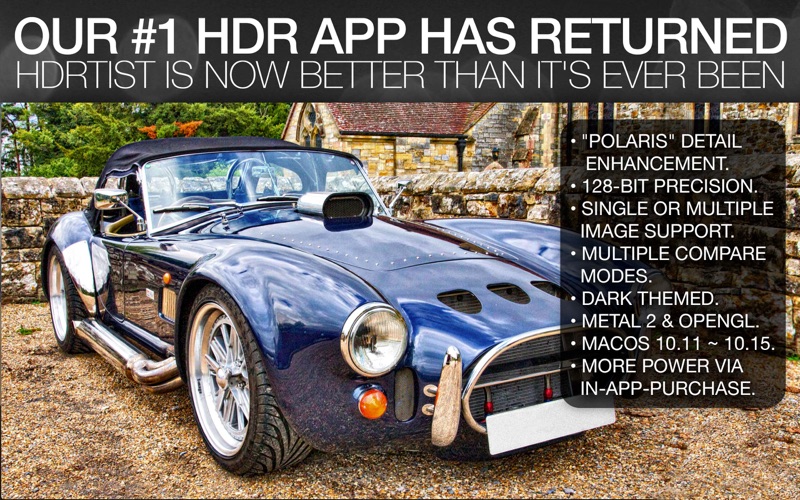
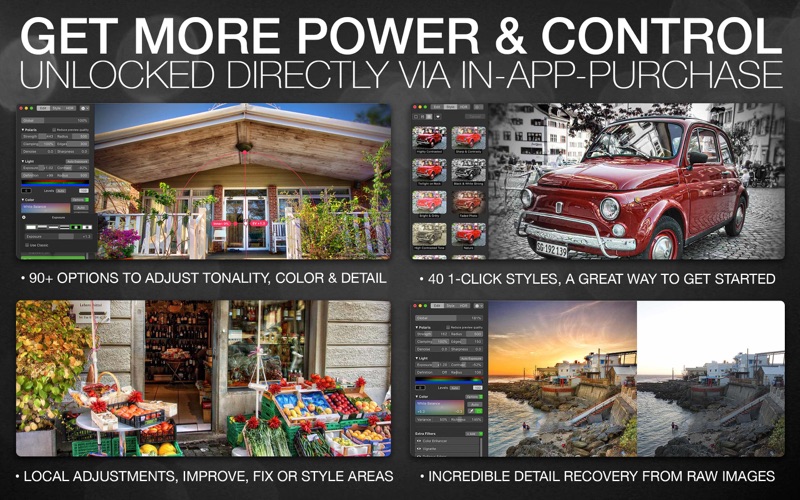
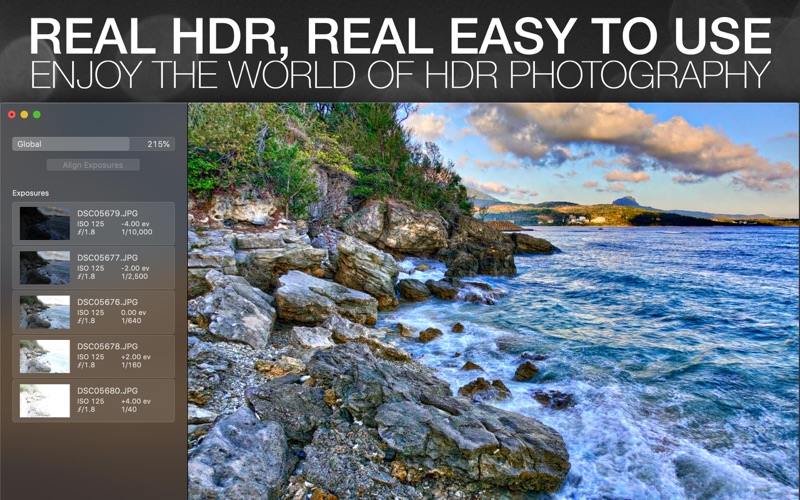
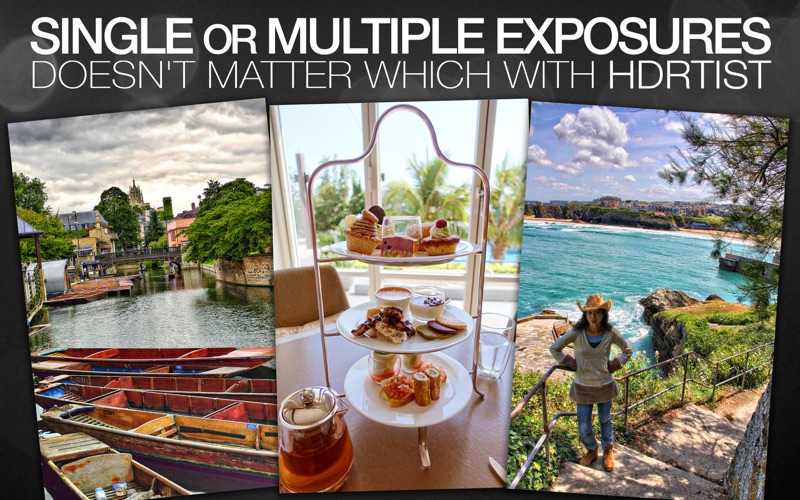
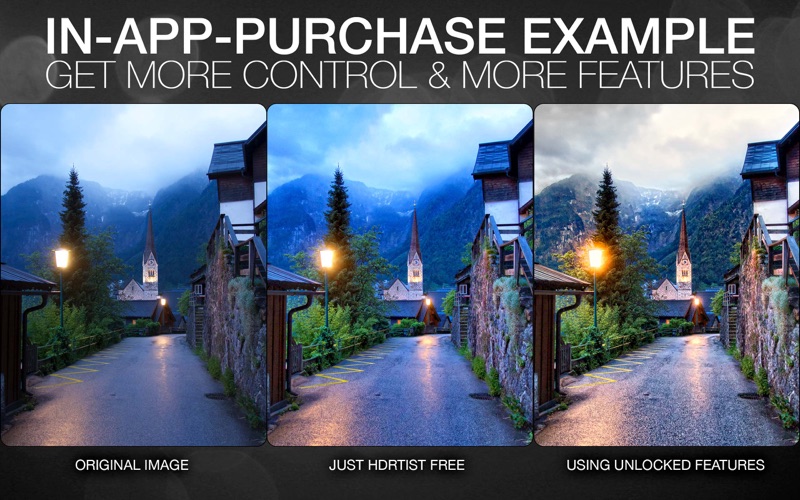
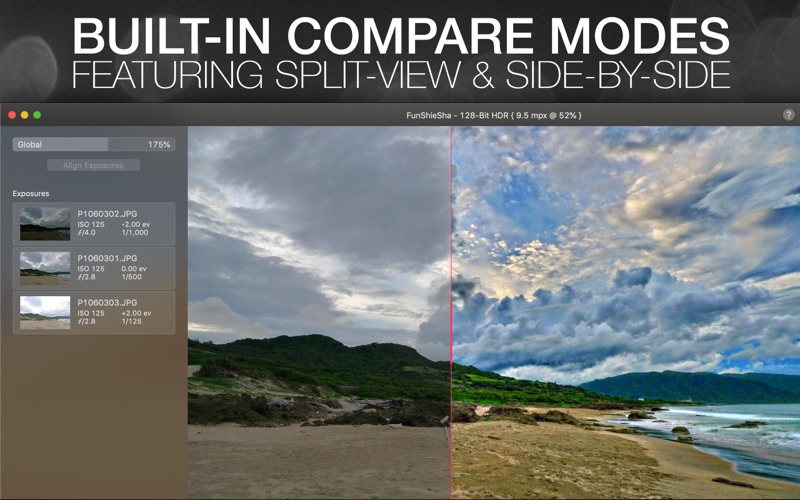
Get gorgeous detail rich true HDR images that are built & processed by our "Polaris" tone mapping engine, in the highest precision workflow available today, whilst being married to one of the most simplistic Mac app interfaces there is. Even if you're not interested in HDR (High Dynamic Range) Photography; you can still use HDRtist to increase detail and definition in single photos. • Uses our 8th Generation tone mapping engine "Polaris" to enhance details. • 128-Bit Unclamped precision workflow, processes images in the highest precision available today. • Supports Metal or OpenGL for the smoothest display performance. • Interface optimization provides a gorgeous high resolution preview area. • The Window Sidebar and titlebar support Auto Hiding, getting out of the way when not needed. • Split-View & Side-by-side view for comparing with the original image or medium exposure. • Use a set of exposures or a single image, it's up to you. • Ohanaware HDR format, allows you to save your HDR images and edit them later. ## New in version 2.2 is the option to unlock even more potential from your HDRs using the full functionality of our HDRtist NX. There's a 1-Month FREE trial available *, so you can try out these exciting features. • 90+ options for adjusting tonality, color & detail. • Local adjustments to improve, fix or style areas of an image. • Crop by ratio, size or freeform. Save custom ratios & sizes. • Meta Data Editing, set artist name, copyright, contact info. • Incredible level of detail recovery from RAW images. • Create HDR images from multiple JPGs or RAWs. • 40 1-Click Styles are a great way to get started with HDR. • 3 Different style sizes, and ability to mark your favorites. • Define your "Style" by creating custom 1-Click Styles. • Find inspiration for your next image with the included styles. • Use our localized defocus extra, to create a sense of depth. • White Balance enables localized color corrections. • Black & White (4 modes), brings out texture & shapes. • Localized Contrast; to enhance detail in certain areas. HDRtist NX was awarded a 2020 Xojo Design Award, for best consumer application. https://www.xojo.com/designawards/ * Free trials are limited to once per customer, and like Payments, are handled by Apple Inc.