
PC 용 Shine: Illuminate Photos
- 카테고리: Photo & Video
- 최근 업데이트: 2016-01-28
- 현재 버전: 1.3
- 파일 크기: 5.21 MB
- 개발자: Ohanaware Co., Ltd
- 호환성: 필요 Windows XP, Windows Vista, Windows 7, Windows 8, Windows 8.1 and Windows 10, Windows 11
PC에서 Shine: Illuminate Photos 용 호환 APK 다운로드
| 다운로드 | 개발자 | 평점 | 점수 | 현재 버전 | 성인 랭킹 |
|---|---|---|---|---|---|
| ↓ PC용 APK 다운로드 | Ohanaware Co., Ltd | 0 | 1.3 | 4+ |
에뮬레이터의 중요성은 컴퓨터에서 안드로이드 환경을 흉내 내고 안드로이드 폰을 구입하지 않고도 안드로이드 앱을 설치하고 실행하는 것을 매우 쉽게 만들어주는 것입니다. 누가 당신이 두 세계를 즐길 수 없다고 말합니까? 우선 아래에있는 에뮬레이터 앱을 다운로드 할 수 있습니다.
A. Nox App . OR
B. Bluestacks App .
Bluestacks는 매우 대중적이므로 개인적으로 "B"옵션을 사용하는 것이 좋습니다. 문제가 발생하면 Google 또는 Naver.com에서 좋은 해결책을 찾을 수 있습니다.
Bluestacks.exe 또는 Nox.exe를 성공적으로 다운로드 한 경우 컴퓨터의 다운로드 폴더 또는 다운로드 한 파일을 일반적으로 저장하는 곳으로 이동하십시오.
찾으면 클릭하여 응용 프로그램을 설치하십시오. PC에서 설치 프로세스를 시작해야합니다.
다음을 클릭하여 EULA 라이센스 계약에 동의하십시오.
응용 프로그램을 설치하려면 화면 지시문을 따르십시오.
위 사항을 올바르게 수행하면 소프트웨어가 성공적으로 설치됩니다.
이제 설치 한 에뮬레이터 애플리케이션을 열고 검색 창을 찾으십시오. 지금 입력하십시오. - Shine: Illuminate Photos 앱을 쉽게 볼 수 있습니다. 그것을 클릭하십시오. 응용 프로그램 창이 열리고 에뮬레이터 소프트웨어에 응용 프로그램이 표시됩니다. 설치 버튼을 누르면 응용 프로그램이 다운로드되기 시작합니다. 이제 우리는 모두 끝났습니다.
그런 다음 "모든 앱"아이콘이 표시됩니다.
클릭하면 설치된 모든 응용 프로그램이 포함 된 페이지로 이동합니다.
당신은 Shine: Illuminate Photos 상. 그것을 클릭하고 응용 프로그램 사용을 시작하십시오.
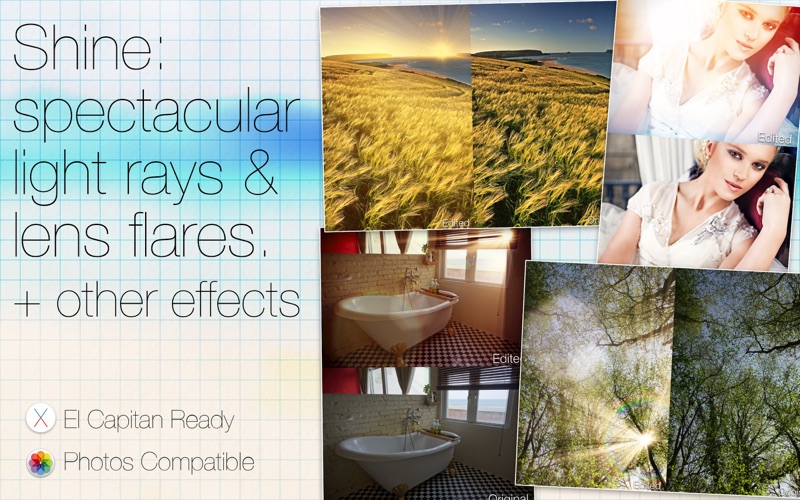
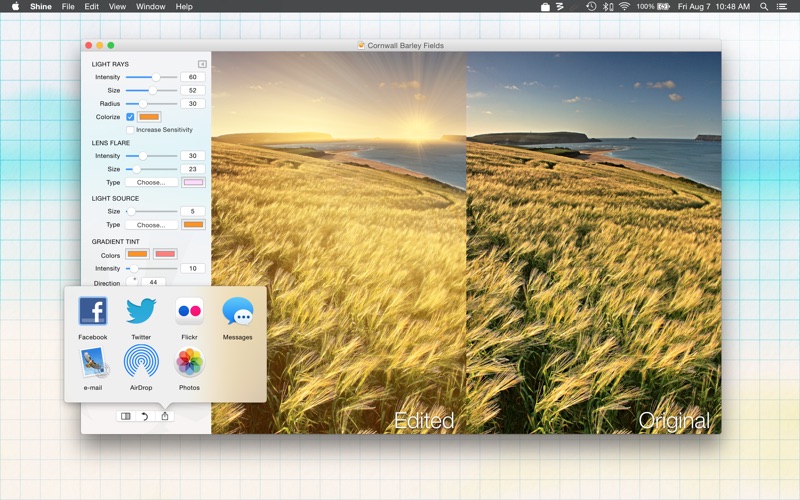
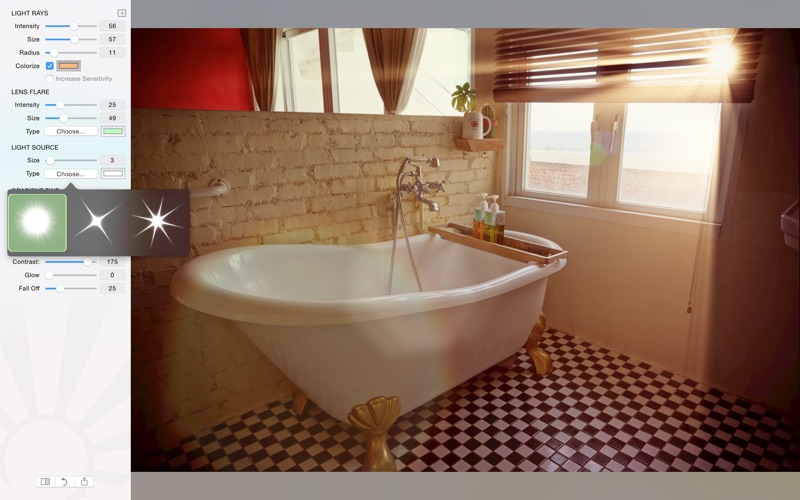
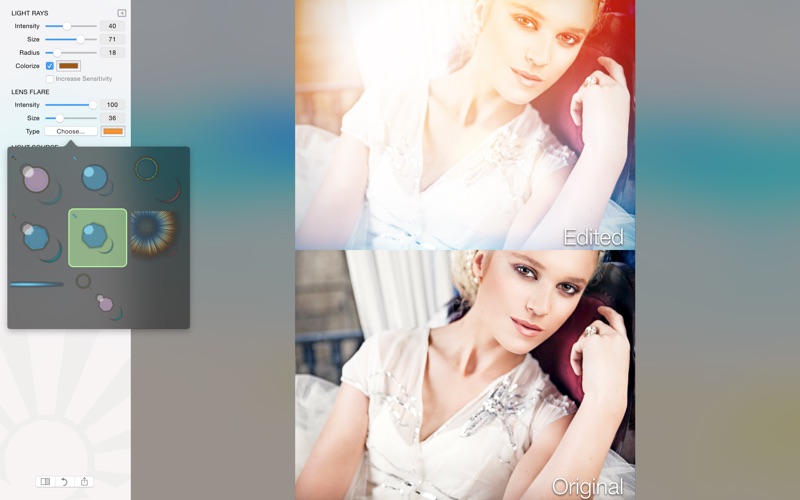
Illuminate photos to the next level using Light Rays, Lens Flares & other lighting effects. Shine utilizes state of the art technology to generate realistic effects in near real time, while providing a beautiful retina ready interface. ## What the media, professionals & customers say about Shine ## TUAW - "Shine does what it advertises, and does it well." MacFormat - 4 Stars - "Capable of creating good looking results, this deserves a place in the kit of keen photo geeks." HDR360Pro - "Shine is a godsend for stock shooters! God rays on demand! Thanks Ohanaware!" 5 Star average rating on the Mac App Store (U.S.) ## Features of Shine ## • Cutting Edge, Turbo Charged "Light Rays" engine. • Choose from a selection of beautiful Lens Flares. • Large Retina compatible preview, with Full Screen support. • Alter the mood & colors with a gradient tint. • Dynamic Range adjustment using the custom contrast effect. • Alter or add a light source to the image. • Light Fall Off (Vignette) & Image Glow effects. • Original comparison while editing. • Maximizes CPUs & GPUs usage to generate near real-time updates. • Share images online with built-in sharing. • Export illuminated photos directly to other photo apps. • Smart Saving, protects original image. • Supports large images (100+ megapixel, 500+ MB file size). • Compatible with OS X 10.9, 10.10 & 10.11 ## What makes Shine so great ## 9 years experience at work. Since 2004 Ohanaware's developers have been building a great deal of photo editing apps & photo effects. Being photographers as well as developers, provides insight and understanding, that we use to build our cutting edge photo tools. Sophisticated Light Rays Engine. It took 18 months for Shine to be completed, with many iterations of the engine. All in the quest to generate the most natural looking light rays possible. Shine 1.1 includes a refactored version of the this engine, delivering superior performance while using less memory. A workspace that allows focus on the task in hand. It's easier to concentrate on perfecting the photo, when there are less distractions. Shine's tools are neatly laid out on the left, the rest of the window is used to provide the stunningly large preview. In full screen the preview almost fills the entire screen. Smart Saving (non-destructive file format). Ohanaware's Smart Saving uses a non-destructive file format, so when a file is saved as a ".Shine" file it includes the original image, the document settings, every previous save & all the Undos. This enables the photo to be 'undone' to a week last tuesday, or quickly restored to a month ago.