PC 용 PDF Splitter
- 카테고리: Business
- 최근 업데이트: 2016-09-30
- 현재 버전: 2.3
- 파일 크기: 9.24 MB
- 개발자: xu jianwei
- 호환성: 필요 Windows XP, Windows Vista, Windows 7, Windows 8, Windows 8.1 and Windows 10, Windows 11


에뮬레이터의 중요성은 컴퓨터에서 안드로이드 환경을 흉내 내고 안드로이드 폰을 구입하지 않고도 안드로이드 앱을 설치하고 실행하는 것을 매우 쉽게 만들어주는 것입니다. 누가 당신이 두 세계를 즐길 수 없다고 말합니까? 우선 아래에있는 에뮬레이터 앱을 다운로드 할 수 있습니다.
A. Nox App . OR
B. Bluestacks App .
Bluestacks는 매우 대중적이므로 개인적으로 "B"옵션을 사용하는 것이 좋습니다. 문제가 발생하면 Google 또는 Naver.com에서 좋은 해결책을 찾을 수 있습니다.
Bluestacks.exe 또는 Nox.exe를 성공적으로 다운로드 한 경우 컴퓨터의 다운로드 폴더 또는 다운로드 한 파일을 일반적으로 저장하는 곳으로 이동하십시오.
찾으면 클릭하여 응용 프로그램을 설치하십시오. PC에서 설치 프로세스를 시작해야합니다.
다음을 클릭하여 EULA 라이센스 계약에 동의하십시오.
응용 프로그램을 설치하려면 화면 지시문을 따르십시오.
위 사항을 올바르게 수행하면 소프트웨어가 성공적으로 설치됩니다.
이제 설치 한 에뮬레이터 애플리케이션을 열고 검색 창을 찾으십시오. 지금 입력하십시오. - PDF Splitter 앱을 쉽게 볼 수 있습니다. 그것을 클릭하십시오. 응용 프로그램 창이 열리고 에뮬레이터 소프트웨어에 응용 프로그램이 표시됩니다. 설치 버튼을 누르면 응용 프로그램이 다운로드되기 시작합니다. 이제 우리는 모두 끝났습니다.
그런 다음 "모든 앱"아이콘이 표시됩니다.
클릭하면 설치된 모든 응용 프로그램이 포함 된 페이지로 이동합니다.
당신은 PDF Splitter 상. 그것을 클릭하고 응용 프로그램 사용을 시작하십시오.
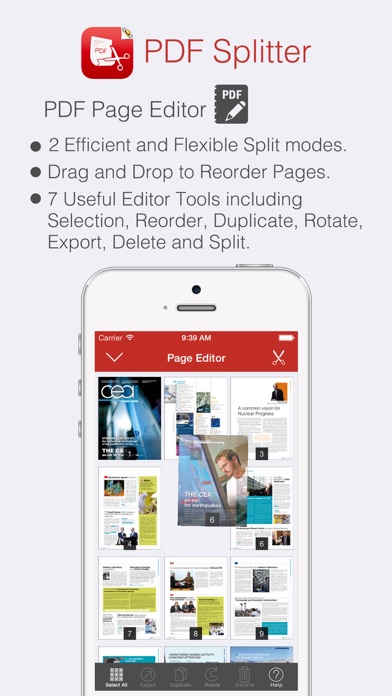
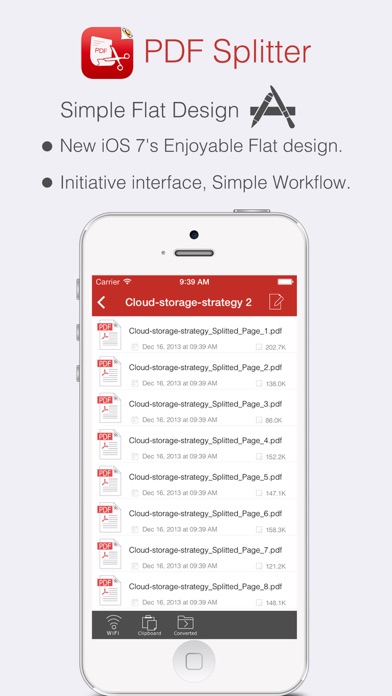
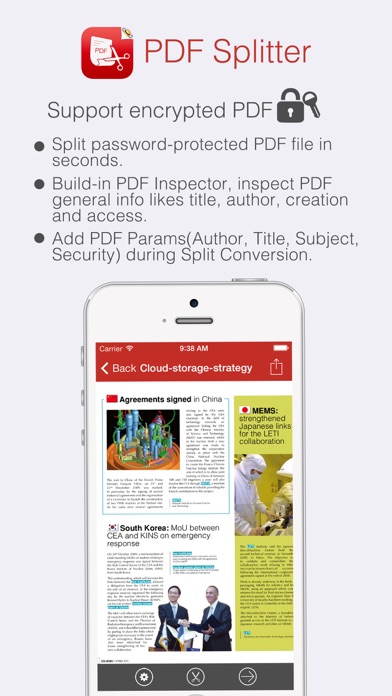
Split large PDF document into small ones quickly and flexibly! PDF Splitter is a stand-alone app that can be used to split and manage your PDF files. Split PDF files to multiple PDF files by PDF Thumbnail Page Editor. Split PDF files by Each Pages an PDF or Selection as an New PDF. Support all Apple iOS devices, iPhone and iPad! PDF Splitter Pro is a quick and easy-to-use PDF splitting tool, which helps you produce new PDF files by extracting any specific pages from the multi-page PDF file. With its help, you can easily split multi-page PDF files by every n page(s) or split one PDF file averagely to several PDF files with equal page numbers. Also it saves your time to split PDF file to multiple PDF files by specific pages at one time. PDF Splitter also split encrypted PDF files, which makes PDF splitting more efficient. Key Features: => Split password-protected PDF file in seconds - For the owner-password-protected PDF files (PDF files that are protected from copying, printing, editing), PDF Splitter can remove the password and split it directly - For the user-password-protected PDF files (PDF files that are protected from opening), you need to type in the password, and then PDF Splitter can remove the password and split it for you => 2 efficient and flexible Split modes. Exporting All or Selected Pages Of PDF into: - Each Pages a PDF: This split mode allows you to divide a multi-page PDF file into several PDF files with n pages per file. - An New PDF: This Split mode lets you flexibly choose the specific pages you want to extract from the multi-page PDF file and combine them into a new PDF file. You can select the pages either by select any page directly. More Features: • Nice iOS 7's Flat Design, User-friendly interface. • Support importing Adobe PDF 1.0 - 1.7 formats (.pdf); • Support PDF files in most of the languages: English, Turkish, Thai, Latin, Korean, Greek, Cyrillic, Japanese, Chinese, German, French, Italian. • Support "owner" password protected PDF files. • Mail out Image as email attachments("Mail out.." integration). • Send files to other apps("Open In.." integration). • Share and Compress image files to .zip file. • File manager(Support rename, copy, move, delete and compress). • Copy/Paste file with Clipboard(Transfer with other Apps). • Wirelessly Print&Fax Photos(Only AirPrint-enabled Printer Supported). • Wifi file transfer(Transfer by Browser or Webdav Clients). • USB file transfer(iTunes file sharing). We are continuously developing this app, so please feel free to contact us with your questions, suggestions or any problems, and we will reply ASAP.