PC 용 AirBeam
- 카테고리: Photography
- 최근 업데이트: 2017-06-21
- 현재 버전: 2.3
- 파일 크기: 16.96 MB
- 개발자: Appologics UG (haftungsbeschrankt)
- 호환성: 필요 Windows XP, Windows Vista, Windows 7, Windows 8, Windows 8.1 and Windows 10, Windows 11
PC에서 AirBeam 용 호환 APK 다운로드
| 다운로드 | 개발자 | 평점 | 점수 | 현재 버전 | 성인 랭킹 |
|---|---|---|---|---|---|
| ↓ PC용 APK 다운로드 | Appologics UG (haftungsbeschrankt) | 0 | 0 | 2.3 | 4+ |
에뮬레이터의 중요성은 컴퓨터에서 안드로이드 환경을 흉내 내고 안드로이드 폰을 구입하지 않고도 안드로이드 앱을 설치하고 실행하는 것을 매우 쉽게 만들어주는 것입니다. 누가 당신이 두 세계를 즐길 수 없다고 말합니까? 우선 아래에있는 에뮬레이터 앱을 다운로드 할 수 있습니다.
A. Nox App . OR
B. Bluestacks App .
Bluestacks는 매우 대중적이므로 개인적으로 "B"옵션을 사용하는 것이 좋습니다. 문제가 발생하면 Google 또는 Naver.com에서 좋은 해결책을 찾을 수 있습니다.
Bluestacks.exe 또는 Nox.exe를 성공적으로 다운로드 한 경우 컴퓨터의 다운로드 폴더 또는 다운로드 한 파일을 일반적으로 저장하는 곳으로 이동하십시오.
찾으면 클릭하여 응용 프로그램을 설치하십시오. PC에서 설치 프로세스를 시작해야합니다.
다음을 클릭하여 EULA 라이센스 계약에 동의하십시오.
응용 프로그램을 설치하려면 화면 지시문을 따르십시오.
위 사항을 올바르게 수행하면 소프트웨어가 성공적으로 설치됩니다.
이제 설치 한 에뮬레이터 애플리케이션을 열고 검색 창을 찾으십시오. 지금 입력하십시오. - AirBeam 앱을 쉽게 볼 수 있습니다. 그것을 클릭하십시오. 응용 프로그램 창이 열리고 에뮬레이터 소프트웨어에 응용 프로그램이 표시됩니다. 설치 버튼을 누르면 응용 프로그램이 다운로드되기 시작합니다. 이제 우리는 모두 끝났습니다.
그런 다음 "모든 앱"아이콘이 표시됩니다.
클릭하면 설치된 모든 응용 프로그램이 포함 된 페이지로 이동합니다.
당신은 AirBeam 상. 그것을 클릭하고 응용 프로그램 사용을 시작하십시오.
Mac OS 에서 AirBeam 다운로드
| 다운로드 | 개발자 | 점수 | 현재 버전 | 성인 랭킹 |
|---|---|---|---|---|
| 무료 - Mac 에서 다운로드 | Appologics UG (haftungsbeschrankt) | 0 |
2.3 | 4+ |
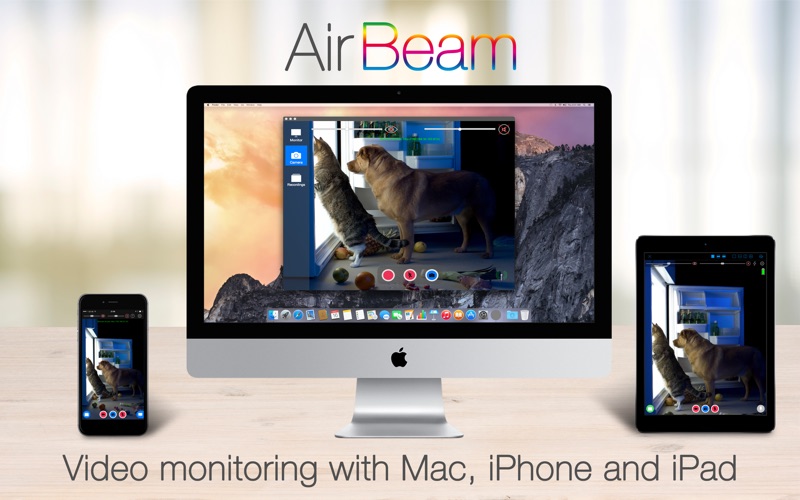
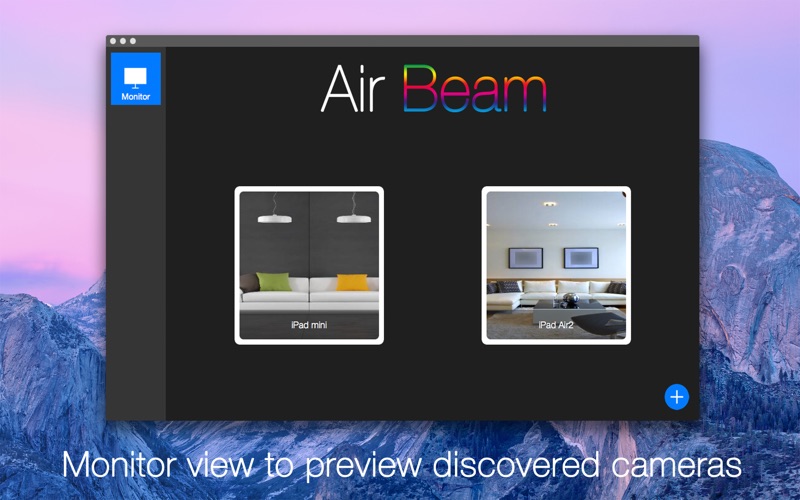
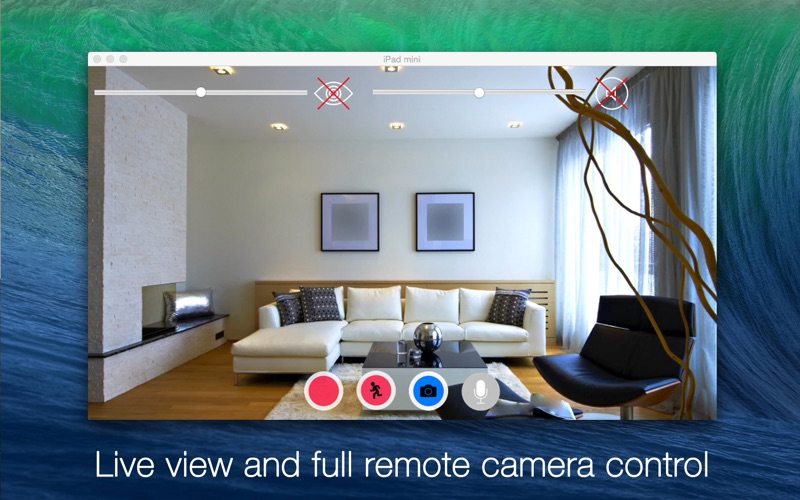
AirBeam allows you to watch and hear on your Mac what the cameras of your iPhones, iPods or iPads see and hear. AirBeam receives high quality video and audio in realtime from the cameras and microphones of any number of iPhones, iPods or iPads on a WiFi network - even from multiple devices simultaneously. AirBeam turns your Mac into a flexible remote surveillance system. Use it together with your iDevices as a babyphone, for serious surveillance, to keep an eye on your cat, a FPV cam in your remote control toys…there are hundreds of useful and not so useful things you can do with it. AirBeams features in detail: * High Quality Realtime: Watch video and hear audio in amazing quality. Watch and hear in realtime thanks to AirBeam's low latency encoding and transmission technology. * Zero Configuration: No need to manually configure device addresses. AirBeam automatically discovers all AirBeam cams on your network and you can instantly watch them. * Video Recording: Seeing or hearing something on AirBeam you want to remember? Just press the record button and it will be recorded. * Motion and audio detection: Trigger recording based on detected motion or audio or get visual and acoustic alarms. * Multi Camera: Watch as many camera devices as you want simultaneously. * Fullscreen: View the cameras in fullscreen and flick through them with your touchpad. Want to know more? Visit our website and watch the AirBeam demo video. IMPORTANT NOTES =========== * To use AirBeam you need to install and run AirBeam for iOS on your iDevices. AirBeam for iOS is available for USD 3.99 (or equivalent amount in other currency) in the App Store on your iPhone, iPod or iPad. * If you also want to share your Mac's cameras and watch them on your iDevices, you need to use AirBeam Pro.