PC 용 Videography
- 카테고리: Photo & Video
- 최근 업데이트: 2016-01-15
- 현재 버전: 1.2
- 파일 크기: 24.02 MB
- 개발자: Appologics UG (haftungsbeschrankt)
- 호환성: 필요 Windows XP, Windows Vista, Windows 7, Windows 8, Windows 8.1 and Windows 10, Windows 11


PC에서 Videography 용 호환 APK 다운로드
| 다운로드 | 개발자 | 평점 | 점수 | 현재 버전 | 성인 랭킹 |
|---|---|---|---|---|---|
| ↓ PC용 APK 다운로드 | Appologics UG (haftungsbeschrankt) | 1 | 3 | 1.2 | 4+ |
호환되는 PC 앱 또는 대안 확인
| 소프트웨어 | 다운로드 | 평점 | 개발자 |
|---|---|---|---|
| Videography |
PC 앱 받기 | 3/5 1 리뷰 3 |
Appologics UG (haftungsbeschrankt) |
에뮬레이터의 중요성은 컴퓨터에서 안드로이드 환경을 흉내 내고 안드로이드 폰을 구입하지 않고도 안드로이드 앱을 설치하고 실행하는 것을 매우 쉽게 만들어주는 것입니다. 누가 당신이 두 세계를 즐길 수 없다고 말합니까? 우선 아래에있는 에뮬레이터 앱을 다운로드 할 수 있습니다.
A. Nox App . OR
B. Bluestacks App .
Bluestacks는 매우 대중적이므로 개인적으로 "B"옵션을 사용하는 것이 좋습니다. 문제가 발생하면 Google 또는 Naver.com에서 좋은 해결책을 찾을 수 있습니다.
Bluestacks.exe 또는 Nox.exe를 성공적으로 다운로드 한 경우 컴퓨터의 다운로드 폴더 또는 다운로드 한 파일을 일반적으로 저장하는 곳으로 이동하십시오.
찾으면 클릭하여 응용 프로그램을 설치하십시오. PC에서 설치 프로세스를 시작해야합니다.
다음을 클릭하여 EULA 라이센스 계약에 동의하십시오.
응용 프로그램을 설치하려면 화면 지시문을 따르십시오.
위 사항을 올바르게 수행하면 소프트웨어가 성공적으로 설치됩니다.
이제 설치 한 에뮬레이터 애플리케이션을 열고 검색 창을 찾으십시오. 지금 입력하십시오. - Videography 앱을 쉽게 볼 수 있습니다. 그것을 클릭하십시오. 응용 프로그램 창이 열리고 에뮬레이터 소프트웨어에 응용 프로그램이 표시됩니다. 설치 버튼을 누르면 응용 프로그램이 다운로드되기 시작합니다. 이제 우리는 모두 끝났습니다.
그런 다음 "모든 앱"아이콘이 표시됩니다.
클릭하면 설치된 모든 응용 프로그램이 포함 된 페이지로 이동합니다.
당신은 Videography 상. 그것을 클릭하고 응용 프로그램 사용을 시작하십시오.
Mac OS 에서 Videography 다운로드
| 다운로드 | 개발자 | 점수 | 현재 버전 | 성인 랭킹 |
|---|---|---|---|---|
| ₩4,900 - Mac 에서 다운로드 | Appologics UG (haftungsbeschrankt) | 3 |
1.2 | 4+ |
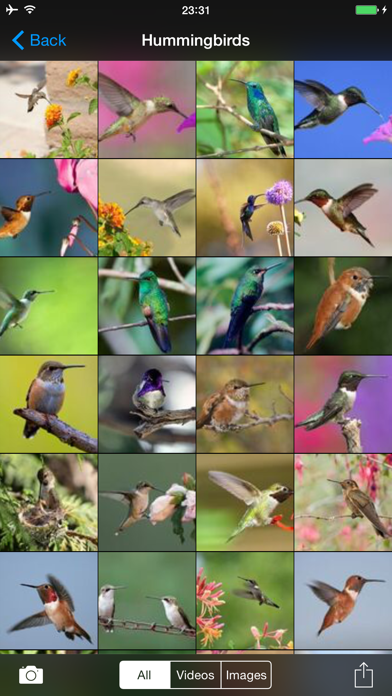
Videography is the ultimate remote controlled camera app for expert video and photographers. It offers all features you expect from a professional camera and can be controlled remotely in realtime from a browser. Capture stunning wild life or action shots, use it for surveillance or simply as your day-to-day camera app. Videography's features in detail: * Full remote control Videography transmits high quality (up to Full-HD resolution) live video and audio that can be followed with a browser from another device on the same Wi-Fi network. Every camera function available locally can be controlled remotely. For example adjust focus, exposure, zoom, control the torch, start recordings or access the contents of your media library. When mounted on a Galileo robotic motion platform, you can even pan / tilt your camera remotely. * Full-HD video recording Videos can be recorded in up to 1080p with CD quality audio. If size of your recordings matters, flexible lower resolution formats can be chosen as well. * Slow motion and time-lapse The time scale for video recordings can be adjusted on the fly in a range from 0.25x to 256x to create amazing slow motion or time lapse videos. Retiming is done in real time without any post processing ! * High resolution photos Photos can be captured with the highest resolution supported by the camera hardware. Videography supports a timer for self portraits and a counter to automatically capture a series of pictures. Configurable shutter sound effects guarantee you a smile :-) * Motion, audio and face detection Videography runs advanced detection algorithms on the camera input to detect motion, faces or audio to trigger automated video or photo recordings. Setup an intelligent surveillance camera or capture amazing action and wild life shots ! * Object tracking and Motrr Galileo support When mounted in a Galileo robotic motion platform (see motrr.com) you can not only remotely pan/tilt your camera: Videography will even automatically follow faces, motion or colored objects to keep them in the center of the view. * Detailed camera controls Position focus, exposure and white balance. Up to 16x zoom for video (even on iPhone 4s) and photos. Switch between front and back camera. Adjust the torch mode and level. Control video and photo stabilization. If something can be adjusted on the camera, Videography can control it locally on your device as well as remotely with your browser. * Dropbox support You can link Videography with your Dropbox account so that recordings are uploaded automatically to your Dropbox. Access your recordings immediately from any device and everywhere in the Internet ! * Email distribution Photos and short video clips can be sent automatically via email when they are taken. Get informed immediately when something important happens in front of the camera. * Beautiful media library To manage your recordings Videography features a beautiful media library. You can preview your photos and videos or share them via Mail, AirDrop, Twitter or Facebook. You can also directly access recordings from your camera roll and your Dropbox. * Intuitive user interface Videography has a clean and intuitive user interface that is highly configurable. It can rotate or you can pin the controls to one orientation. A grid overlay and gyro based horizon helps you to get the perfect orientation for your shots. * Developer API You are a maker and want to create your own remote camera controller ? Visit our website, we've even published the full remote control API for Videography. Important notes: * Videography runs best on an iPhone 4s or higher. The iPhone 4 does not support detection, tracking and slow motion mode. For highest performance and slow motion recordings an iPhone 5s is recommended.